Constant Crashes even in Troubleshoot mode

bp-f7b43b48-1330-4328-a36a-2d3f10260127
Firefox has been crashing regularly for a full day now. I have one profile with multiple extensions, and a fresh profile that is meant to test firefox without any. With this new, "clean-slate" profile with none of my extensions installed, I still get repeated crashes. It is getting in the way of my ability to work- it happens even in Troubleshoot mode, even though I could not confirm any hardware issues prior to this.
Will I need to delete the extenstion-filled profile entirely before going forward? Is there an update I need to install, or anything else I should do myself? Should I provide a list of my extensions?
Attached is the Report ID of my latest crash- hopefully it will help.
Thank you!
All Replies (10)
Hi,
What Firefox build are you using? I mean, is it from your distribution package manager or from Mozilla's website? If it's your distribution's version, what distribution are you on?
Also, a couple more crash IDs may help to identify the pattern (though I can't promise anything here).

Andrew Doyon here! I had made the (probably miscalculated) decision to delete the aforementioned "test" profile.
I will attach the following crash IDs- though I admit I have been experimenting through all of them.
bp-2edd912a-4eec-4f40-9117-f79c30260128
bp-1c822366-5abb-4346-9241-f4e810260128
bp-ca962400-4d7e-4906-b2c6-dd7570260128
bp-6a5279ce-ab38-4158-a977-9b0d60260127
bp-388aa39a-fecc-4e06-8ac2-b12fe0260127
bp-28a93da1-8008-4df6-9e2d-4477b0260127
bp-f7b43b48-1330-4328-a36a-2d3f10260127
bp-9ea04b68-06cf-434b-a790-f2e340260127
This version is 147.0.1 straight from the new version of Linux Mint (Cinnamon) I am using, so it is not from Mozilla's website.
I have experimented with removing all of my extensions, turning off account sync and cleaning my cache, and ultimately it still crashes- at least, when I try to active the Ublock Origin extension. I have yet to repeat the crash with that extension alone installed but turned off, but it might just be a matter of running out the clock on that one!
Try downloading Firefox from Mozilla. Download, unzip, and run firefox-bin from the folder and see if you have the same issue. https://www.mozilla.org/en-US/firefox/all/#product-desktop-release
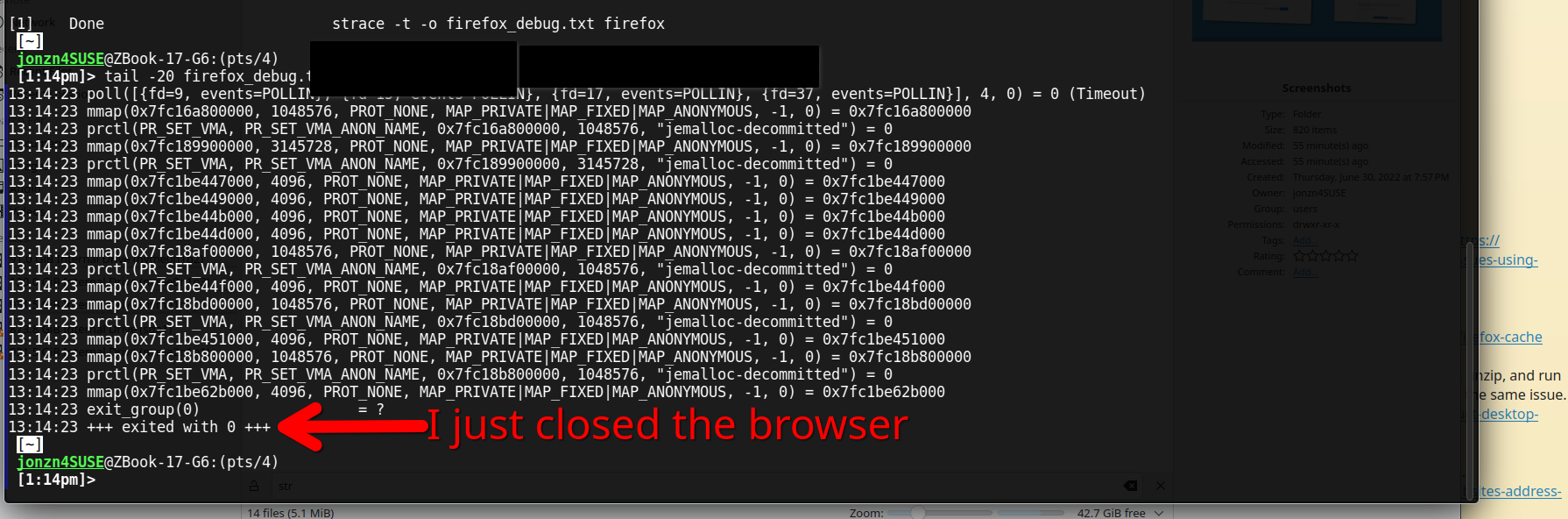
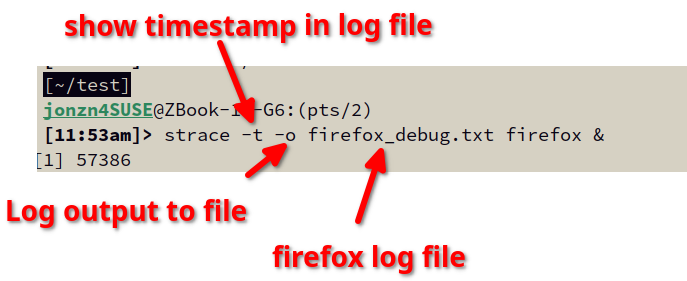
You can run firefox from the cmd line and use strace to see what error it's closing with for devs to investigate. see screenshots
strace -t -o firefox_debug.txt firefox &
Screenshot shows a tail of the log.
Andrew Doyon here again!
I did give the exe straight from mozilla, and things managed to keep steady- up until I installed UBlock origin as a stress test.
I am currently running firefox from the command line with the strace command, though I admit I may have hit a wall- I think? I will show a screenshot.
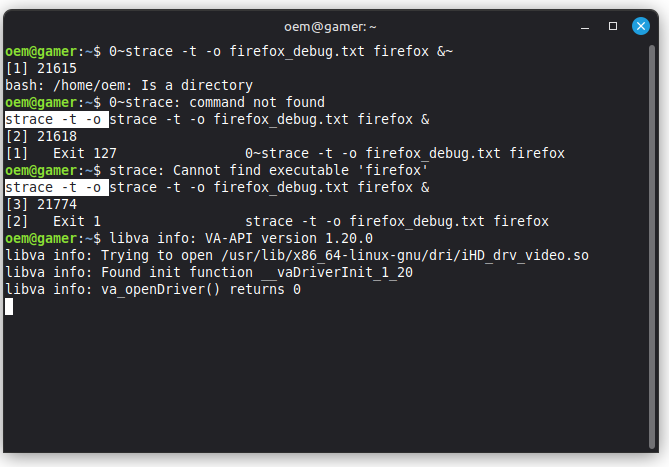
Update: I ran Firefox with UBlock origin disabled while running it through the command line. These are the warning messages I got during this run, posted below.
If there is a "padding" missing that could cause the crash if an extension was turned on that would rely on it, this could be the key to fixing things.
...possibly. I am currently running the command line again with Ublock turned on- I will wait out the clock to see if it crashes and produces a log.
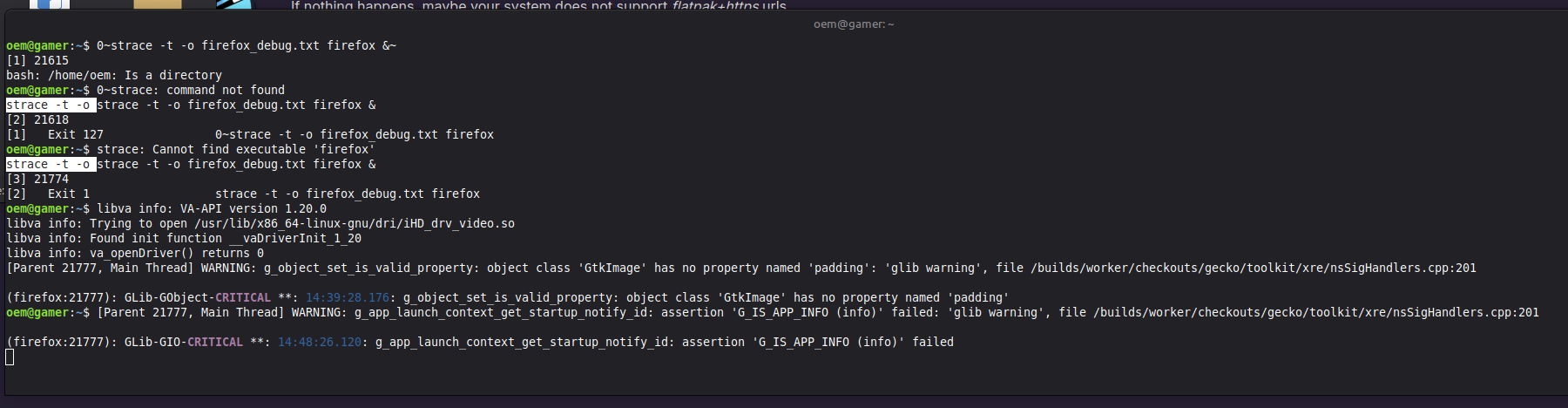
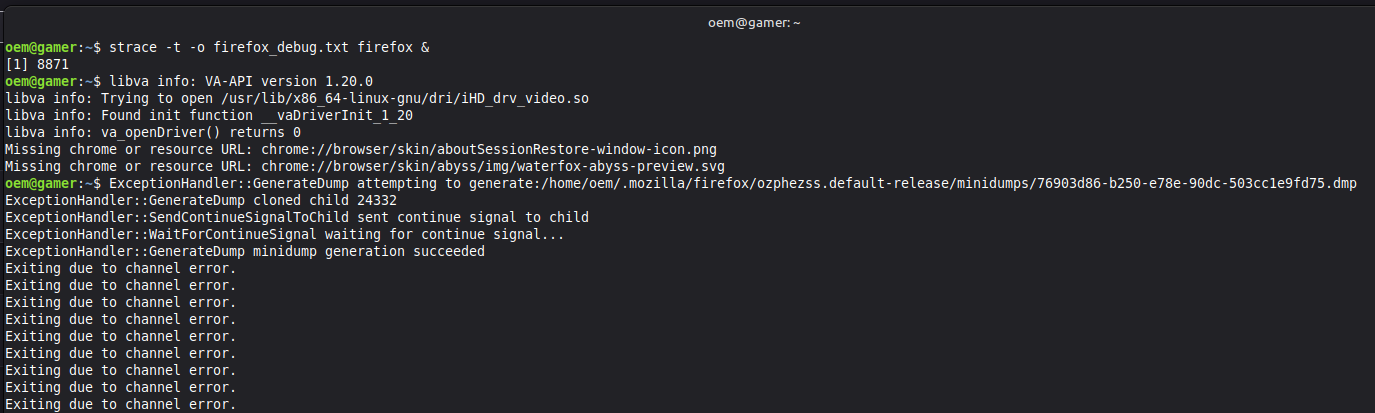
And another update! I finally got it to crash- I had Youtube playing and UBlock Origin active, and I got a crash with this set of messages, attached below. It appears to be an issue caused by the extension itself- or at least, on exacerbated by it.
Let me know if I need to dig around for more.
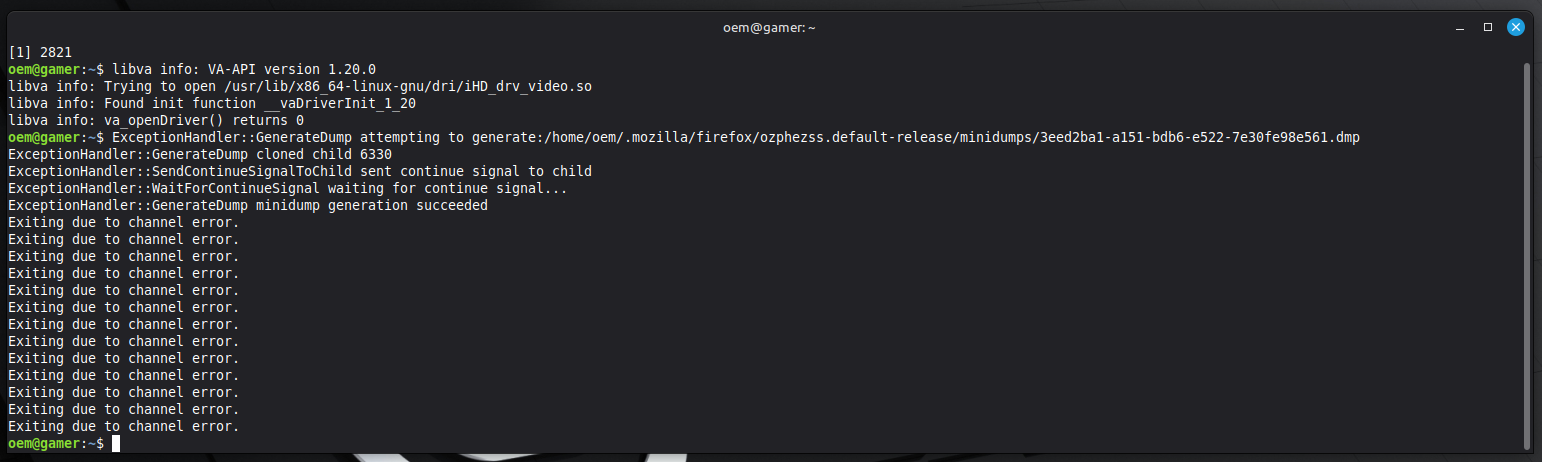
Thank you for checking! If it's indeed caused by uBlock Origin, I'm afraid we can't really help. But you can report the issue to uBlock Origin developers here.
Another update- unfortunately, I tested again even with Ublock disabled, and I still managed to get the same crash with the same error. I will link a screenshot anyway just in case.
I will contact the people behind UBlock origin as well, but I also want to ask- is there anything that can be read from this information that might tie into Firefox itself, or is it simply a dead end?
Thank you!