


Continue to payment on United Airlines website fails
Continue to Payment on United Airlines website fails.
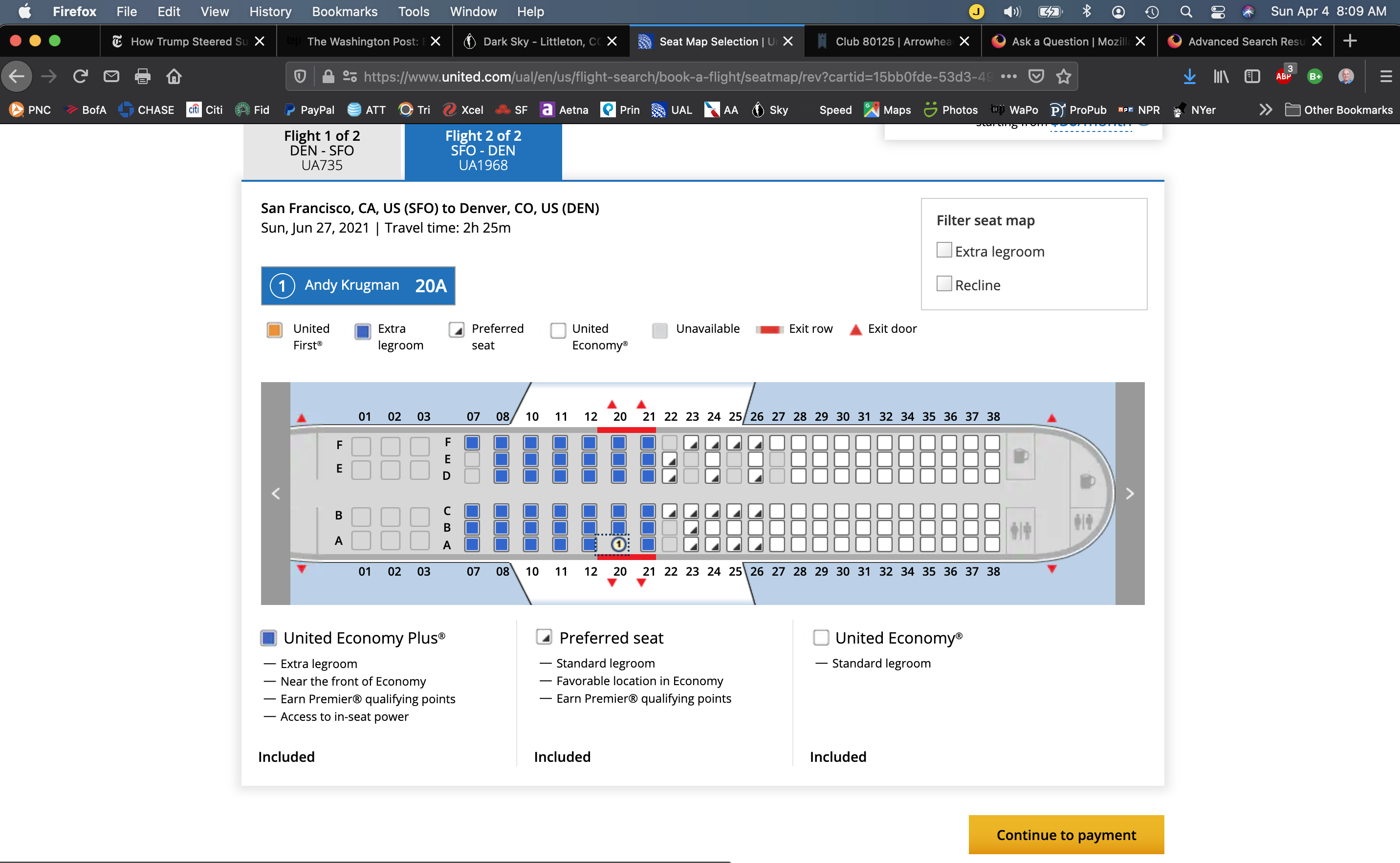
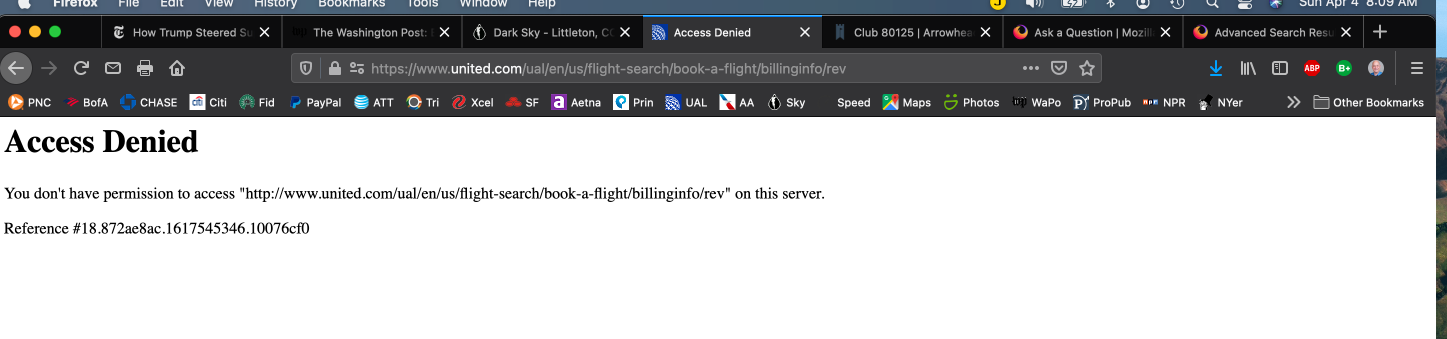
Making a payment for a flight on United Airlines website while using Firefox returns an error message. I am running Firefox 87.0 on a MacBook Pro that is running Mac OS Big Sur 11.2.3. The problem started approximately one week ago. If this is not resolved I will have to discontinue use of Firefox after many years. Thank you, Andy

Vahaolana Nofidina
Make sure you are not blocking content.
Start Firefox in Safe Mode {web link}
A small dialog should appear. Click Start In Safe Mode (not Refresh). Is the problem still there?
https://support.mozilla.org/en-US/kb/enhanced-tracking-protection-firefox-desktop
Many site issues can be caused by corrupt cookies or cache.
Warning ! ! This will log you out of sites you're logged in to. You may also lose any settings for that website.
- How to clear the Firefox cache {web link}acking-protection-firefox-desktop
All Replies (5)
There is security software like Avast, Kaspersky, BitDefender and ESET that intercept secure connection certificates and send their own.
https://support.mozilla.org/en-US/kb/firefox-cant-load-websites-other-browsers-can
https://support.mozilla.org/en-US/kb/firefox-and-other-browsers-cant-load-websites
https://support.mozilla.org/en-US/kb/secure-connection-failed-error-message
https://support.mozilla.org/en-US/kb/connection-untrusted-error-message
Websites don't load - troubleshoot and fix error messages
None of the referenced software, or any other security software, is installed or running on my Mac. The only thing that has changed is the new version of Firefox. These sites worked up until this "upgrade." The sites work on Safari, formerly my backup soon to be my default browser. This is not the first time a Firefox upgrade caused significant issues.
Vahaolana Nofidina
Make sure you are not blocking content.
Start Firefox in Safe Mode {web link}
A small dialog should appear. Click Start In Safe Mode (not Refresh). Is the problem still there?
https://support.mozilla.org/en-US/kb/enhanced-tracking-protection-firefox-desktop
Many site issues can be caused by corrupt cookies or cache.
Warning ! ! This will log you out of sites you're logged in to. You may also lose any settings for that website.
- How to clear the Firefox cache {web link}acking-protection-firefox-desktop
Opening in Safe Mode the issues weren't there. When I restarted Firefox with Safe Mode this issues had also been resolved. Thank you.
Glad to help. Safe Surfing.