


Import af Apple Mail folders
I have recently downloaded Thunderbird Mail, and the installation went smoothly, however, only half of the folders from Apple Mail have been imported. I have tried repeating the import, but without success. What could be the reason for this, and how do I transfer the rest of the folders? I have also tried saving the missing folders as mbox files, and then transferring - but without success.
Chosen Solution
Hi Carsten,
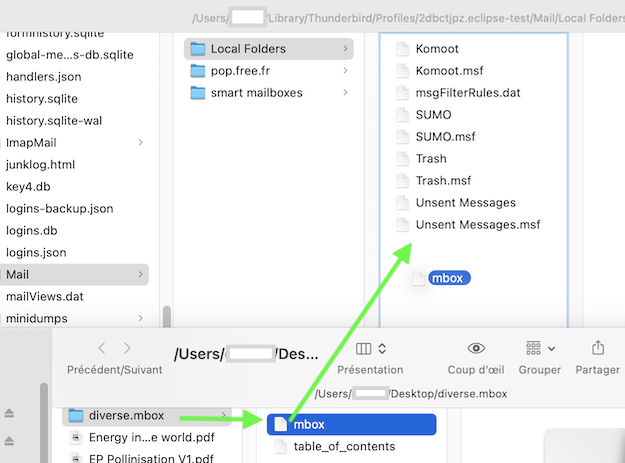
you didn't follow my instructions at some point. Let's take the example in your screen shot with the export folder "diverse.mbox" from Mail.app: you must NOT paste the entire "diverse.mbox" folder in the Local Folders folder, but only the "mbox" file which is located within "diverse.mbox" . I hope that my new picture illustrates this manipulation. Of course you can rename mbox, in your example I would rename it in "diverse": thus when you restart Thunderbird the new folder in Local Folders will have the name "diverse"
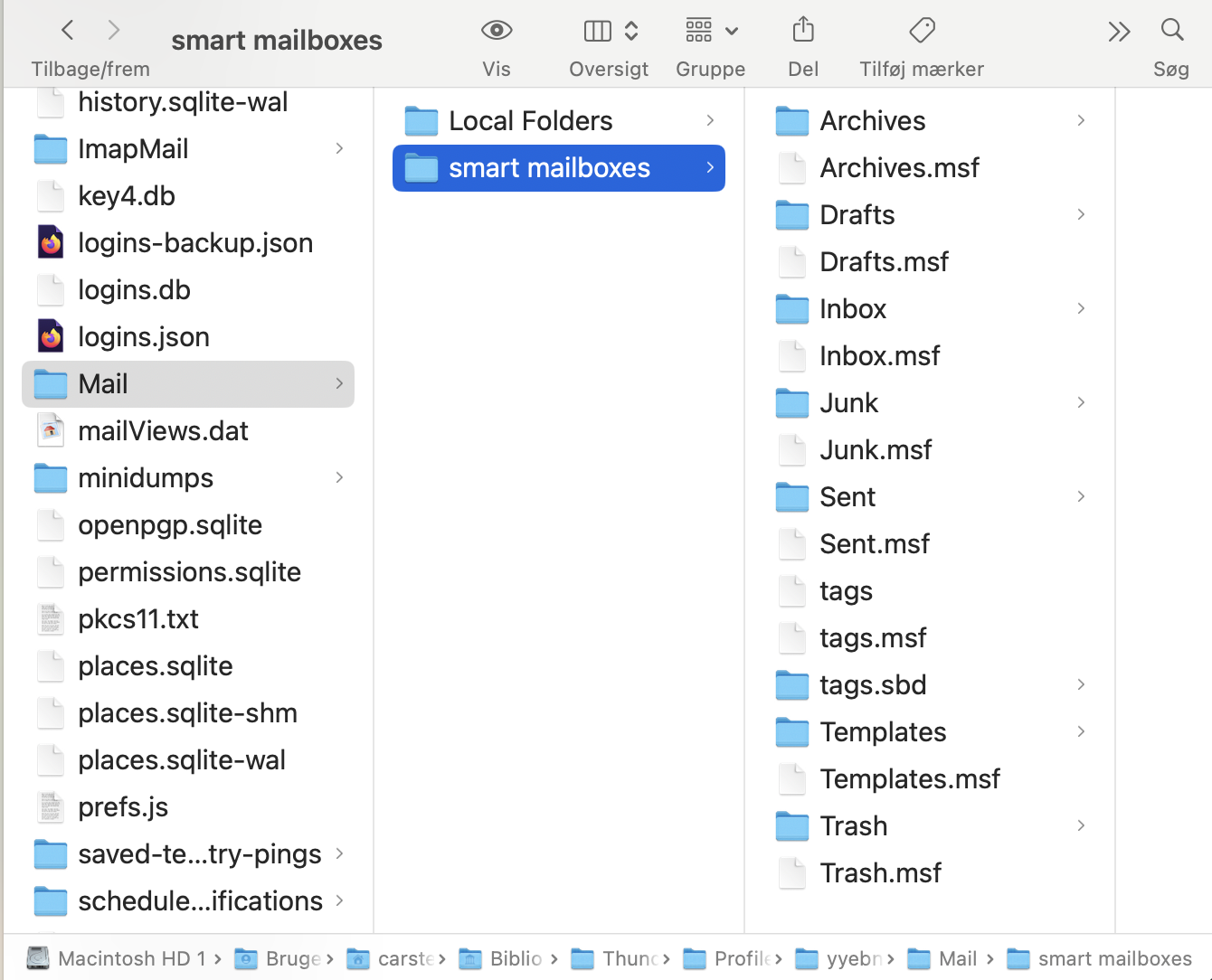
Don't bother about the "smart mailboxes" folder. This folder is used by the "Unified Folders" view.
All Replies (7)
Ever since Apple Mail exists the import from Mail.app to Thunderbird never really worked. So the workaround you already tried is the only one which succeeds since you can export Apple mailboxes in the mbox format. And mbox files can easily be imported manually in Thunderbird directly in the profile folder, e.g. in ~/Library/Thunderbird/Profiles/xxxxxxxx.default-release/Mail/Local Folders/
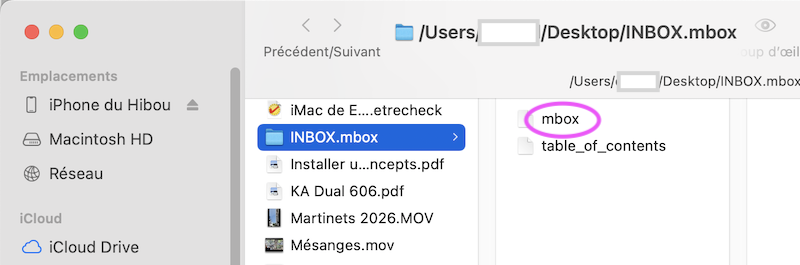
Suppose you select an Inbox folder in Mail.app, go to menu Mailbox and click "Export Mailbox..." you'll get a folder "INBOX.mbox" on your Desktop containing an "mbox" file and a "table_of_contents index file (first image) Now verify that Thunderbird is closed, in a Finder window navigate to ....../Mail/Local Folders/ and drag & drop the "mbox" file from the Desktop in "Local Folders". If you wish you can rename the mbox file now or later in Thunderbird. When you restart you'll see a folder "mbox" as a subfolder in Local Folders containing all messages of the Inbox folder in Mai.app. If you wish you can rename the "mbox" folder, drag it in another account or copy messages to another folder ....etc or whatever you prefer.
If you are not very familiar with Thunderbird profile structures you can also use the add-on "ImportExportTools NG" to import the mbox files generated by exporting Mail.app mailboxes
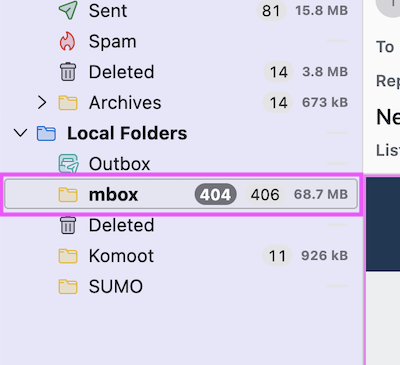
Thank you! I appreciate very much your detailed response, I'm sure it's the right approach.....I haven't managed to get it to work yet, the folders are imported into 'local folders' in TB mail but they don't contain any messages. I'll keep trying to get it fixed though.
Apple Mail Import doesn't work actually and in the past I never succeeded to make it work. All I get is an empty "Apple Mail Import" folder in the Local Folders. So the only way to import Apple Mail messages is the way I described in my first reply: export mailboxes from Apple Mail, then manually drag & drop the mbox files in ~/Library/Thunderbird/Profiles/xxxxxxxx.default-release/Mail/Local Folders/ here or use the add-on ImportExportTools NG.
By default the macOS user library is hidden : you can unhide it in a Finder window by pressing the Alt (Option) key and going to the menu Go > Library. Drag & drop of the exported mbox files from Apple Mail to Local Folders in the Thunderbird profile must be done Thunderbird being closed.
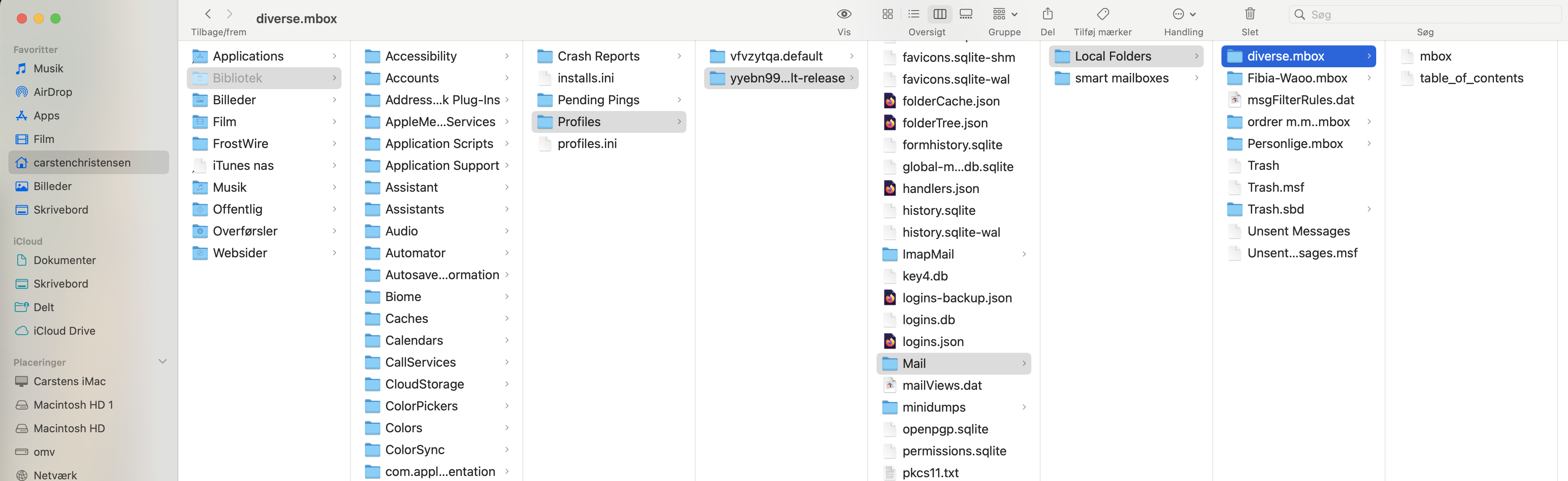
OK I'm back....thanks for your answer. I followed your advice and placed the four mbox files in the TB local folder, but they did not show up in TB mail. I attach a screen dump of Finder window. I can't use the ImportExportTools NG..... it's for windows patforms only. There is also a folder called 'smart mailboxes' and I tried placing the mbox files in there too....but it did not work either.
Chosen Solution
Hi Carsten,
you didn't follow my instructions at some point. Let's take the example in your screen shot with the export folder "diverse.mbox" from Mail.app: you must NOT paste the entire "diverse.mbox" folder in the Local Folders folder, but only the "mbox" file which is located within "diverse.mbox" . I hope that my new picture illustrates this manipulation. Of course you can rename mbox, in your example I would rename it in "diverse": thus when you restart Thunderbird the new folder in Local Folders will have the name "diverse"
Don't bother about the "smart mailboxes" folder. This folder is used by the "Unified Folders" view.
Hi Mapenzi
Thanks for your patience ;-) Everything works perfectly well now....I would never have managed it without your help. I shall hope this proces may be helpful for other users as well.
With Gratitude... Carsten
I'm glad that manual import from Apple Mail now works for you. Thanks for your feedback 👍