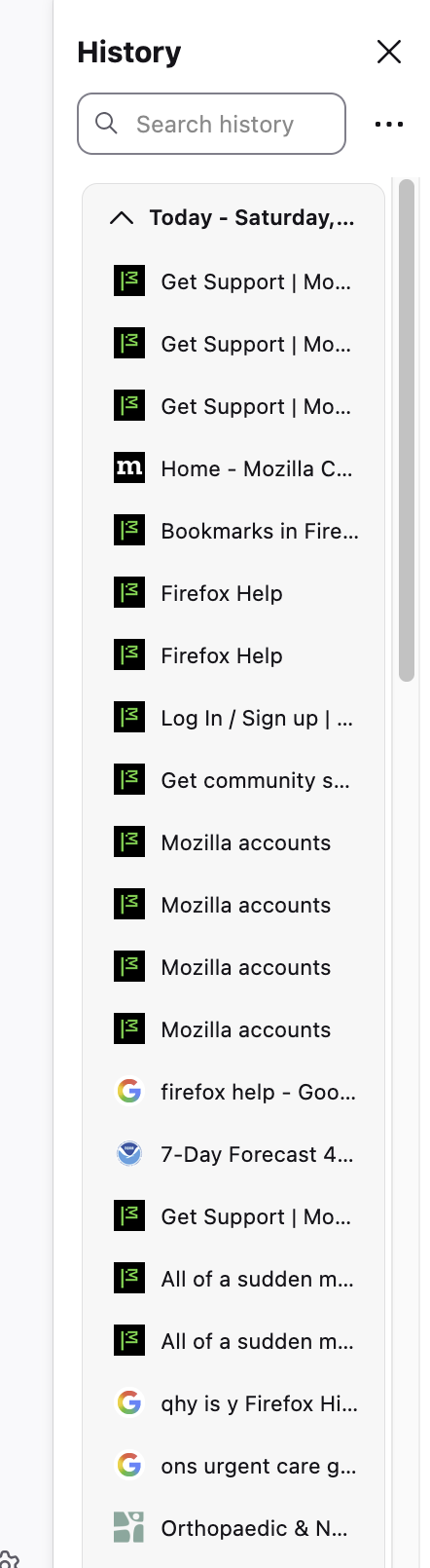
History is suddenly double spaced in FF 145.0.1 on Mac OS 5.6.1

Really odd. I tried restarting and it didn't help.
All of a sudden it was double spaced and the icons look different, too. I checked and my font selection is the same: Helvetica.
I'm attaching a screen shot.
Suggestions?
E.
Chosen solution
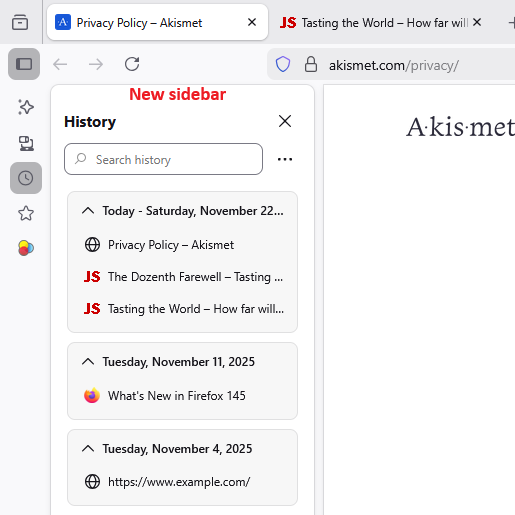
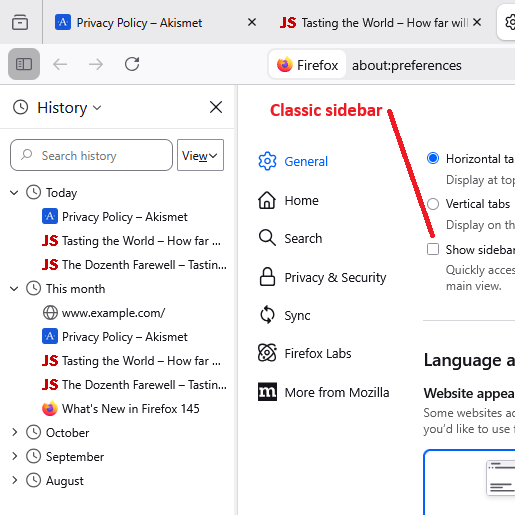
That looks pretty normal for the "new" sidebar (the one with the vertical launcher button bar at the left). Maybe up to now you were using the "classic" sidebar? A couple screenshots for comparison:
To roll back to the classic sidebar, on the Settings page (sometimes labeled Preferences), in the Browsing section, un-check the box for "Show sidebar".
Read this answer in context 👍 0All Replies (3)
Chosen Solution
That looks pretty normal for the "new" sidebar (the one with the vertical launcher button bar at the left). Maybe up to now you were using the "classic" sidebar? A couple screenshots for comparison:
To roll back to the classic sidebar, on the Settings page (sometimes labeled Preferences), in the Browsing section, un-check the box for "Show sidebar".