


Google Sheets are blacked out, Google Docs are white-ed out (aka blank!)

Good morning! My job requires working almost exclusively with Google Drive apps. This morning—soon after the update to Firefox 160, I assume—all my google Docs and Google Sheets are, well, pretty much gone.
I am using Firefox 160, as mentioned, on an iMac running MAC OS 15.7.9
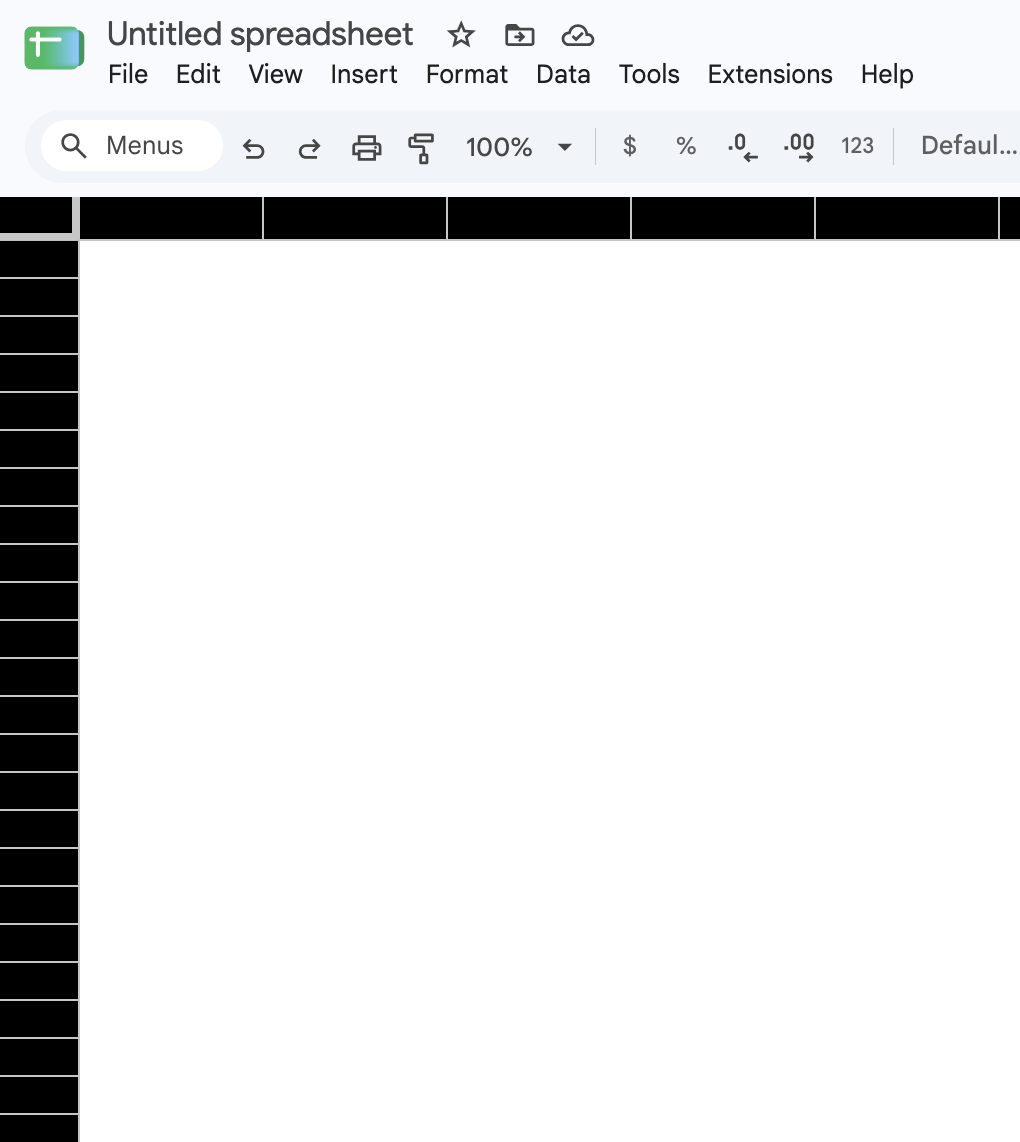
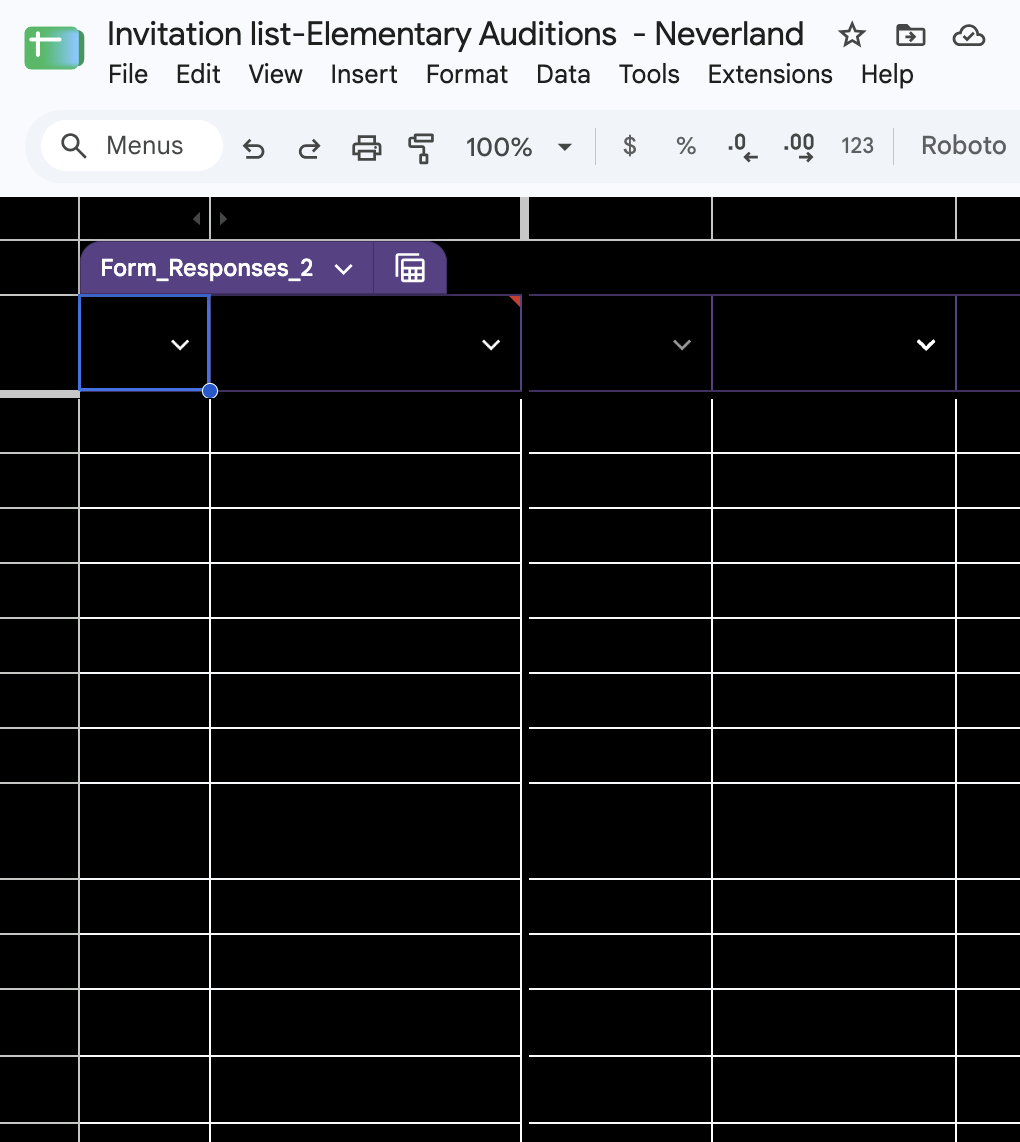
Here are the issues (see attached screenshots for reference):
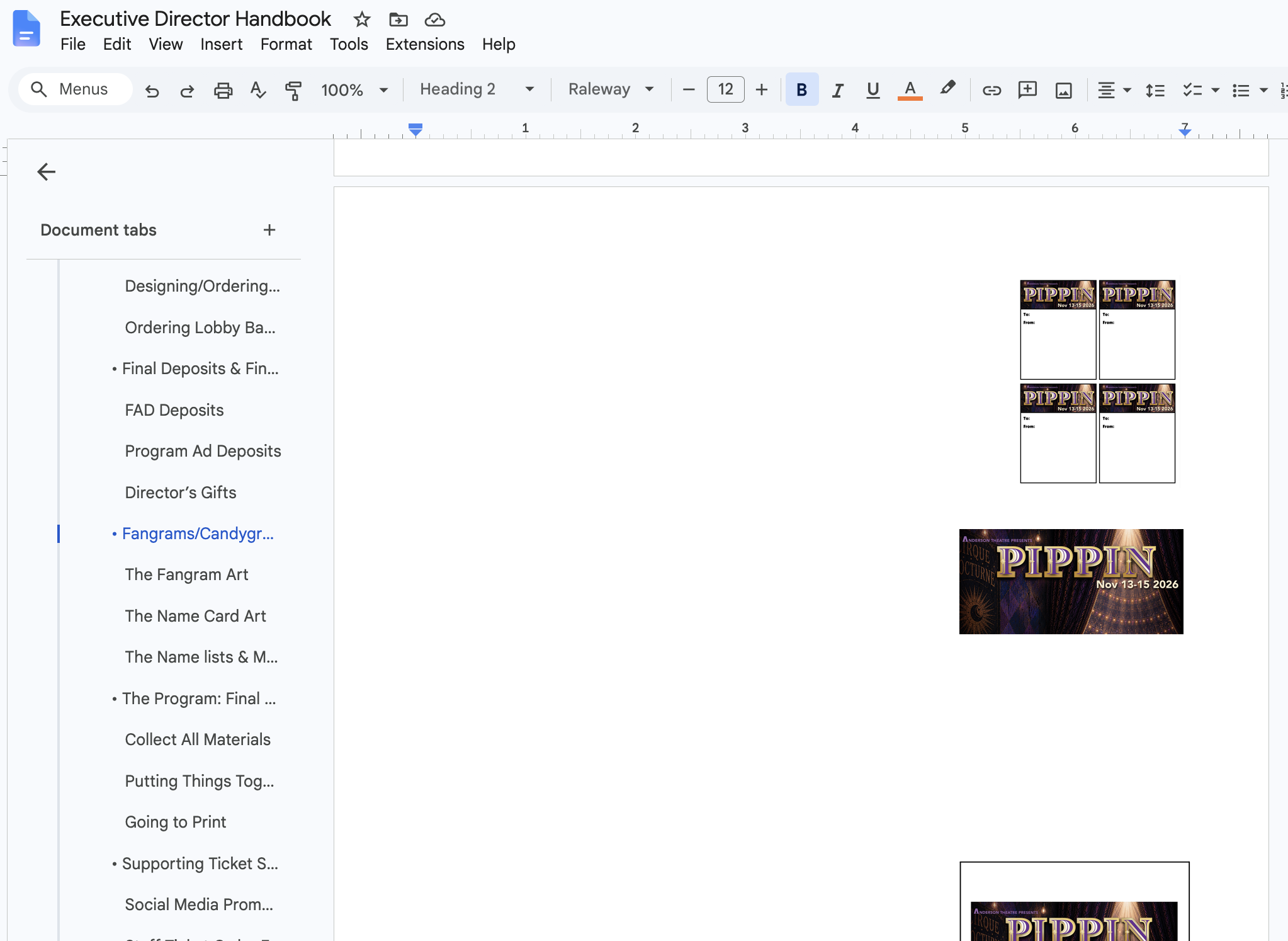
- Google Docs are completely white-ed out...except for images. I can type, and clearly the text I type is there (I can copy the page and paste it into Pages on my desktop and it looks normal). But text is invisible. Selecting text give no visibility. Changing the color of the text has no effect.
- Google Sheets, on the other hand, are a mix of black and white blocks. Some cells are completely black, others are completely white. I can see the original formatting and text if I put my cursor in a cell, but once I hit return or otherwise remove it, the cell returns to either white or black. (Note—I have been seeing weird white-out sections of cells recently, where some text in random cells is partially obscured, but nothing this extensive)
I have restarted my computer, and reloaded Firefox twice. I really have no idea what else to do, and my work has ground to a halt. Any help will be MUCH appreciated!
Chosen Solution
If it doesn't reproduce in Troubleshoot Mode, see Troubleshoot extensions, themes and hardware acceleration issues to solve common Firefox problems — esp. try disabling performance optimizations in settings.
All Replies (12)
Sorry--correct screenshot of the Google Docs issue:
I'm also having the exact same issue!!! Also running 160.0 but on Mac OS 15.8.3. It's really annoying I use Google docs for all of my freelance work. I can get it to work in Safari but I want to work in Firefox!
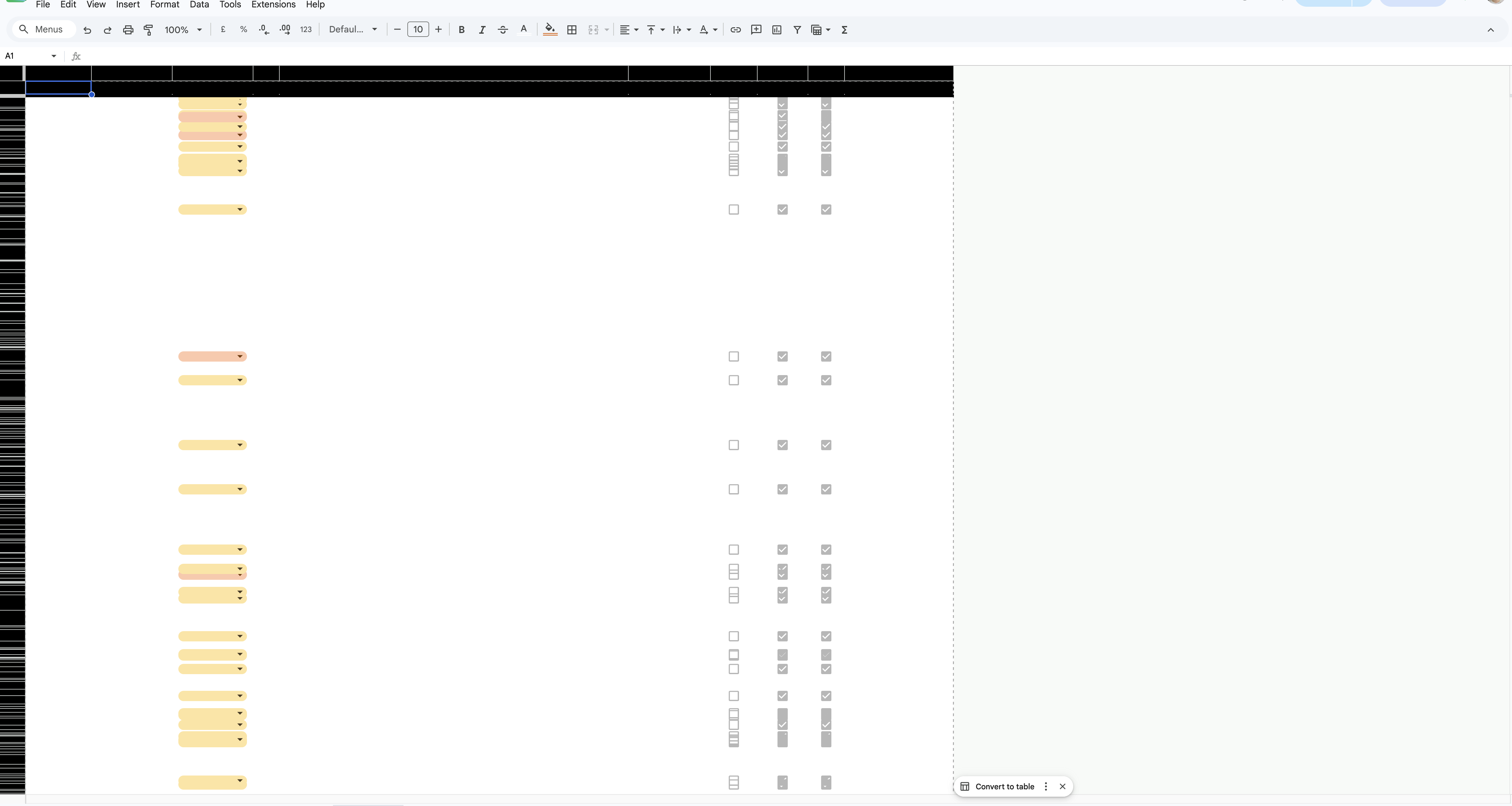

I have this problem as well! It goes away in troubleshooting mode but I have no idea why when I've removed all add-ons and cleared my cache already. It's really frustrating.
Lolly said
I'm also having the exact same issue!!! Also running 160.0 but on Mac OS 15.8.3. It's really annoying I use Google docs for all of my freelance work. I can get it to work in Safari but I want to work in Firefox!
Alex said
I have this problem as well! It goes away in troubleshooting mode but I have no idea why when I've removed all add-ons and cleared my cache already. It's really frustrating.
Two good options to try, thanks—and I am glad I am not alone! Like you, I prefer Firefox to all other browsers, so I really hope there is an answer here. (I know Google will say "use chrome" but I refuse!!!)
I came here to post that it goes away in troubleshooting mode, but still persists when I disable all of my add-ons and clear the cache. It's worth trying to restart Firefox, which is an option when you enter trouble shooting mode. But it didn't fix the issue for me.
Chosen Solution
If it doesn't reproduce in Troubleshoot Mode, see Troubleshoot extensions, themes and hardware acceleration issues to solve common Firefox problems — esp. try disabling performance optimizations in settings.
Could you try switching webgl.disable-angle to true in about:config + restart? Thanks.
Modified by TyDraniu
jbr said
If it doesn't reproduce in Troubleshoot Mode, see Troubleshoot extensions, themes and hardware acceleration issues to solve common Firefox problems — esp. try disabling performance optimizations in settings.
Oh, hey, this actually worked! Thank you so much. :]
jbr said
If it doesn't reproduce in Troubleshoot Mode, see Troubleshoot extensions, themes and hardware acceleration issues to solve common Firefox problems — esp. try disabling performance optimizations in settings.
This was just what I needed. It was not affected by clearing the Cache or Resetting Firefox, but cleared up immediately when I turned off hardware acceleration!
Thanks, all!!
TyDraniu said
Could you try switching webgl.disable-angle to true in about:config + restart? Thanks.
I have no idea what this means, unfortunately. Although since disabling hardware acceleration fixed the issue, I read on in the article linked above and in the linked Upgrade your graphics drivers article and see mention of this "Webgl" thing, so maybe that would be helpful for more experiences users.
Modified by Quartermoon
Can anyone of the affected users file a bug in this component: bugzilla.mozilla.org/enter_bug.cgi?product=Core&component=Graphics attaching your about:support data please? (and share the link here?)
I see the reporter is on some of the last Intel Macs (something like a 2019 Mac Pro or the 27" iMac with Radeon Pro 580X GPU), and the Metal backend appears disabled due to multiple GPUs available:
name: WEBRENDER_ANGLE_METAL
description: WebRender ANGLE Metal
status: blocklisted
log:
   default: available
   env: blocklisted; failureId: FEATURE_FAILURE_METAL_ANGLE_MULTIPLE_GPUS; message: Blocklisted by gfxInfo
   fallbacks:
   crashGuards:
   webgpuDefaultAdapter.navigator.gpu: null
   webgpuFallbackAdapter.navigator.gpu: null
but that shouldn't cause any of the fallbacks to suddenly unable to render things — could be worth filing in a bug to help improve this for affected users — thanks!
Ah, no need to, seems to be covered by bugzilla.mozilla.org/2091596
(The exact reproduction is in bugzilla.mozilla.org/2091902 that will duplicate the former.)
If anyone on the affected systems wanted to try the latest Nightly nightly.mozilla.org to see if the rendering is resolved for them, that would be helpful! Thanks! (Nightly comes with a separate clean profile, so it won't interfere with your day–to–day existing setup.)
Modified by jbr