

Windows 10 reached EOS (end of support) on October 14, 2025. If you are on Windows 10, see this article.

Search Support

Avoid support scams. We will never ask you to call or text a phone number or share personal information. Please report suspicious activity using the “Report Abuse” option.

Learn More
Open

PR_END_OF_FILE_ERROR in Google Workspace

Emery Jeffreys

I get error code: PR_END_OF_FILE_ERROR using Firefox 159 arch 64 (Tahoe 26.6.2) when I visit these sites:

https://calendar.bytewriter.com https://mail.bytewriter.com https://drive.bytewriter.com https://groups.bytewriter.com

The CNAME entries and Google Admin account settings are correct.

I get no PR_END_OF_FILE_ERROR errors using the URLs this way:

https://calendar.google.com/a/bytewriter.com/ https://mail.google.com/a/bytewriter.com/ https://drive.google.com/a/bytewriter.com/ https://groups.google.com/a/bytewriter.com/

There are no errors using Firefox in a private browser, Firefox on an iPhone, Firefox on iPad, Safari or Chrome.

There are no errors when I create a new blank profile. That makes me suspect some sort of corruption in bookmarks and history.

I took these steps: Turned off all extensions - no errors Turning on any extension created PR_END_OF_FILE_ERROR

My web hosting tech support suggested duplicating CNAME entries at GoDaddy. GoDaddy said the web host is authoritative for DNS, and changes at GoDaddy would be ignored.

GoDaddy suggested these steps: Clear all site data for bytewriter. The error persisted except with a new blank profile temporarily disable DNS over HTTPS, then reload https://calendar.bytewriter.com - error persisted In the address bar, go to about:networking#dns Click Clear DNS Cache Then go to about:networking#http3 Click Clear All HTTP/3 Alt-Svc Mappings Close Firefox completely and reopen it Test https://calendar.bytewriter.com again Does calendar.bytewriter.com load after that? -error continued

Search for network.http.http3.enabled Set it to false Close Firefox completely and reopen it -error continued

Deleted Firefox and installed from scratch - no errors Created a new profile and imported bookmarks and history

I work solely for nonprofits and rely heavily on Firefox in training less skilled people. My workaround is to use these until FQDN works without that error

https://calendar.google.com/a/bytewriter.com/ https://mail.google.com/a/bytewriter.com/ https://drive.google.com/a/bytewriter.com/ https://groups.google.com/a/bytewriter.com/

I get error code: PR_END_OF_FILE_ERROR using Firefox 159 arch 64 (Tahoe 26.6.2) when I visit these sites: https://calendar.bytewriter.com https://mail.bytewriter.com https://drive.bytewriter.com https://groups.bytewriter.com The CNAME entries and Google Admin account settings are correct. I get no PR_END_OF_FILE_ERROR errors using the URLs this way: https://calendar.google.com/a/bytewriter.com/ https://mail.google.com/a/bytewriter.com/ https://drive.google.com/a/bytewriter.com/ https://groups.google.com/a/bytewriter.com/ There are no errors using Firefox in a private browser, Firefox on an iPhone, Firefox on iPad, Safari or Chrome. There are no errors when I create a new blank profile. That makes me suspect some sort of corruption in bookmarks and history. I took these steps: Turned off all extensions - no errors Turning on any extension created PR_END_OF_FILE_ERROR My web hosting tech support suggested duplicating CNAME entries at GoDaddy. GoDaddy said the web host is authoritative for DNS, and changes at GoDaddy would be ignored. GoDaddy suggested these steps: Clear all site data for bytewriter. The error persisted except with a new blank profile temporarily disable DNS over HTTPS, then reload https://calendar.bytewriter.com - error persisted In the address bar, go to about:networking#dns Click Clear DNS Cache Then go to about:networking#http3 Click Clear All HTTP/3 Alt-Svc Mappings Close Firefox completely and reopen it Test https://calendar.bytewriter.com again Does calendar.bytewriter.com load after that? -'''error continue'''d Search for network.http.http3.enabled Set it to false Close Firefox completely and reopen it -'''error continued''' Deleted Firefox and installed from scratch - no errors Created a new profile and imported bookmarks and history I work solely for nonprofits and rely heavily on Firefox in training less skilled people. My workaround is to use these until FQDN works without that error https://calendar.google.com/a/bytewriter.com/ https://mail.google.com/a/bytewriter.com/ https://drive.google.com/a/bytewriter.com/ https://groups.google.com/a/bytewriter.com/

All Replies (1)

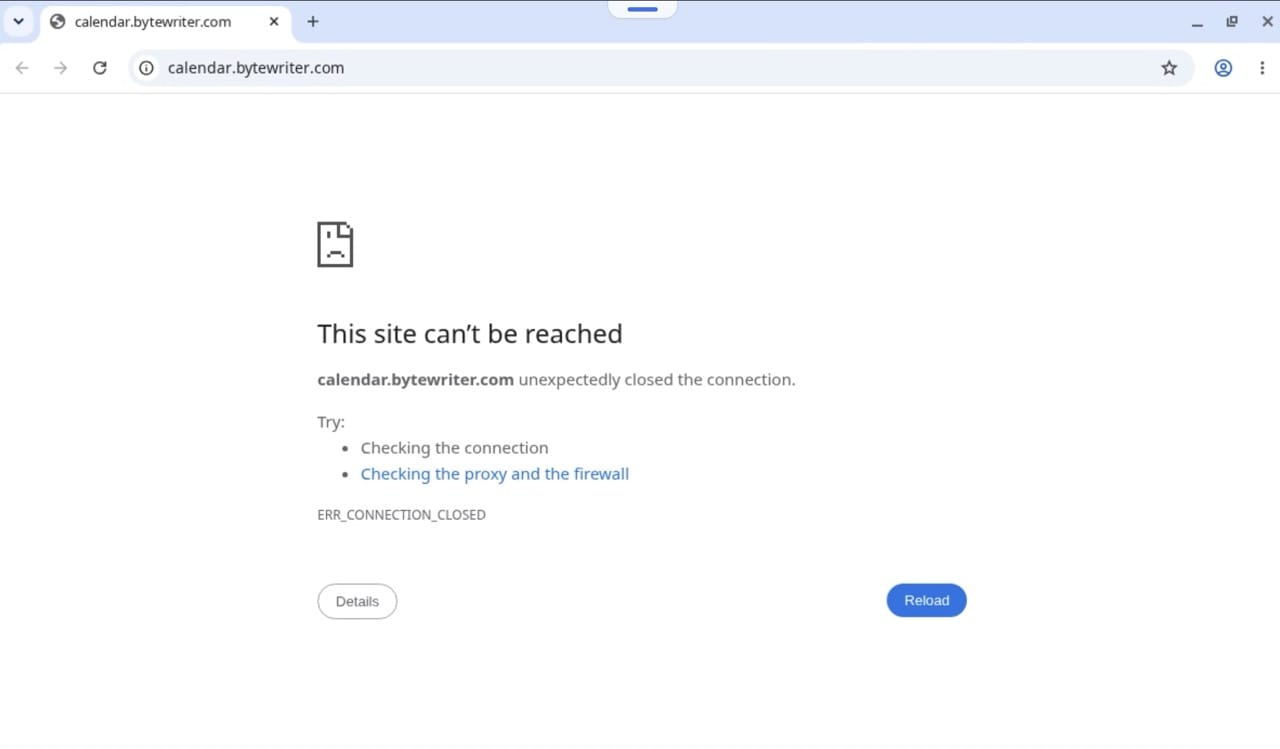
This doesn't seem browser–specific, at this point I see the same error across any browser from multiple locations:
Ask a question

You must log in to your account to reply to posts. Please start a new question, if you do not have an account yet.