


Can I remove the table in which the email header resides, and how?

nothing to add
All Replies (2)

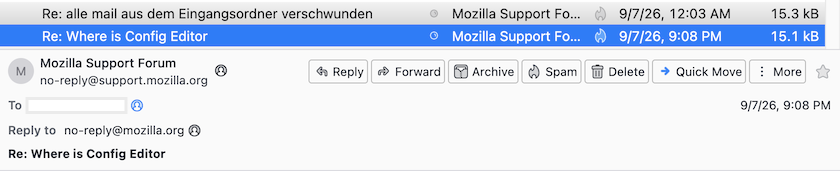
I wish you WOULD add something - I don't understand your question. Can you be more descriptive? What "table" are you referring to? A screen shot might be helpful.
All email messages have headers. They detail the origin, destination, intermediate stops, and much more. Internet email cannot function without them.
Perhaps you are looking for something like these add-ons. Search the add-ons for "HEADERS" to find other possibilities:
Compact Headers https://addons.thunderbird.net/en-US/thunderbird/addon/compact-headers/
Custom Headers View https://addons.thunderbird.net/en-US/thunderbird/addon/custom-headers-view/
My guess is that Carol would like to hide the entire message header pane. Compact Headers is an excellent add-on to diminish the superfluous space occupied by the this pane. In order to hide the entire message header pane you would need a CSS code bit in the userChrome.css file
.main-header-area { display: none !important; }
Modified by Mapenzi