How to update my browser

How do I update the browser. Cebu Pacific Airline says my browser is out of date. I cannot make a plane booking anymore.
All Replies (6)
Bonjour
To complement, these discussions, https://connect.mozilla.org/t5/discussions/firefox-115-41-0-esr-fails-to-display-some-web-pages-correctly/td-p/138971 - https://connect.mozilla.org/t5/firefox-labs/webseite-sein-monaten-niBcht-erreichbar/td-p/136998
These discussions https://support.mozilla.org/en-US/questions/1609073 https://support.mozilla.org/en-US/questions/1608750
Update your browser
Modified by Agent virtuel
Lindsay Rickard said
How do I update the browser. Cebu Pacific Airline says my browser is out of date.
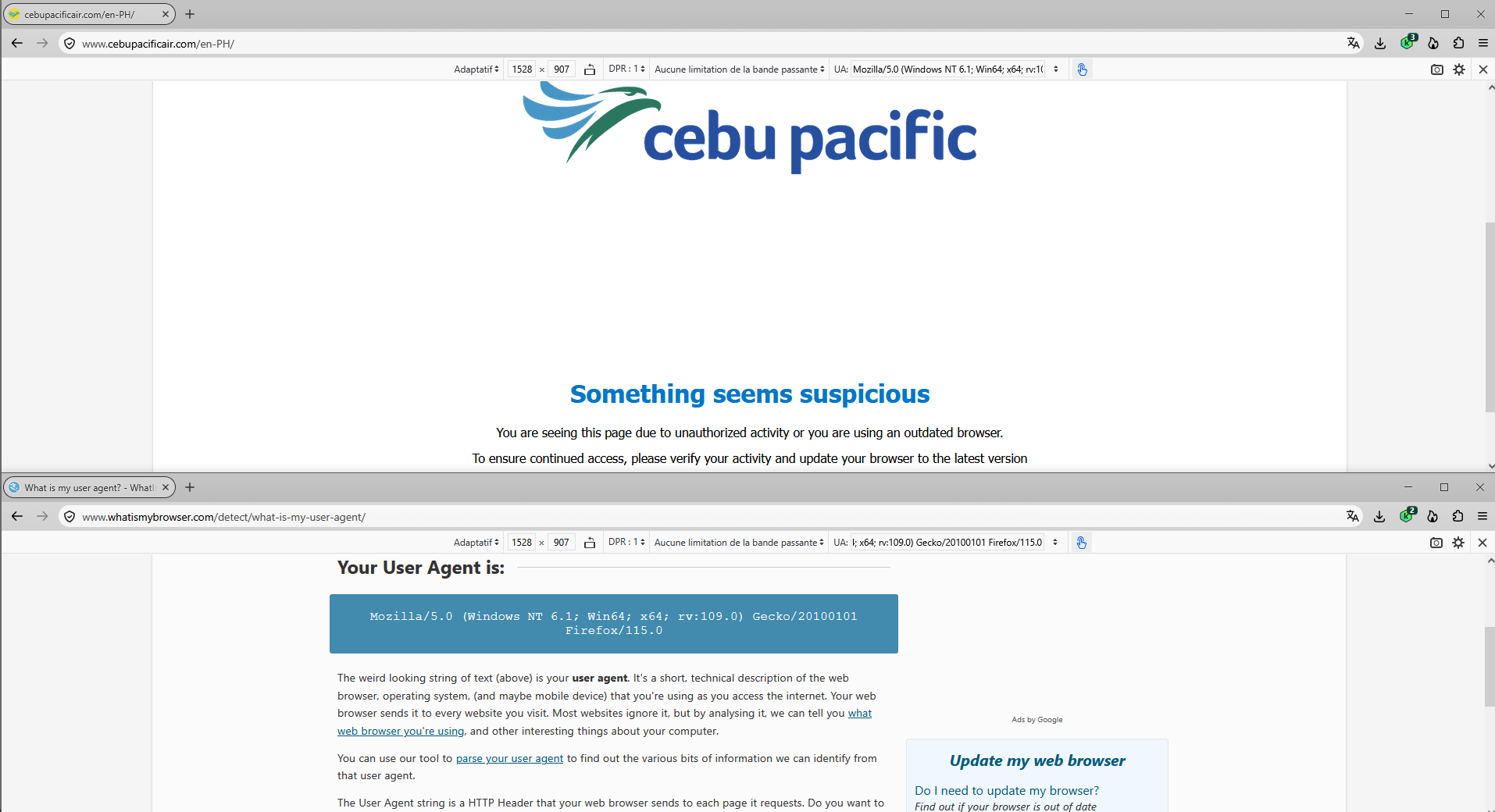
The Firefox UserAgent or UA you used to post this thread with appears to be Mozilla/5.0 (Windows NT 6.2; Win64; x64; rv:109.0) Gecko/20100101 Firefox/115.0
The NT 6,2 is Windows 8 when most people use Windows 7 (NT 6.1) or 8.1 (NT 6.3) as the Windows 8 has usually been due to running Firefox in Windows 8 compatibility mode on Windows 10 or 11. Firefox 116.0 and later requires Windows 10, 11 to run but since you may be running Firefox in Windows 8 compatibility mode at some point it led to you using Firefox 115 ESR as that is the most current to support Windows 7, 8, 8.1.
There are various guilds around about how to access the compatibility mode to enable or in this case disable running Firefox in Windows 8 compatibility mode. https://www.howtogeek.com/how-to-run-old-software-in-compatibility-mode-on-windows-11/
Afterwards if you were to check for updates in Firefox you would likely be updated to Firefox 140.17.0 ESR even though Firefox 153.0 ESR is recent as updates to FX 153 ESR will not occur until Fx 140 ESR is EOL which will be when Fx 153.5.0esr is released. So if you want more current Firefox you can install Fx 157.0 release or FX 153.4.0 ESR.
https://www.firefox.com/download/all/desktop-release/ https://www.firefox.com/download/all/desktop-esr/
Firefox support for Windows 7, 8 and 8.1 https://support.mozilla.org/en-US/kb/firefox-users-windows-7-8-and-81-moving-extended-support
If your current hardware can't handle Windows 10 or higher for some reason, you can switch to a Linux-based operating system. The vast majority of Linux distributions come with Firefox as the default browser. Please see the support websites for the version of Linux that you're interested in.
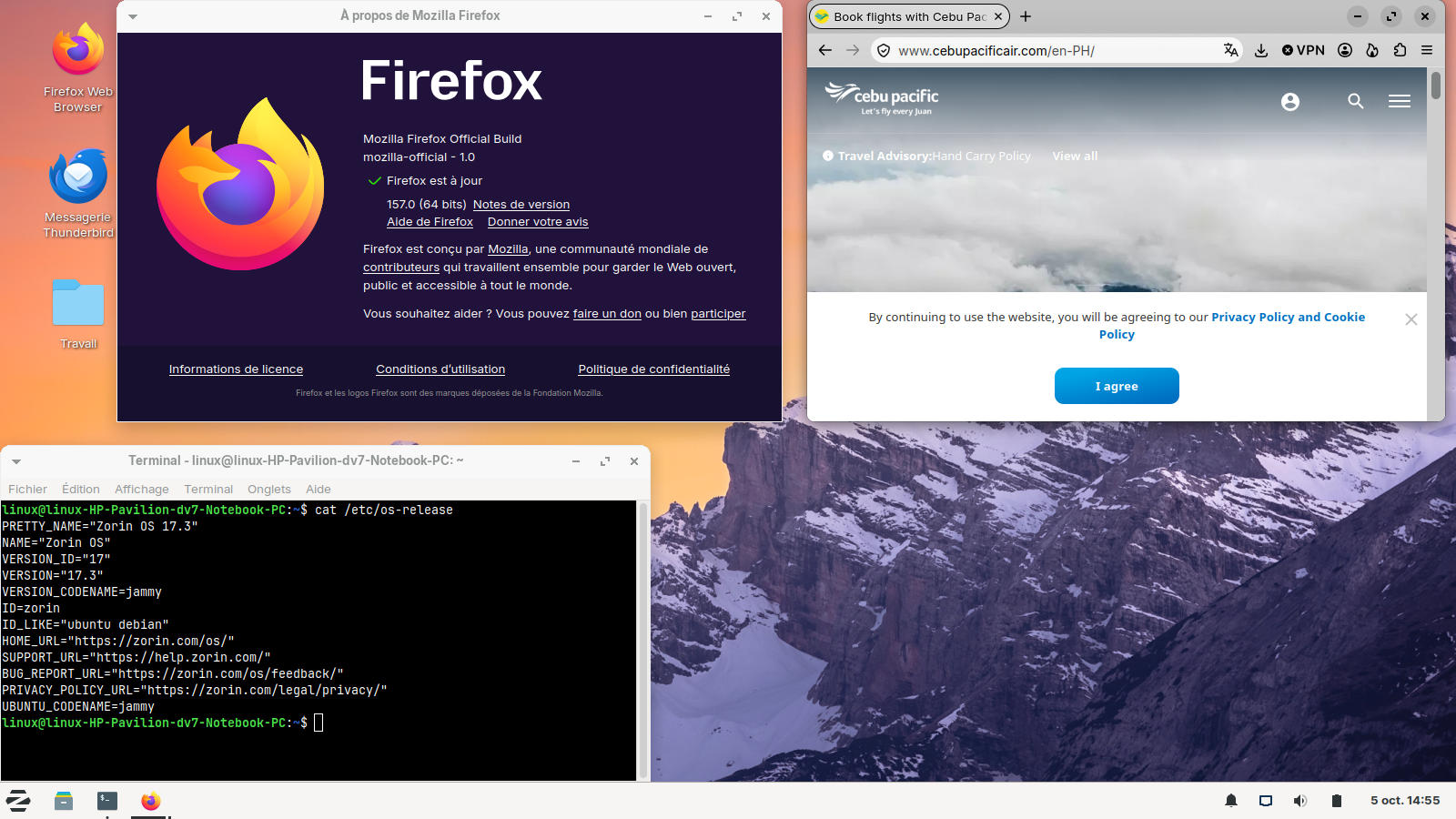
J'ai installé Linux, en double-démarrage avec Windows7 https://support.mozilla.org/en-US/questions/1609073#answer-1852079
Modified by Agent virtuel
Lindsay, can you confirm which version of Windows you're actually running? Thanks.
Winver is a Microsoft Windows operating system command used to display the version of the system currently in use. It is a native file included in Windows, regardless of the version.
Launch Start ⇒ Run ⇒ winver or winver.exe
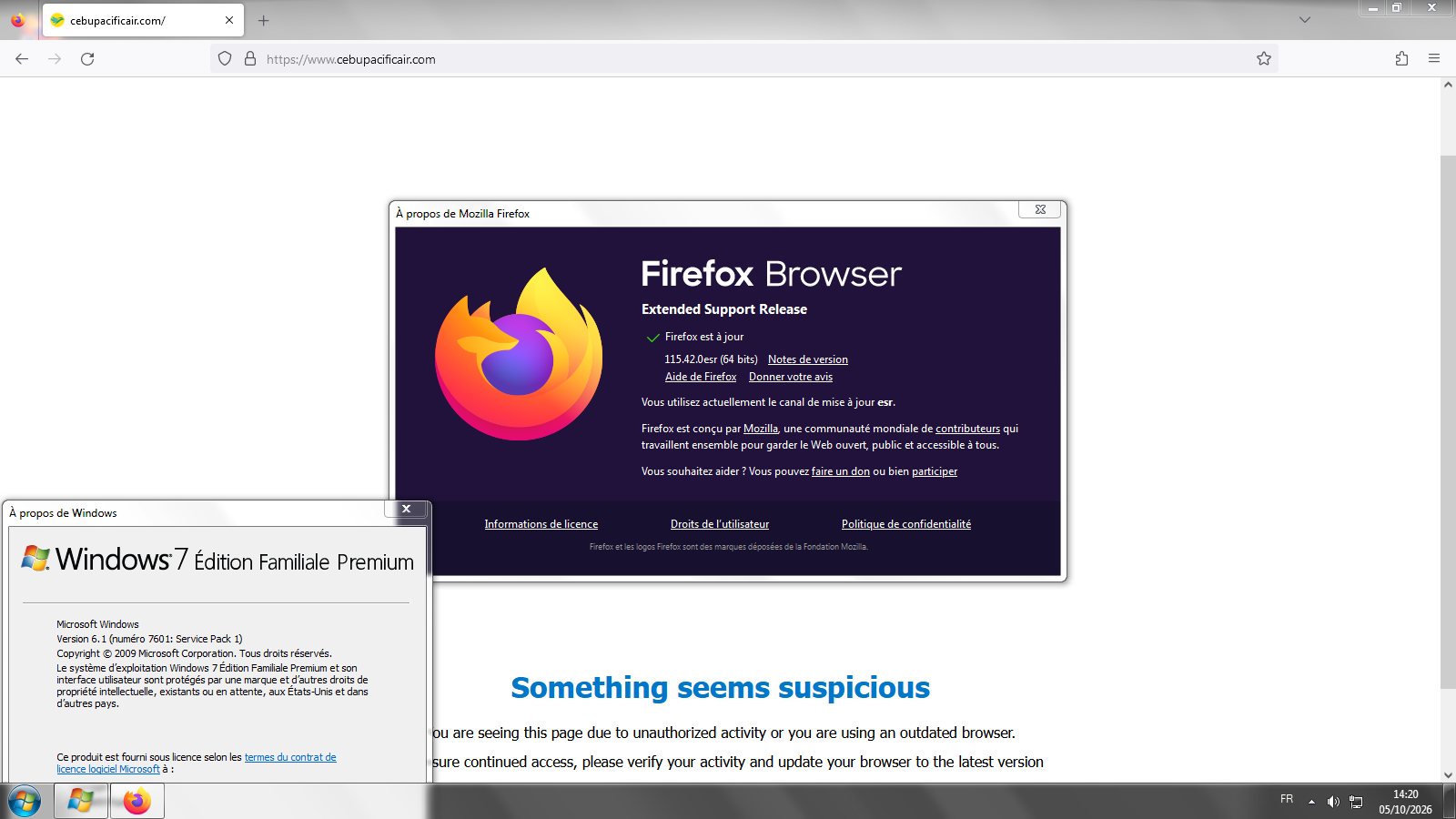
J'ai installé Linux en double-démarrage avec Windows7.
Install Firefox on Linux https://support.mozilla.org/en-US/kb/install-firefox-linux As for me, System Firefox installation (for advanced users), that's my installation.