


For the past week Thunderbird has been popping up a Comcast site requesting that I enter my Comcast password. Wild Windows 11 Behavior

I have had Thunderbird on my Mac Monterey synced to my Comcast email address with no problems. Usually I have to enter my Comcast password when I send the first message for the day. It has caused no real problems since I obtained this computer, probably sometime in 2021. Within 2023 I obtained a Windows 10, onto which I also put Thunderbird. Last November I upgraded to Windows 11 had kept Thunderbird. I did not do the upgrade myself. The technician used Google Drive and OneDrive for backup. I added a GMAIL address on that system to my Thunderbird installation on Windows 11.
For the past week Thunderbird has been popping up a Comcast site requesting that I enter my Comcast password. This is bizarre! How can I get my Thunderbird to behave more normally on my Windows 11? Thanks in advance. The technician only did the upgrade. I did the subsequent program reinstallations.
Modified by Wayne Mery
All Replies (4)
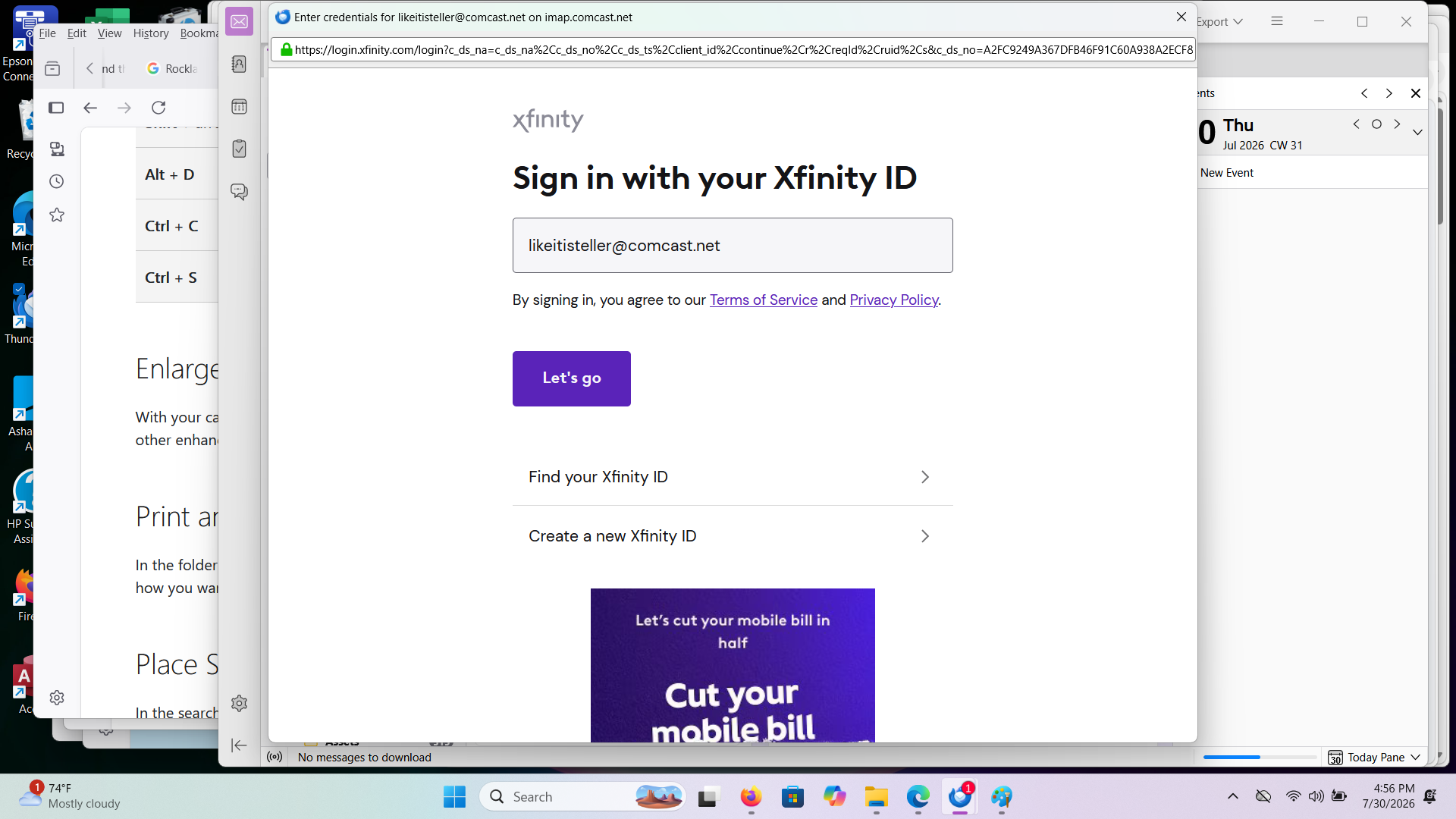
Please post a screen shot of the password prompt.
Wayne, Thank you for your reply. It took me a while to figure out screenshots on Windows 11. This was upgraded from Windows 10, a previously used HP EliteBook. Whoever had it before overrode the function keys so that they do not work as expected. I had to save the screenshot twice. Usually requests for these things are in JPEG format. The attached conforms to the Firefox guidelines. This prompt for the Comcast password usually comes up twice in a row. After it pops up the first time, it pops up again after I close out.
Modified by tightpurchaser
That is an oAUth authentication page loaded by Xfinity to assure them that you authorized Thunderbird to get your mail. It will occur occasionally. (As often as Comcast desire, Thunderbird has no control of their chose of frequency.) However there is anecdotal evidence that using a VPN greatly increases the frequency of such prompts with some providers.
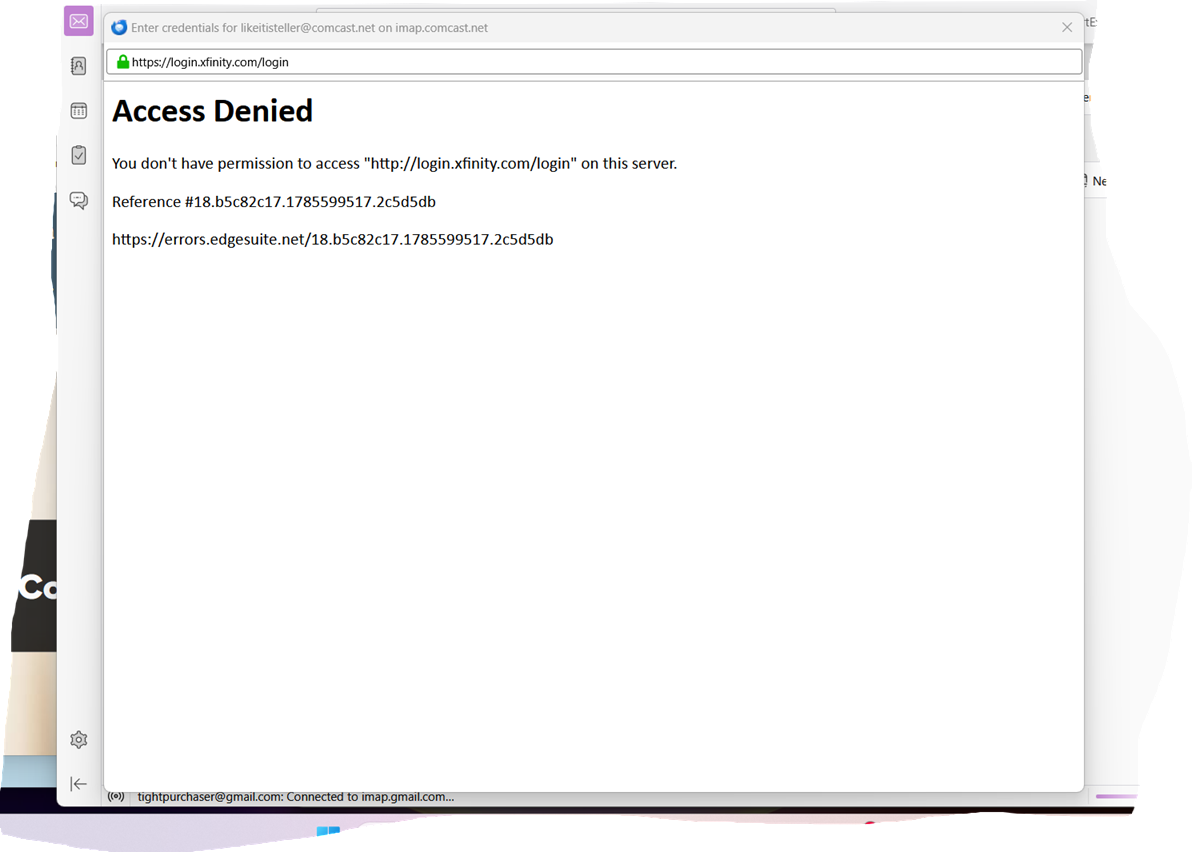
Thank you; but I don't use a VPN. In the original screenshot, I just clicked on the Let's Go Button. Attached is what came up.
Modified by tightpurchaser