


Why Thunderbird doesn't like yahoo accounts?

I'm using Thunderbird from a little time anmd I have a problem with "Unified Folders" After installing it, I added my 10 accounts one by one and found out a problem. Simply Thunderbird doesn't want more than 1 "yahoo" account. I can enter even 15 accounts and Thunderbird can manage all the accounts with "Unified Folders" without problems and I see all the accounts. But if I were to add another "yahoo" account, Thunderbird no longer handles it with "Unified Folders". In fact it disappears and I only see it again if I activate "All Folders". I can't understand why. Maybe I need to setup something on yahoo? Can I solve this problem? Thanks PS: I speak italian.
Chosen solution
First, I believe thunderbird to be stupid, and I say that as a compliment. It does not make decisions, but acts on what we users present to it. When you rightclick on unified folders and click properties and then click 'choose', do the other accounts appear in the list? If so, try putting tickmarks by those accounts. If you do not see those other accounts listed, then try this:
- click help>troubleshootinginformation
- scroll to 'profile folder' and click 'open folder'
- now, exit thunderbird
- you are now in the profile, click the Mail folder and you should see 'Smart Mailboxes' folder. Delete it.
- restart thunderbird and it will recreate the smart mailboxes automatically. Now, try again to set the accounts by rightclicking the unified folder, clicking properties and then clicking 'choose'
All Replies (5)
Chosen Solution
First, I believe thunderbird to be stupid, and I say that as a compliment. It does not make decisions, but acts on what we users present to it. When you rightclick on unified folders and click properties and then click 'choose', do the other accounts appear in the list? If so, try putting tickmarks by those accounts. If you do not see those other accounts listed, then try this:
- click help>troubleshootinginformation
- scroll to 'profile folder' and click 'open folder'
- now, exit thunderbird
- you are now in the profile, click the Mail folder and you should see 'Smart Mailboxes' folder. Delete it.
- restart thunderbird and it will recreate the smart mailboxes automatically. Now, try again to set the accounts by rightclicking the unified folder, clicking properties and then clicking 'choose'
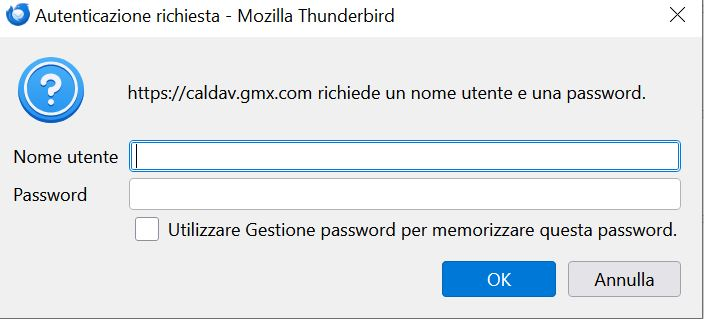
I did it that way and I have to tell you that unfortunately I still have the same problem. Thunderbird drives me crazy. Another thing that annoys me a lot is that every time I open it a panel comes out that I attach. It should be a calendar synchronization issue. But when I go to "Calendar" I don't see that gmx account, it doesn't show up and I don't know what to do.
On your first issue, when you click 'choose', are you stating that the other accounts do not appear? What do you see there? Can you do a screenshot of it? Also, a screenshot of 'all folders'? That would show a full listing of accounts to compare against what unified folders is identifying as accounts.
On the second issue, are you stating that there is no GMX calendar? What calendars are listed on the calendar pane? More info always helps. I am not technical with calendars, but others are.
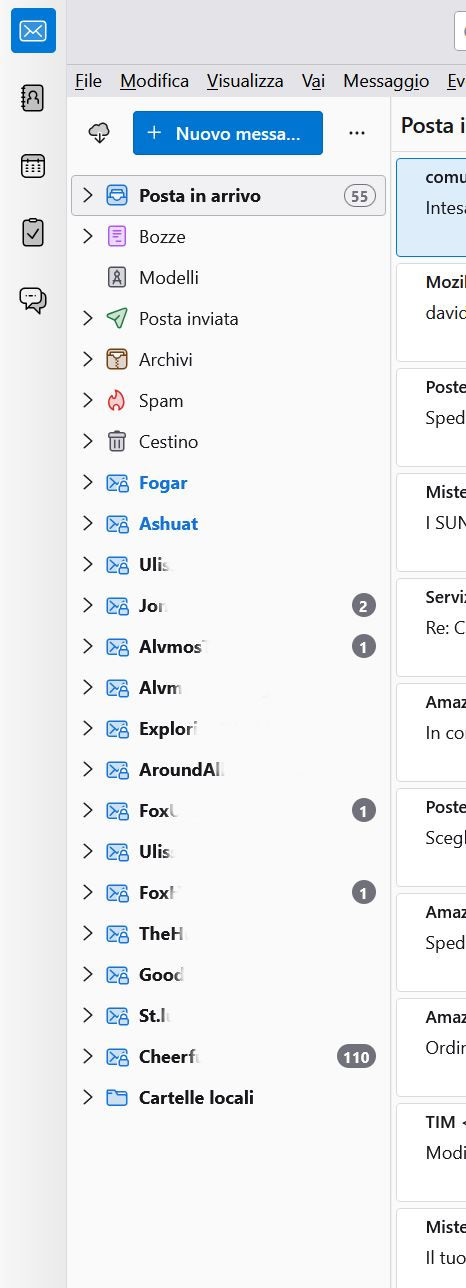
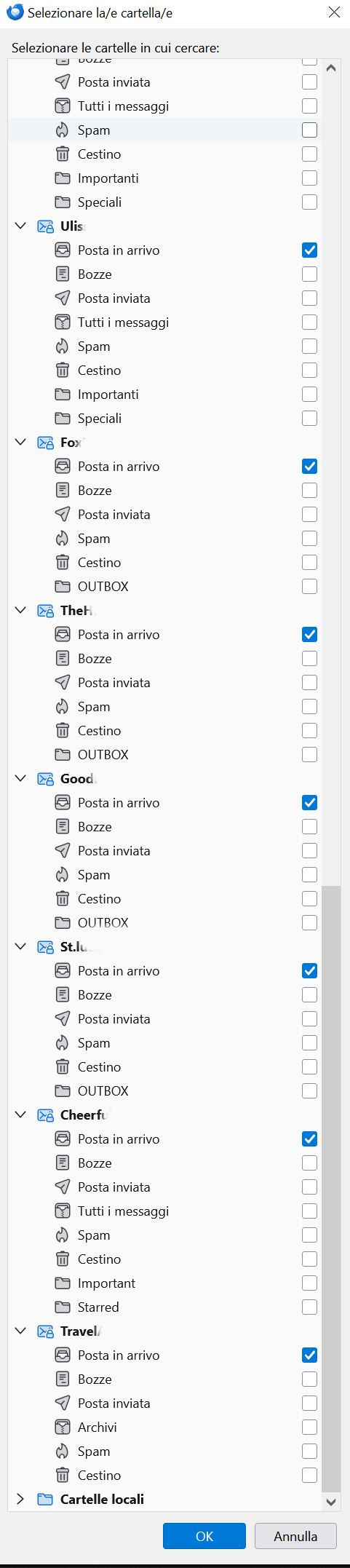
When I click on "Choose" I see all the accounts. All them have a check mark. I attach 2 pic. 1) The first shows all accounts with "Unified Folders". As you can see, the "Travel" account is missing. It's yahoo. 2) The second refers to "Choose". It wasn't possible to put all the accounts, but I only put the final part where you can ee that there is the "Travel" account.
I thought about adding 2 more yahoo accounts, but after this problem I decided not to add them. So in a nutshell, my Thunderbird only has one yahoo account and I can't add more. In fact the second yahoo account (Travel) that I added is not seen by Thunderbird.
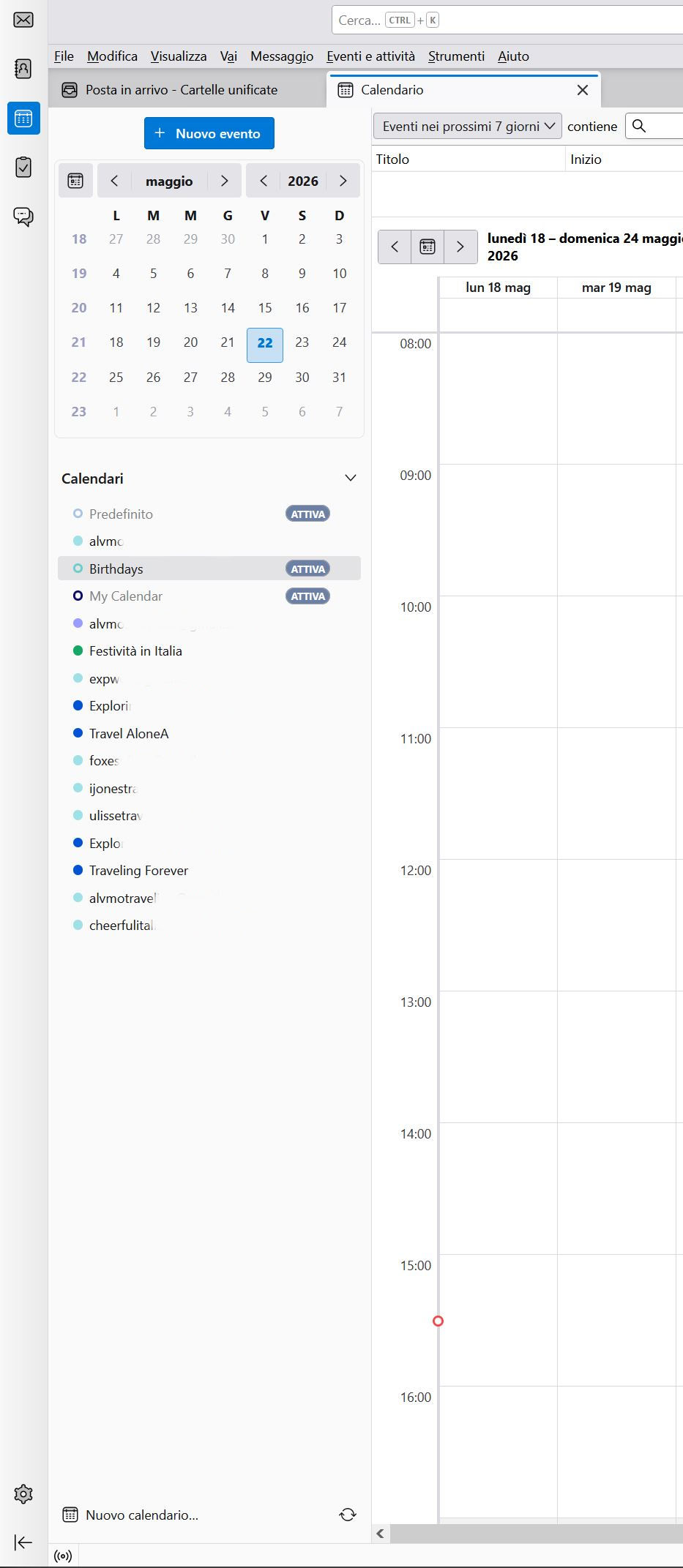
As for the calendars, I only see 10 accounts, whereas I have 15 accounts. Plus the gmx one is also missing. I will attach to pic.
EDIT: My Thunderbird had 2 gmx account. I deleted bot, but when I opened Thundebird I got the same problem. That writings "https://caldav.gmx.com" showed. Maybe I need to delete the remnant of an old installation, but how can I do this?
Modified by FoxAdriano M
Maybe some others have suggestions. This URL has additional information: https://kb.mozillazine.org/Unified_Folders_not_working