


I can't send a message from a shared email

Good afternoon.
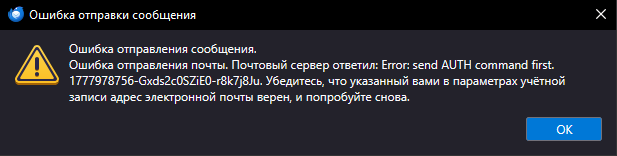
The message was composed using a translator I have 3 mail for work. 1 personal, 2 shared There are no problems with my personal email. I can't send messages from two other emails, and I get an error
Error translation "Error sending message. Error sending mail. Mail server responded: Error: send AUTH command first. 1777978756-Gxds2c0SZiE0-r8k7j8Ju. Make sure the email address you specified in your account settings is correct and try again."
Chosen Solution
Thanks for the feedback. I'm glad all is well. :)
All Replies (4)
Please translate the error message completely. It may help to also share screenshots of incoming server settings pane and SMTP server settings pane.
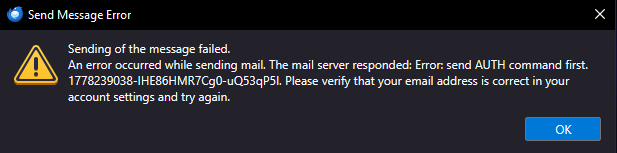
I changed the language to English to take a screenshot of the error in English, and the error is gone. After changing to Russian, it doesn't appear. Everything works, I don't know how this happened.
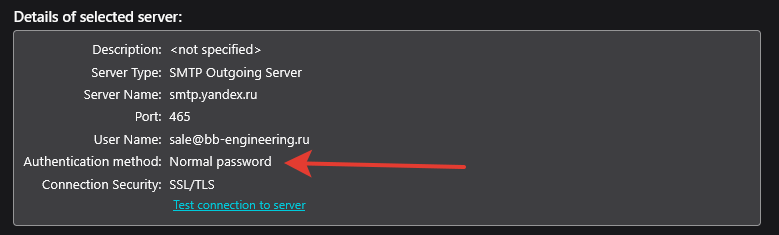
I found the cause of the error. This field was empty by default.
Chosen Solution
Thanks for the feedback. I'm glad all is well. :)