"Save As" portal makes Windows' context menu text invisible
Hi!
Really weird issue I've noticed with my Firefox-based browsers.
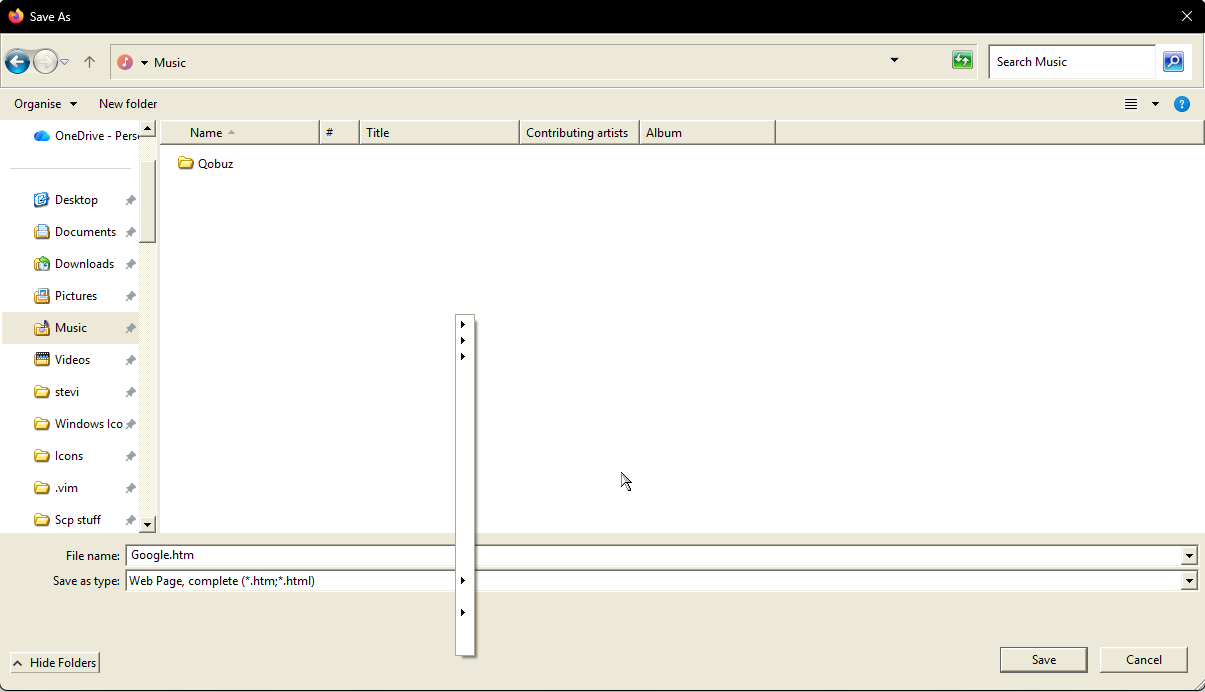
Essentially, whenever I am within the "Save As" feature of my browser, I am unable to realistically do anything that requires the context menu (e.g. creating a folder, renaming). I can still do things, but each entry in the context menu has no text.
I am on Windows 11, and am using the most up-to-date verison of both Firefox-based browsers. I do have a lot of customisation software and/or registry changes, but this issue has started to show up after I've spent a while with these changes already implemented. I don't think it's the problem as I have tested without each of these, but I thought worth mentioning if anyone knows of any potential conflicts (and to clear up any confusion from the screenshots).
An example of the above that I thought would affect this is a registry fix to enable the "show more options" setting on the context menu to be selected by default whenever I right click (steps followed here: https://www.howtogeek.com/759449/how-to-get-full-context-menus-in-windows-11s-file-explorer/). I've just tested by reversing this change and issue persists, and like I mentioned issue did not occur previously when this fix had already been applied. I hope that's not redundant information, I'm just trying to give as much info as possible!
I typically use Floorp, but when I noticed this issue I have tried and verified that this issue also happens on regular old Firefox.
Other browsers I have installed and verified this issue is NOT present on:
- Microsoft Edge
- Chrome
- Pale Moon
The issue only seems to happen on FireFox and Floorp.
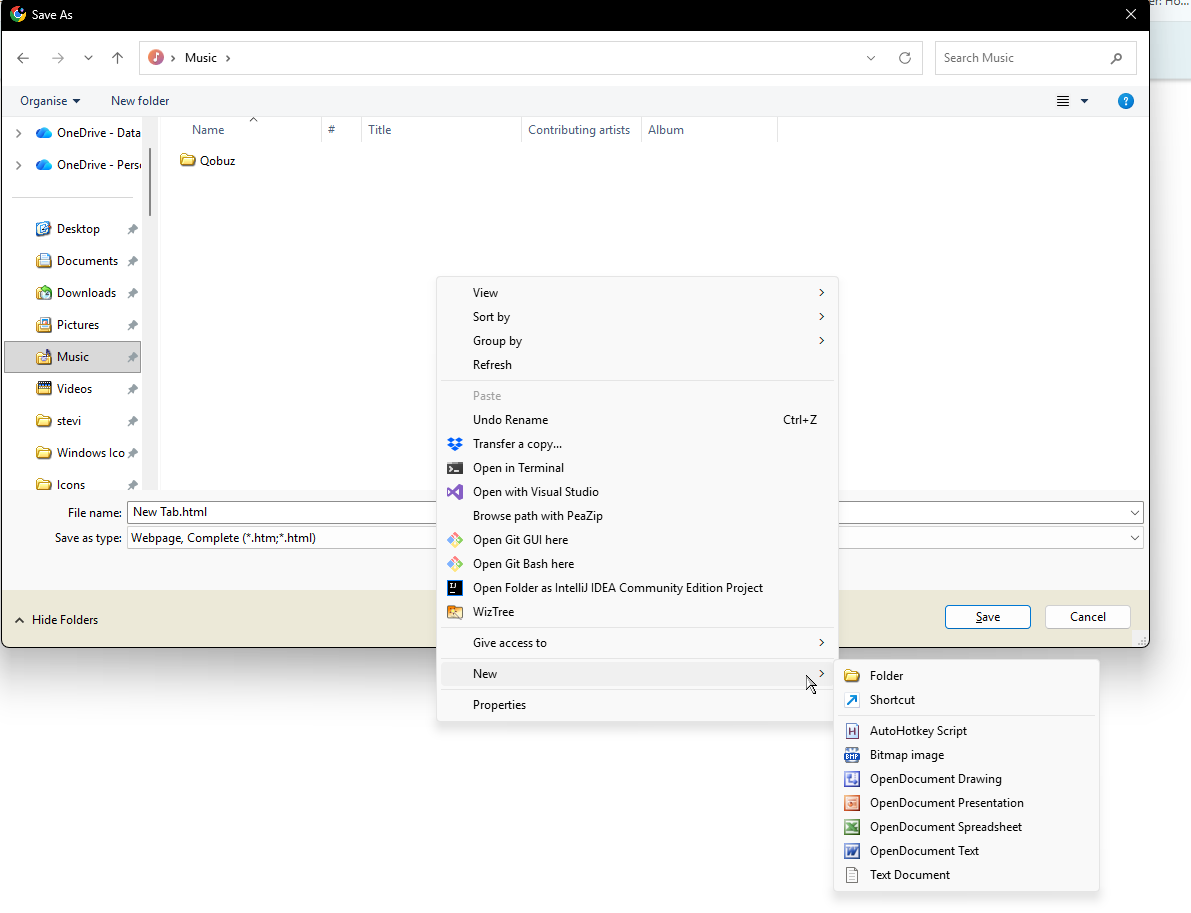
I have attached some images of what it is meant to look like ("expected_context_menu.png") and what it looks like on FireFox based browsers ("real_context_menu01.png").
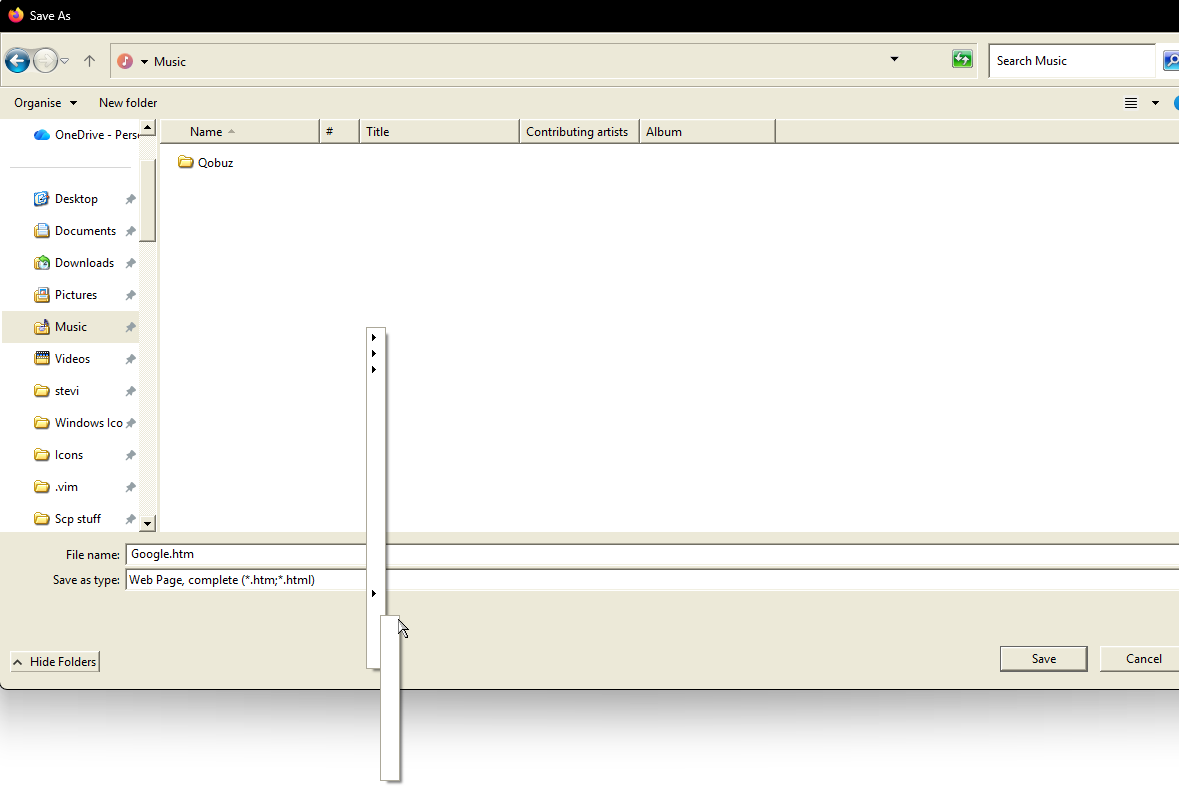
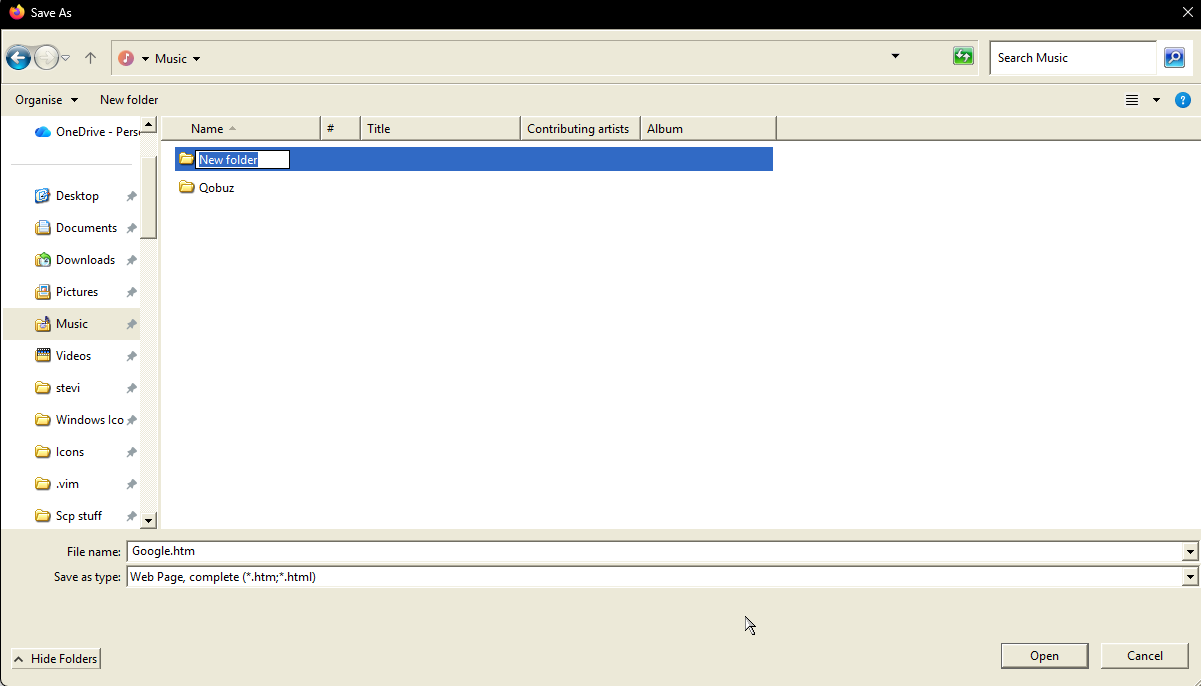
Initially I though the menu was just useless, but it does appear I can actually use this menu without text as normal. I tested this by using the second-from-bottom option, and then the top-most option that marks the option for "New Folder" on the working context menu. I was able to create a folder as expected doing this ("real_context_menu02.png" and "real_context_menu03.png"), which suggests that it's just an issue with the text displaying.
Anyone have any ideas? Of course, I can provide any info about the OS customisation steps I've taken if needed!
I'd appreciate any help!
I've never uploaded here before so in case the images don't show the image name, they are uploaded in the order: "real_context_menu01.png" "real_context_menu02.png" "real_context_menu03.png" "expected_context_menu.png"