


Windows 10 reached EOS (end of support) on October 14, 2025. If you are on Windows 10, see this article.

Search Support

Avoid support scams. We will never ask you to call or text a phone number or share personal information. Please report suspicious activity using the “Report Abuse” option.

Learn More

Can’t disable typing bar at bottom of screen

  • 3 replies
  • 1 has this problem
  • 61 views
  • Last reply by James Davies
  • Solved

When I am using Firefox for iOS, and I click on any text input, a bar appears at the bottom of the screen. This bar contains nothing apart from ‘↑ ↓ Done’ on the right. This bar is really annoying and moves the page around irritatingly.

If I click ‘Done’ it will temporarily remove the bar until I click on a text input again, and it will appear again.

I would like to know if this is something to do with Firefox or the device iOS settings.

This thread from apple discussions has the same problem: https://discussions.apple.com/thread/255143785?sortBy=rank

A screenshot is attached.
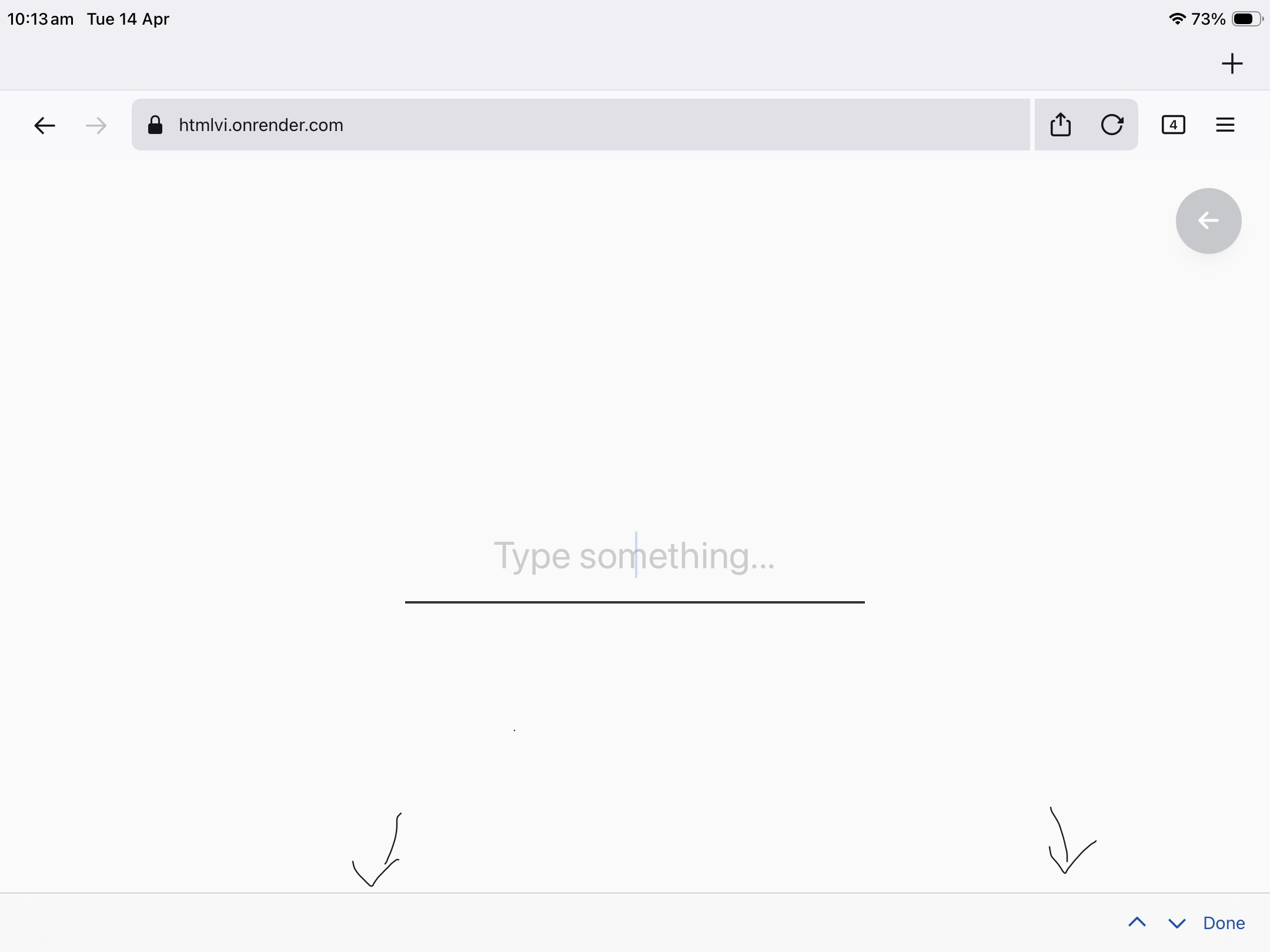
When I am using Firefox for iOS, and I click on any text input, a bar appears at the bottom of the screen. This bar contains nothing apart from ‘↑ ↓ Done’ on the right. This bar is really annoying and moves the page around irritatingly. If I click ‘Done’ it will temporarily remove the bar until I click on a text input again, and it will appear again. I would like to know if this is something to do with Firefox or the device iOS settings. This thread from apple discussions has the same problem: https://discussions.apple.com/thread/255143785?sortBy=rank A screenshot is attached.
Attached screenshots

Chosen solution

Don’t worry, I found the problem! I just needed to update to a new version of Firefox, with more settings to turn this off.

Thanks for helping!

Read this answer in context 👍 0

All Replies (3)

Hi James, do you happen to use an external keyboard?

Also, could you please share the following:

  • Your Firefox version
  • Your iOS version
  • The HTML rendered in the screenshot (or an actual website where this issue happens for you)

Chosen Solution

Don’t worry, I found the problem! I just needed to update to a new version of Firefox, with more settings to turn this off.

Thanks for helping!

Ask a question

You must log in to your account to reply to posts. Please start a new question, if you do not have an account yet.