Too many open tabs

When I open firefox it loads 14 different tabs, if you view it from the task manager in Windows. It only shows one tab, when homepage is opened initially but clearly it's loading more in the background.
I have run the troubleshoot function as well as restart app (within fierfox settings)
I have also emptied the cache
All Replies (2)

Post a screenshot of the performance tab from task manager.

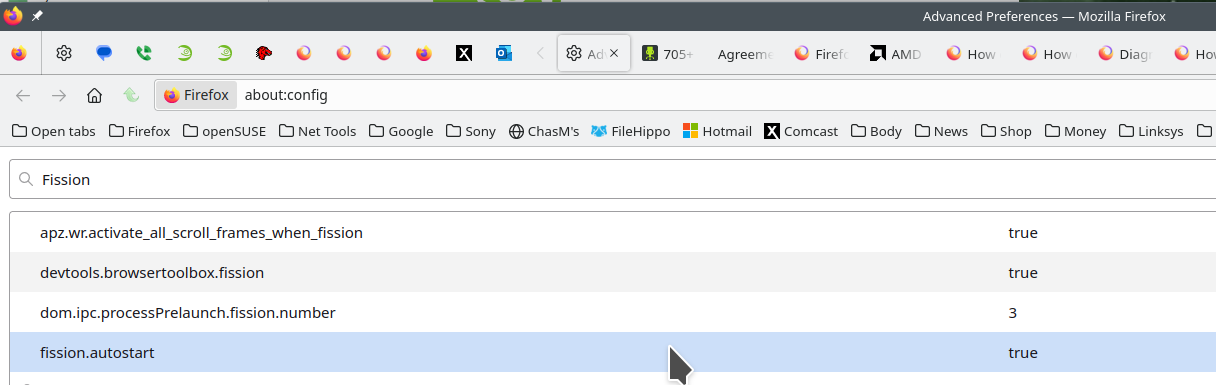
FISSION: The links are sites explaining Firefox's Project Fission. This is the reason for the processes you see in task manager. You can turn fission off by setting it to false on the about:config page. see screenshot Here is more info. https://www.ghacks.net/2016/02/15/change-how-many-processes-multi-process-firefox-uses/
Introducing Firefox’s new Site Isolation Security Architecture https://hacks.mozilla.org/2021/05/introducing-firefox-new-site-isolation-security-architecture/
Firefox's Project Fission: better security and more processes https://www.ghacks.net/2019/02/07/firefoxs-project-fission-better-security-and-more-processes/