


Dropdown menu problems

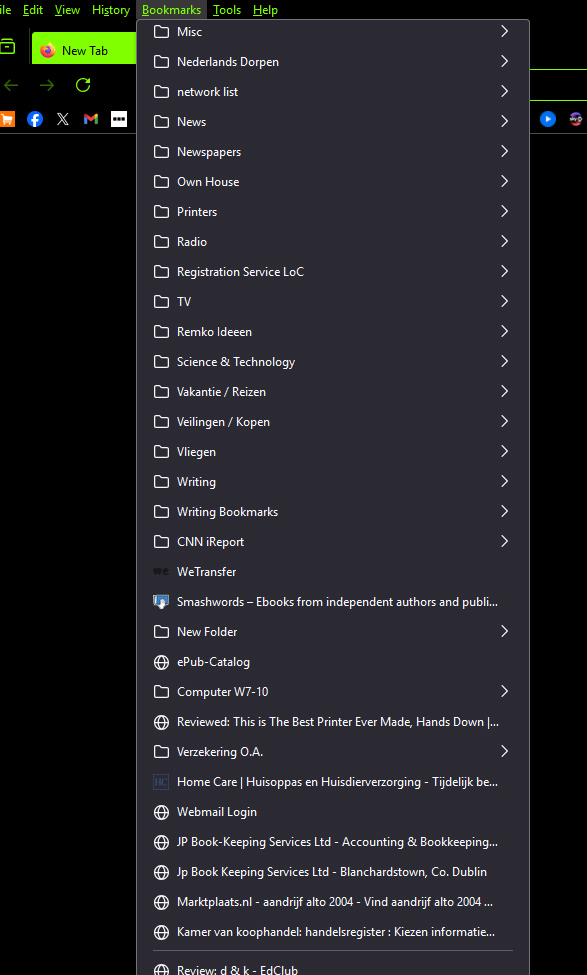
Bookmarks dropdown menu opens up halfway down and it's not possible to scroll back up to the top and add a bookmark. At first I thought it was a mouse problem - changed mouse - problem remains.
All Replies (2)

What OS? Did you try with Firefox in Troubleshoot Mode? https://support.mozilla.org/en-US/kb/diagnose-firefox-issues-using-troubleshoot-mode#w_how-to-start-firefox-in-4troubleshoot-modesf5safe-modesf
I have several bookmark folders that runith over and have no issues scrolling.
This could be a problem with code in userChrome.css that is broken and needs an update. You can check if there is an update available from its creator, there might be a link in the code where you can get the latest version.
As a test you can set this pref to false in about:config to disable userChrome.css and userContent.css.
- about:config => toolkit.legacyUserProfileCustomizations.stylesheets => false
- https://support.mozilla.org/en-US/kb/about-config-editor-firefox