


Firefox VPN disconnection after about 10 minutes

Whenever I connect to Firefox VPN, I get kicked off after about 10 minutes and need to reconnect. How can I maintain the connection?
ყველა პასუხი (6)
Were you enrolled in the Beta, and are in the eligible countries, or you had to flip the switches yourself manually to enable the feature?
(Are you using a specific country endpoint, and does it happen if you chose a different one?)
Hello
Those articles Use built-in VPN in Firefox https://support.mozilla.org/en-US/kb/built-in-vpn Unable to find the built-in VPN in Firefox https://support.mozilla.org/en-US/kb/unable-find-built-vpn-firefox
The preference, browser.ipProtection.enabled https://support.mozilla.org/en-US/questions/1578173
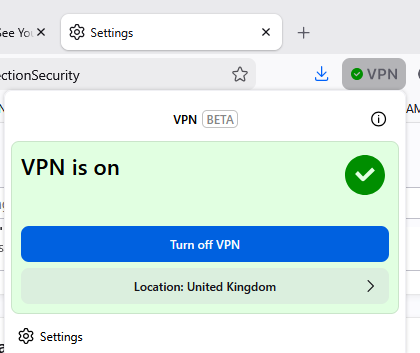
jbr, I am using the Beta and I have to turn it on manually from the menu bar (see screen shot). It happens with different VPN country endpoints: USA, United Kingdom, etc. I am not a heavy user, so am not hitting the 50GB limit.
Hello
About, Firefox built-in VPN data usage not showing https://support.mozilla.org/en-US/questions/1591264
About, Automatic VPN on Browser Launch Allow users to choose whether the VPN should automatically turn on every time Firefox opens, or remain off by default
A space for users to give product feedback https://support.mozilla.org/en-US/kb/what-mozilla-connect
These similar discussions https://connect.mozilla.org/t5/ideas/firefox-vpn-automatic-start-setting-option/idi-p/128199
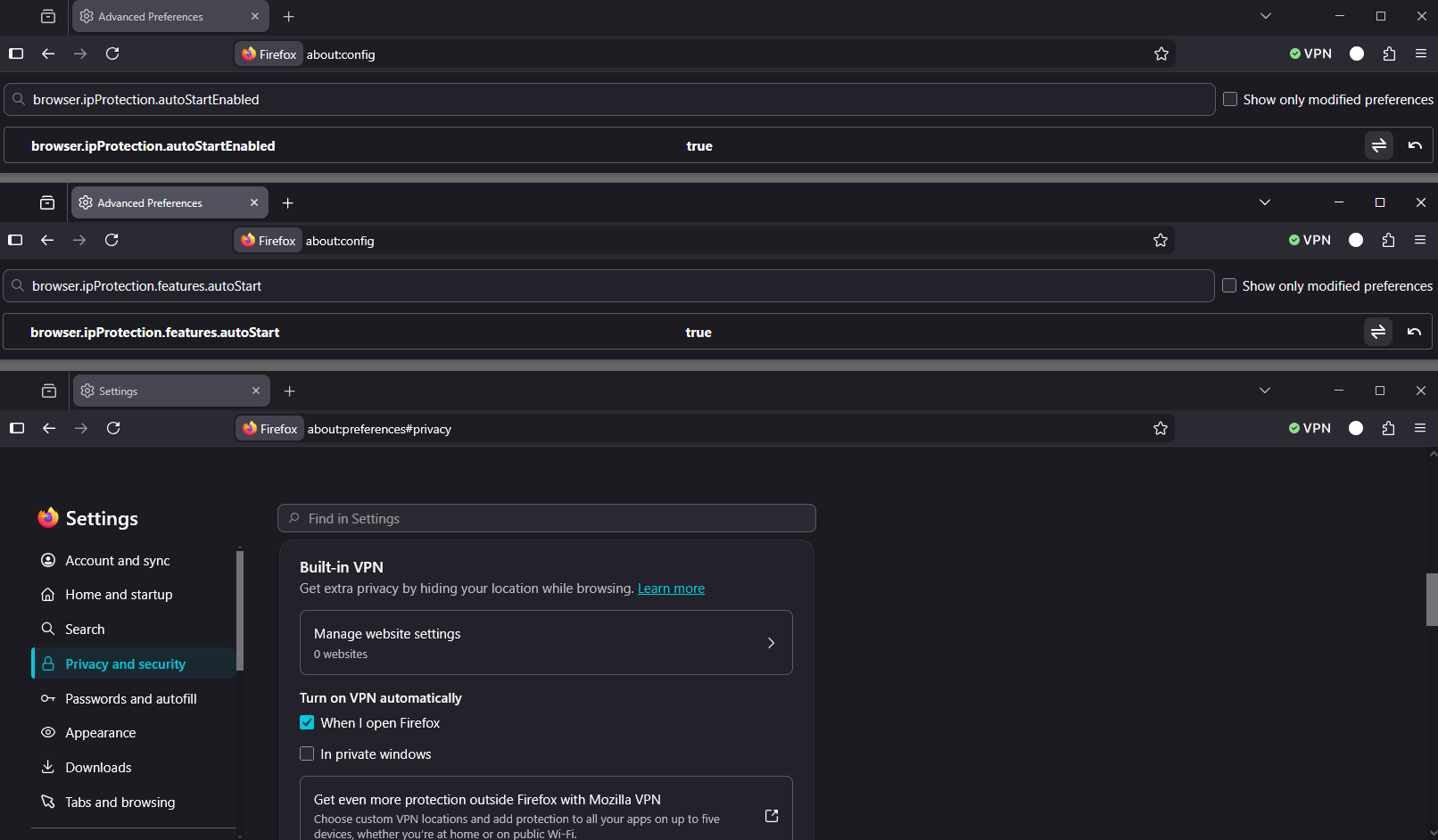
If you wish to test 1 - Go to configuration editor https://support.mozilla.org/en-US/kb/about-config-editor-firefox 2 - Enter a search term browser.ipProtection.autoStartEnabled You can double-click on the preference to set the value to true 3 - Enter a search term browser.ipProtection.features.autoStart You can double-click on the preference to set the value to true
Restart Firefox
Sorry, I made a wrong interpretation of your question
As for me, a test performed, since my last message until now, I don't need reconnect
File a bug report or feature request for Mozilla products https://support.mozilla.org/en-US/kb/file-bug-report-or-feature-request-mozilla If you wish, you can file a bug report, ask your question Component: IP Protection https://bugzilla.mozilla.org/buglist.cgi?product=Firefox&component=IP%20Protection