


How to I block the unwanted Mozilla.org page that loads before my homepage. Using Firefox 18.0
When I open Firefox 18.0, instead of my homepage, I get an unwanted page from Mozill.org. Using Options/General tab/ I have show my homepage selected. I can get the URL fore my homepage entered in the Home page blank, but it will not hold. If I close FireFox and restart I still get the unwanted Mozilla.org page
選ばれた解決策
すべての返信 (4)

- What is the page you are seeing ?
- what is the full URL
- and can you also take and attach a screenshot:
Have you checked the settings for your homepage. Are these altering after you have set them ?
Have you any security or backup software installed that is likely to lock or restore Firefox settings rather than allow you to make changed ?
Hello John,
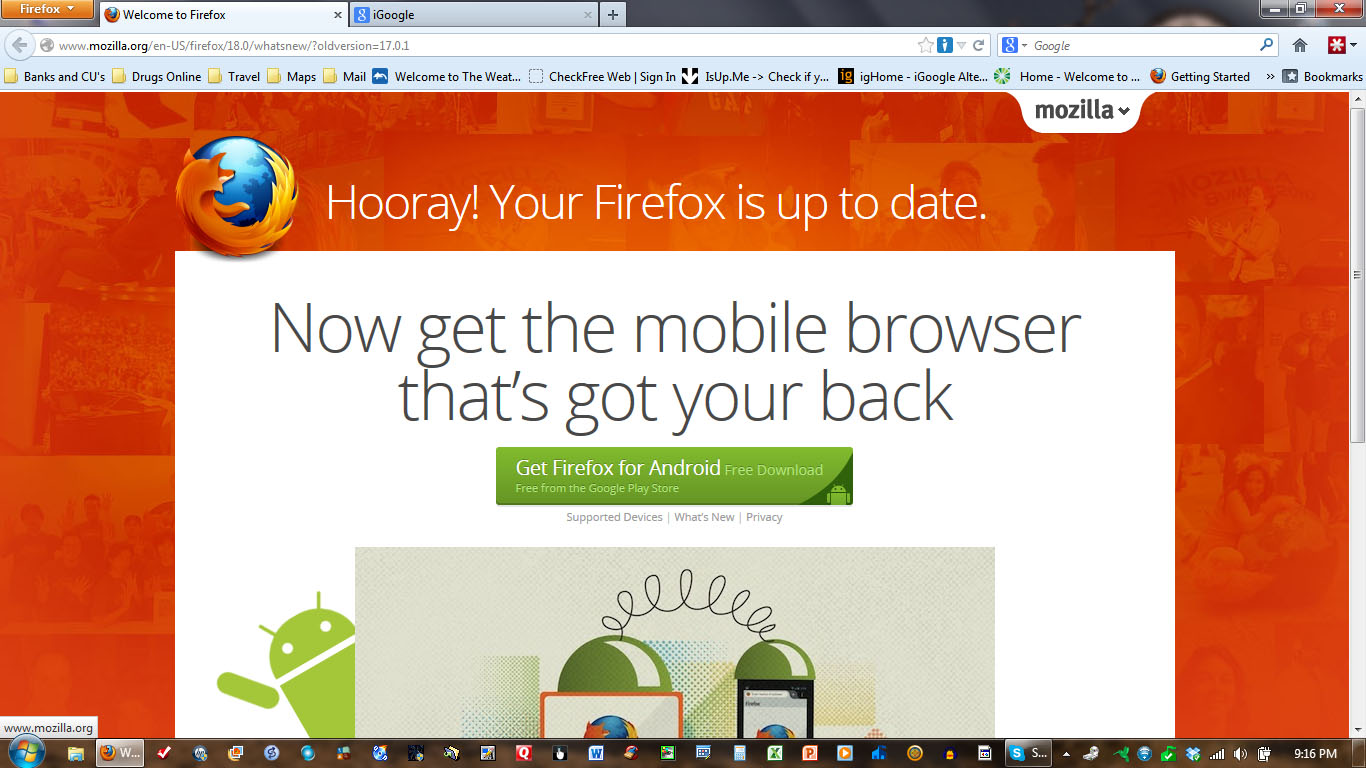
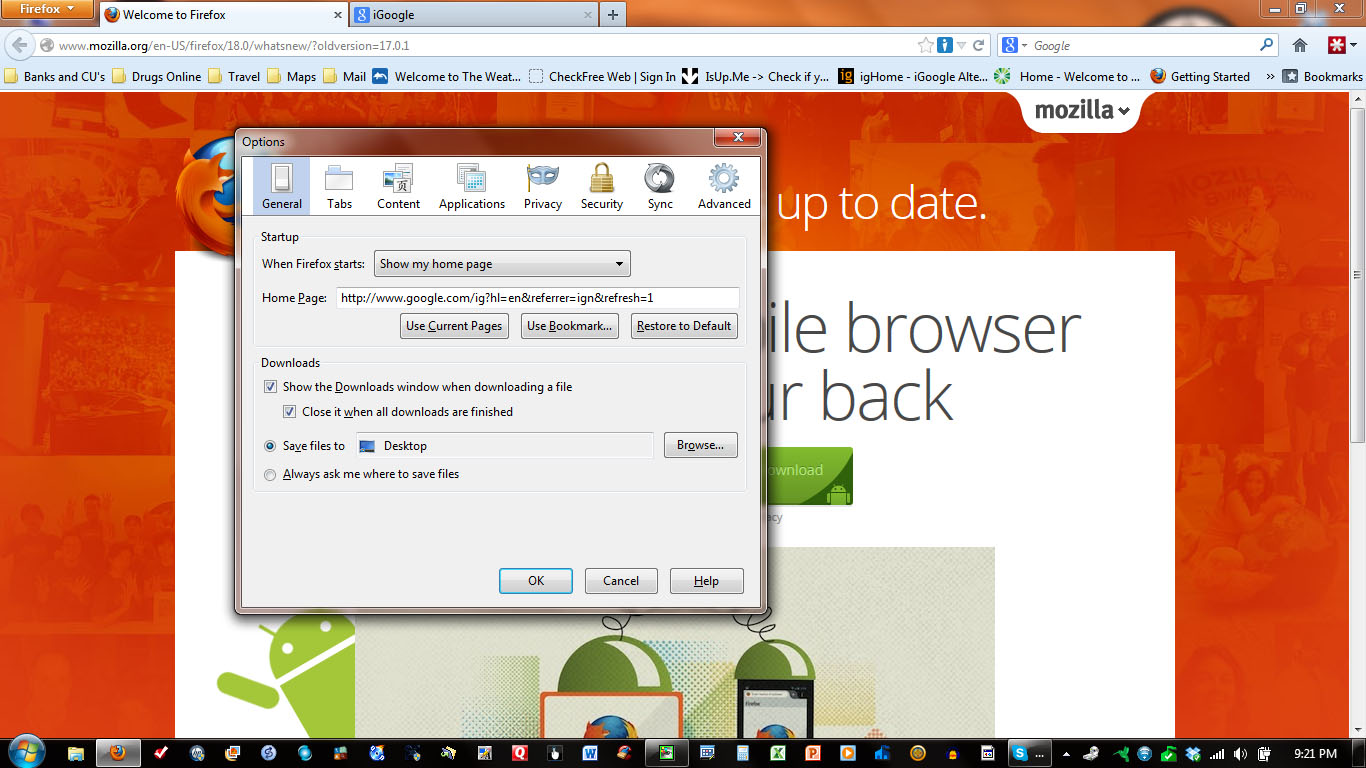
Sorry for the delay. Attached are two ScreenPrints. ScreenPrint 1 is the page that loads when I open FireFox. ScreenPrint 2 shows the homepage that should be loading.
Both pages load, but on different tabs, with #1 loading ahead of # 2, when, in fact, #1 should not be loading at all.
I'm using Microsoft Security Essentials on a Widows 7 box
選ばれた解決策
Cor-El,
That was it, and I'm the one that did it. My bad. Thanks very much.