


The tab bar is cut in half when following a hyperlink in full-screen

Open Firefox in full-screen. Hide the menu bar, so that tabs go in the title bar. Than click "Land Rover" on the supplied web site.
BUG: FF opens a new window which has its tabs bar cut from the top.
This happens with many sites, but I found this one reproduces the problem consistently (at least on my machine).
すべての返信 (5)
Here is an image of the situation. The orange FF menu icon goes little down and touches the actual web page, which is unusual. And the page tab is cut from the top.
If I restore the window size and then maximize again all goes to normal.
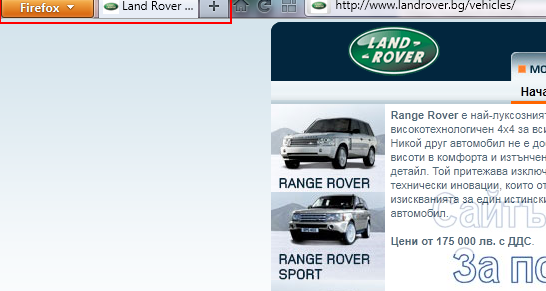
この投稿は ivanarj により に変更されました
This second image shows the normal situation.
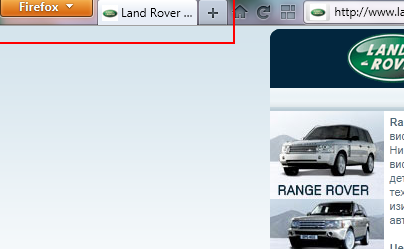
Yeah. I had the same problem. But not in Fullscreen mode. Just in regular (maximized window).
Ahhh, yes. My problem is also with maximized window, NOT full screen mode. I just didn't thought of the difference.
Have the exact same problem. I've tested a different scenario, where if you click the hyper link by pressing shift to open a new window, this doesn't happen. But I don't want to press shift everytime, when it naturally opens a new window anway, to avoid this problem.