


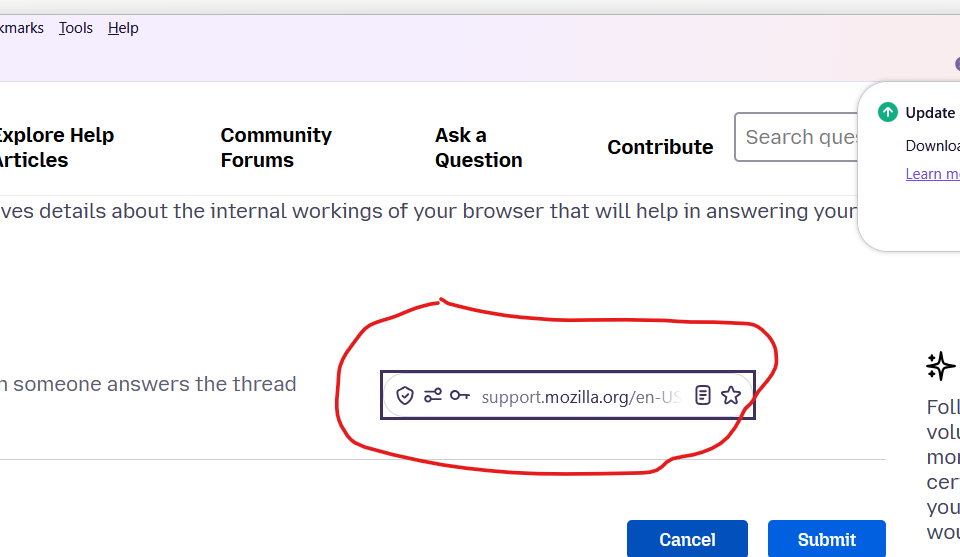
search bar is displayed in the middle of each page (in all tabs)

I installed portable Version 156.0.1 (64-bit). Since then, the search bar is displayed in the middle of each page instead of the menu bar. Is this a known bug? see image thanks
すべての返信 (6)
選ばれた解決策
Can you go to about:config and switch toolkit.legacyUserProfileCustomizations.stylesheets to false, then restart the browser? Thanks.
この投稿は TyDraniu により に変更されました
thanks for your feedback. Unfortunately it is not fixing the problem. To be sure I switch it on and restarted: no change Then I switched back to false: no change. I still have this search bar in the middle (see attachment) Thanks
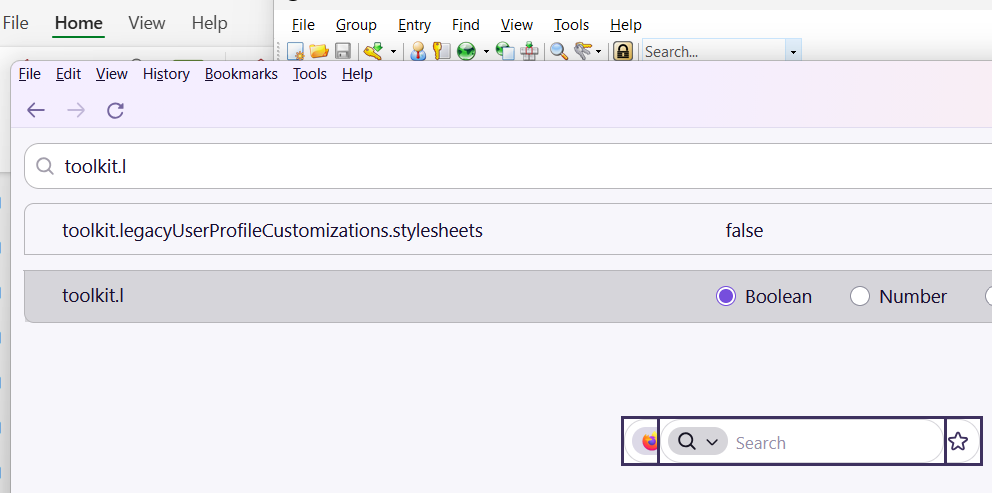
- Please don't mark an answer as a Chosen solution until it's resolved.
- Try to select View -> Toolbars -> Customize toolbar and click the Restore defaults button.
thanks i did as asked, but no progress. Maybe I should deinstall and reinstall
About: mark an answer as a Chosen solution, I didn't mark this as I didn't even find where I could mark (or not mark) it. I'm just using post a reply. Sorry if I oversaw something
Thanks

So it's not a bug of Firefox nor of its configuration. It must be your portable build then.
Do you see the same in troubleshoot mode?