


How do I remove an old email address permanently from Firefox account?

[redacted] @yasodhara.org is an email account I haven't used for many years. It is administered by an organization. I would like to remove the account permanently. Please advise.
Thank you
この投稿は James により に変更されました
すべての返信 (6)

If the email is your Mozilla account email, it will be removed after inactive for 2 years. You do not need to do anything.
https://support.mozilla.org/en-US/kb/mozilla-account-deletion-inactivity
Two email accounts have persisted in spite of being unused for several years "[redacted] @yasodhara.org" which is listed as primary and "[redacted] @gmail.com" listed as secondary and remain in my Mozilla account. A notice appears at random on my computer saying "Google Password Required. Enter your password for "[redacted]" in Internet Accounts." A computer tech has advised this is emanating not from Google but Firefox somehow linked to the unused accounts. Solution? Thank you
この投稿は James により に変更されました
Hi, so the solution is to change the default addresses you entered; you need to replace them with the addresses you actually use.
Please provide a step by step process for this learner. Thank you.
Hi, so I've put together a step-by-step guide with screenshots to make it easier (sorry, they're in French). Once you get to the last screenshot, what you do is edit the second address, then set it as the primary address, and then delete the secondary address.
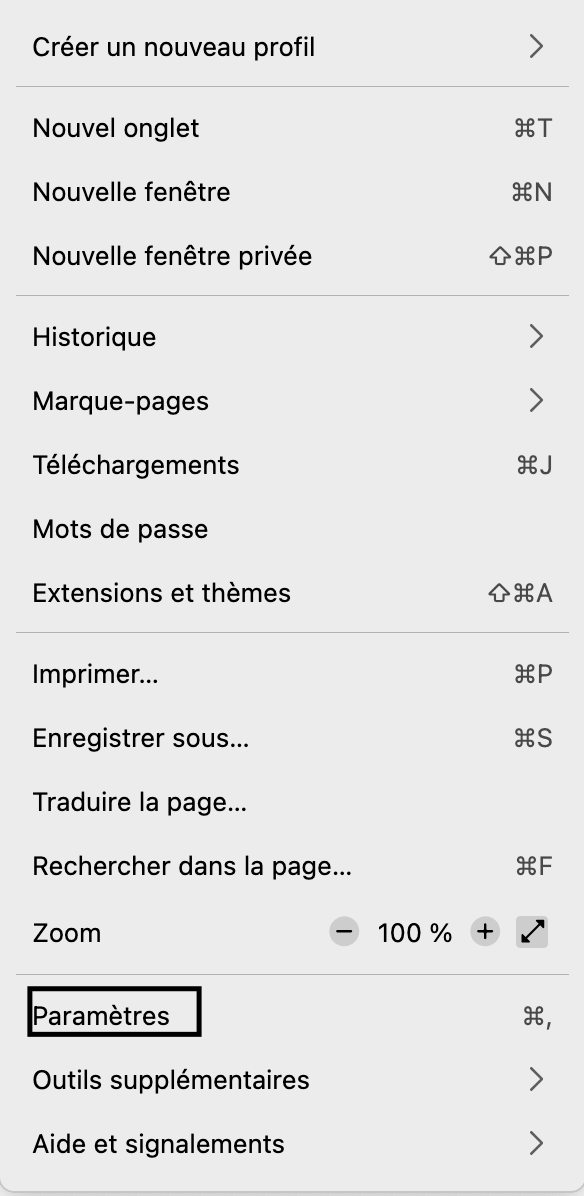
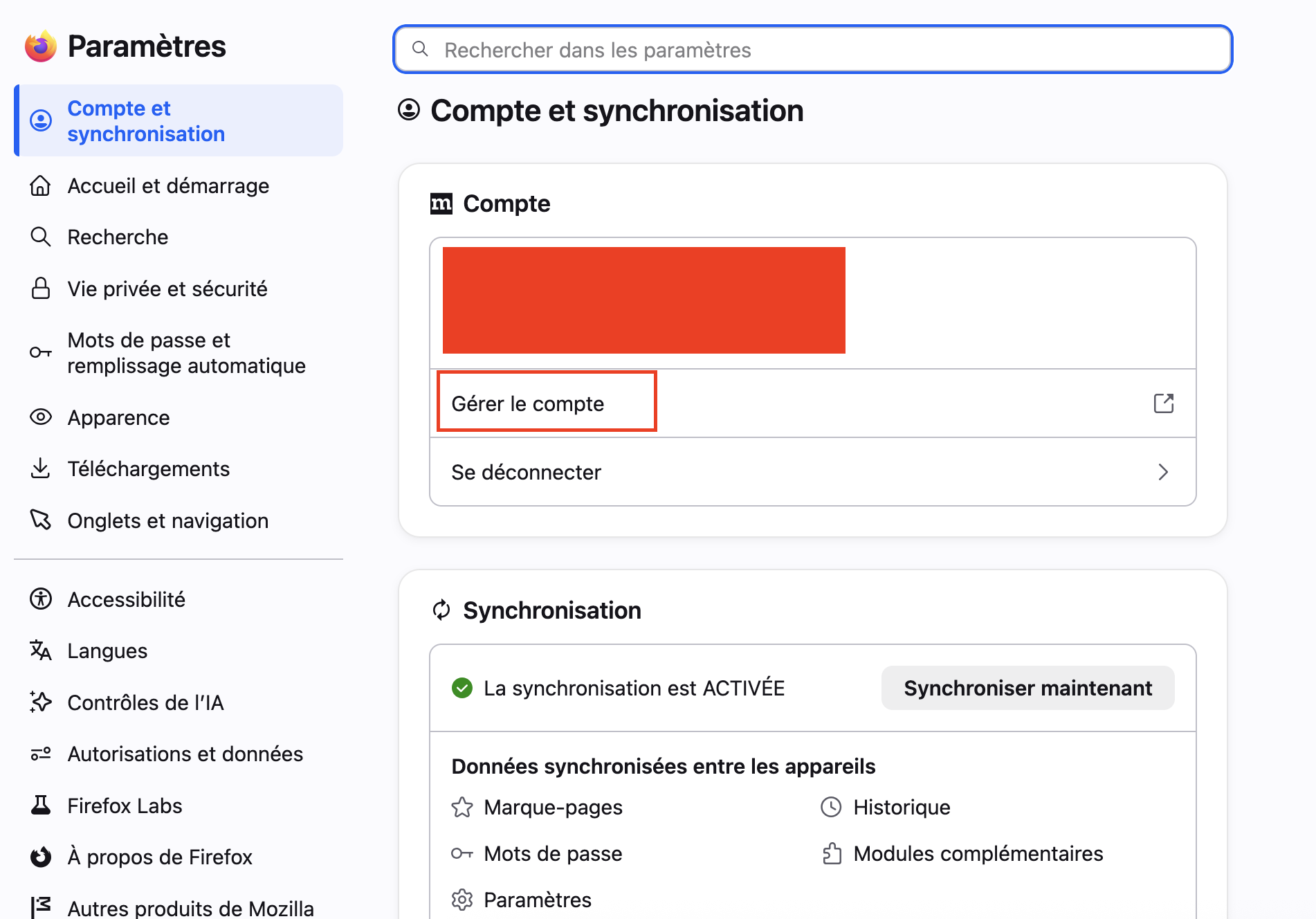
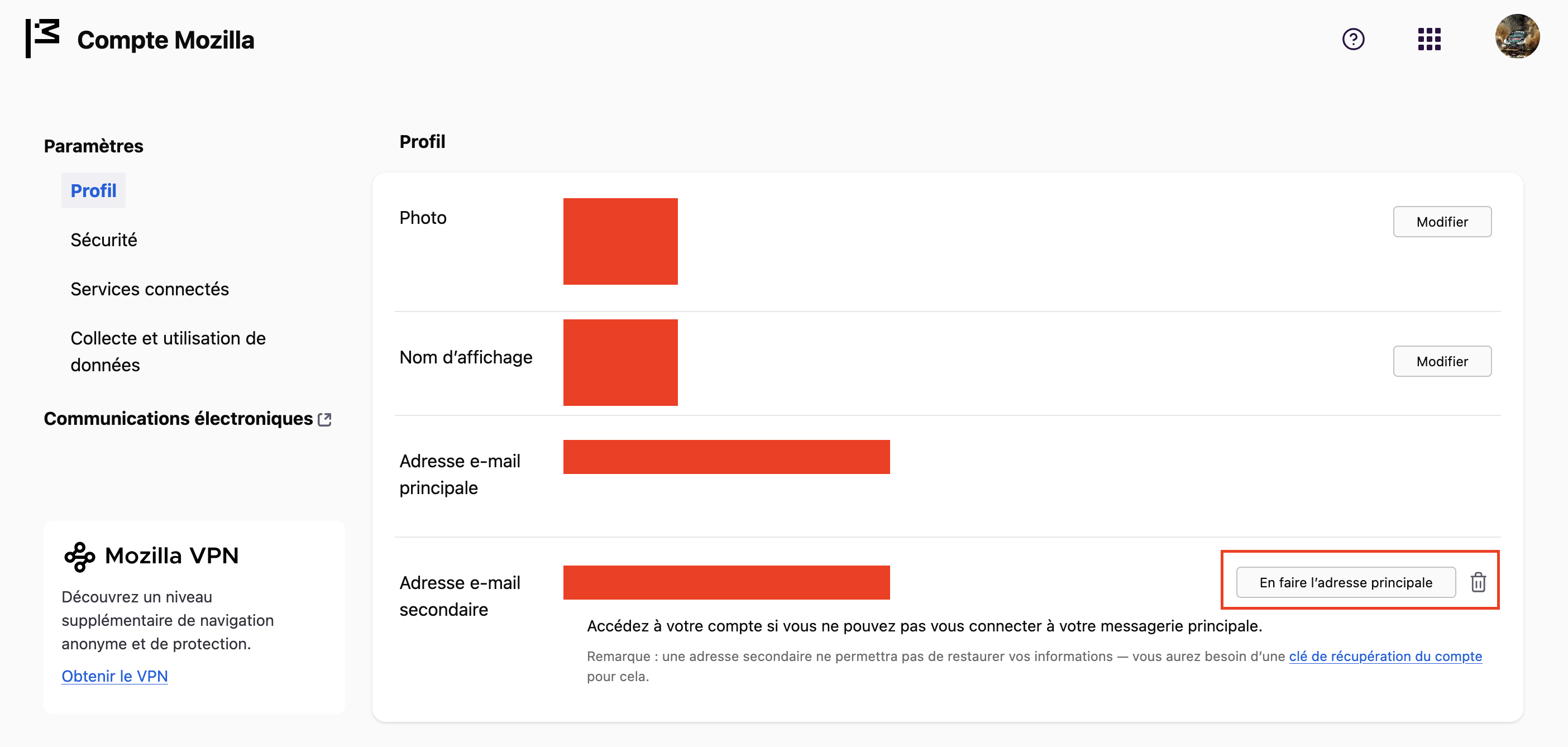
Thank you, Hector.
Norman, does this solve your problem?