Outgreyd maps cannot be removed

Hi, Need help with maps that cannot be removed. Thunderbird downloaded my map configuration, after a new Thunderbird installation, from my online account/my internet provider which was OK. After that I removed all maps on my online account but the maps in Thunderbird is still there but out grayed and I cannot delete them?
I uninstalled Thunderbird and also removed Thunderbird associated maps under %AppData% and %LocalAppData% but when I do a new clean installation same maps shows up in Thunderbird again? I waited some days and did a new installation again, but same issue. I have also deleted everything in W11 cash memory.
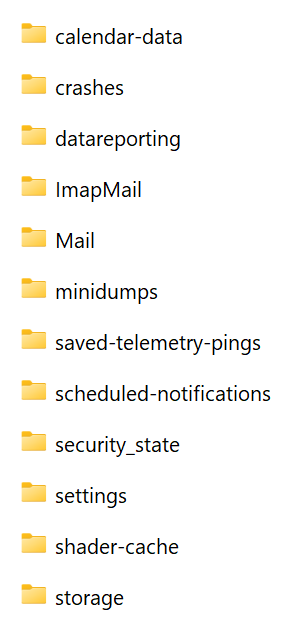
Attached picture shows the out grayed "NyMapp and subfolders" I cannot delete. How do I get rid of those folders?
Any help is appreciated.
すべての返信 (7)

Not sure what you mean by "maps", but there seems to be a number of possible causes of the "phantom folder" issue, and just as many possible solutions. Some of them are:
- Right-click on the account name in the Folders List and click the "Refresh" button. If the phantom folders still show up, untick the box for any folders you don't want to see.
- Go to <Accounts Settings | Server Settings | Advanced button> . Uncheck the "Server supports folders that contain sub-folders and messages" option and see if that gets you the result you want.
- Some people report that if you delete the sub-folders first, you can then delete their containing folder.
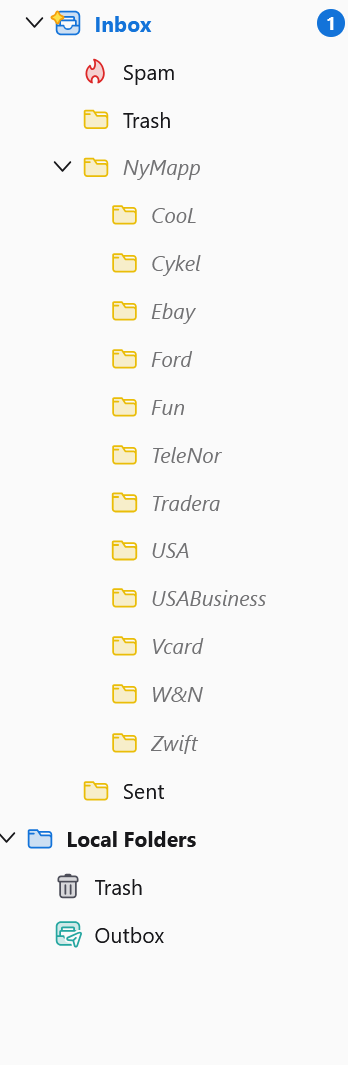
Thank you for your answer. Sorry for the word "maps" it means folders in Swedish, my mistake. I have tried what you suggested, unfortunately it didn't solve my issue. I tied to untick the folders I don't want but I don't have a box for the phantom folders, see the screenshot.
I wonder, since those maps comes back after a clean installation, my old setting/Folder list seems to be stored somewhere else on my PC or?
Hello there
Thunderbird was likely still reading an old, un-deleted profile folder.
Hello there
If there are more solutions, you could try this as well.
Open Thunderbird, go to Help, and select Troubleshooting Information. Find the Profile Folder row and click Open Folder. This shows the active folder on your computer. Close Thunderbird. Open your file explorer to view your profiles, then delete the broken profile folder or use the Profile Manager to create a new one.
I guess the folder you are using might be damaged or corrupted by Thunderbird.
These incoming errors or issues are likely caused by using two HDDs. Are you currently using this hardware? You might want to check these areas as well.
Is antivirus onboard? You could indeed also check your Windows files to investigate this thoroughly. An old user profile might still be lingering on your PC's hard drive.
Did you use USB devices, or are these sticks connected right now?
この投稿は Googlethunderbird. により に変更されました
Reinstalling the program rarely helps problems like this because all of your accounts, messages, passwords. folders, everything, is stored in your Thunderbird Profile, which is found in a separate location than the program itself.
- Who is your email provider?
- Is this a POP3 or IMAP account?
- Do you have other email accounts set up in Thunderbird?
If IMAP, I suggest you create a new profile for testing purposes, then set up the email account again and hopefully the phantom folders won't be there. If they ARE there, you can just delete the test profile and we can explore other solutions. If they are NOT there, please let me know and I will advise you on the next step.
The above operation will download all your email from the server, so if you have a very large email store or bandwidth is limited, you might not want to do this.
If it is a POP3 account, don't do the above because it might be more difficult to keep all your email in sync (but there's no danger of data loss.) I will advise.
This article describes what Profiles are and how to create new ones:
https://support.mozilla.org/en-US/kb/profile-manager-create-and-remove-thunderbird-profiles
Hi Thank you for your answer. I created a new profile which was automatically set as default. After restart of Thunderbird, unfortunately same issue. email provider One.com I use IMAP Only 1 email setup.
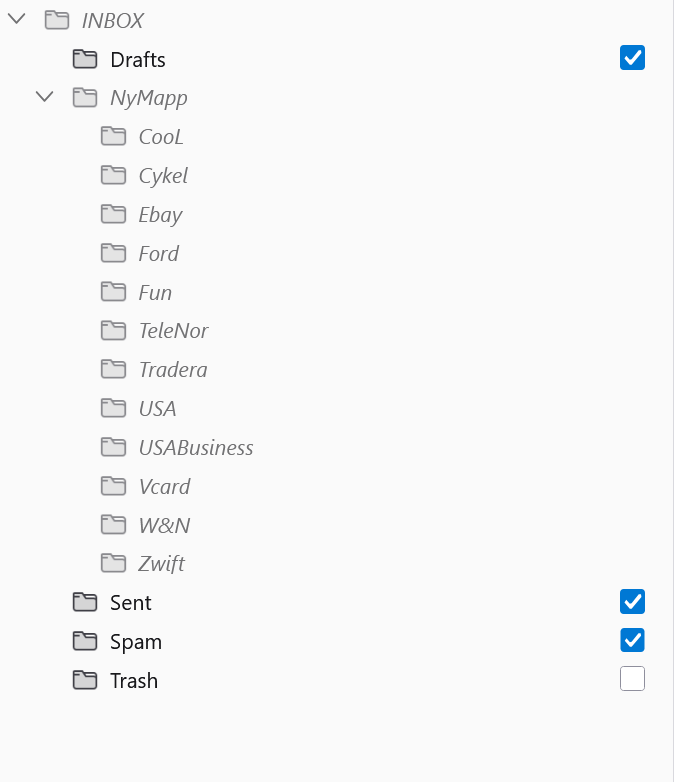
Hi After "Find the Profile Folder row and click Open Folder" I found the folders (and a lot of files) in attached picture, Not sure which folder that contain my profile, all of them? I only use 1 HDD. Is antivirus onboard, Yes. Only 1 profile, there have never been other profiles installed. No USB or sticks attached. Not sure how to Windows files.