


Microsoft365 automated email setup does not work.

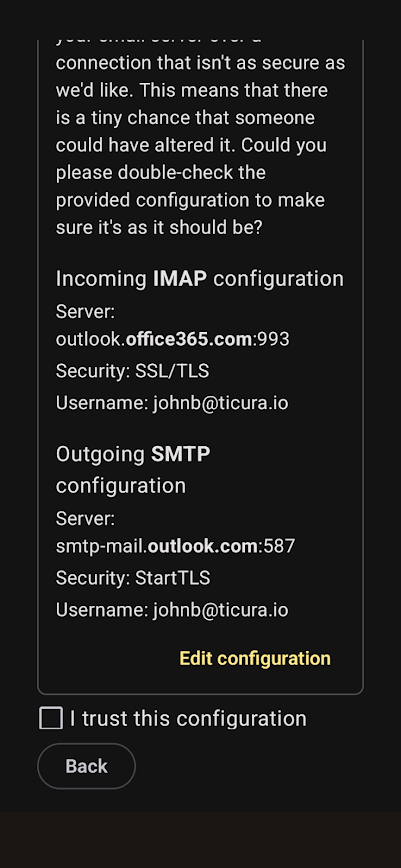
Thunderbird for Android: Microsoft365 Outgoing SMTP auto-filled settings are incorrect and there does not appear to be a way to change them. The "edit configuration" only has a Incoming IMAP configuration screen, not an Outgoing setting screen.
The setting should be SMTP.Office365.com but it configures it as SMTP-mail.outlook.com. It allows editing of Incoming Settings but there is no screen for Outgoing server changes?
It works fine in Thunderbird for Windows with the correct settings stated above.
すべての返信 (2)

The outgoing server configuration page is normally displayed after clicking next on the incoming configuration page.
You can also edit the settings after the account is added by navigating to: Settings > account name > sending mail > outgoing server.
Thanks for the info. It may be helpful to have some clarifications: It turned out the problem was the Email Admin had to grant access to Thunderbird, then and only then can you move to the next step for Outgoing Message settings. Part 2 of your response is only helpful after the account is set up, otherwise there is no way to access the Outgoing settings so it doesn't help in the initial setup before access is granted.