


"Open links in tab" setting does not work

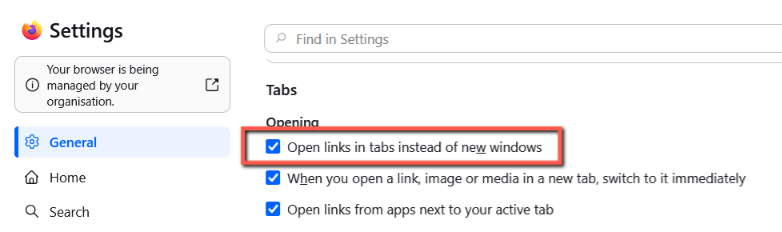
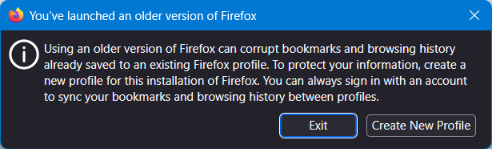
Hello, I've been using Firefox for several years because of all browsers it's the only one (I know of) that has a setting whether to open links in new tab or in new window. I want them opening in tabs. This has been quite alright until last week when I was suddenly shown a message that I was using an old Firefox version and was forced to create a new profile. I did that but ever since then links keep opening in new windows - even though I have found the relevant setting and ticked the box "Open links in tabs instead of new windows". With or without the box ticked, the only way to open links in new tabs is to simultaneously hold Cttrl and click on the link. I've tried all variations of this box and the next two, but no luck. This is really important for me. What am I doing wrong? Thanks!
すべての返信 (4)
Hi Could you clarify which OS and Version and the same for Fx
I use the same option in Windows 11. Raspi 6.2(Debian) Andorid 13 all with latest Fx and all work fine.
The problem I have is the advice to "This has been quite alright until last week when I was suddenly shown a message that I was using an old Firefox version and was forced to create a new profile. "
I have never had such a message in 30 years. It could have been a scam. In the case of an old Fx then yes an update to the version but never a new profile.
If you type about:profiles in the URL/address bar you will see the current profile etc. and the path to where these are on your system. You 'should' be able to switch profiles to see if that helps.
Hello amoun, thank you for your time and reply.
I'm using Windows 11 Enterprise and my current FF version is 151.0.4 (64-bit).
I don't think the message was scam as I encountered it today while testing your recommendation. I used the about:profiles command and it showed 3 profiles, through which I went diligently:
1. "default-release" - upon starting FF I immediately received the error message I mentioned in my original post (attaching screenshot here). Links open in new window. Also, another profile was created as a result (not visible in the screenshot). 2. "default" - no error message but links open in new window. 3. "default-release-1" - no error message but links open in new window.
I'm still hopeful I will find a way/help to get it do what it was doing for years. It really matters to me as I implement a software that opens a lot of menus/screens and I need to have them in tabs.
Thank you again for your help, appreciated!
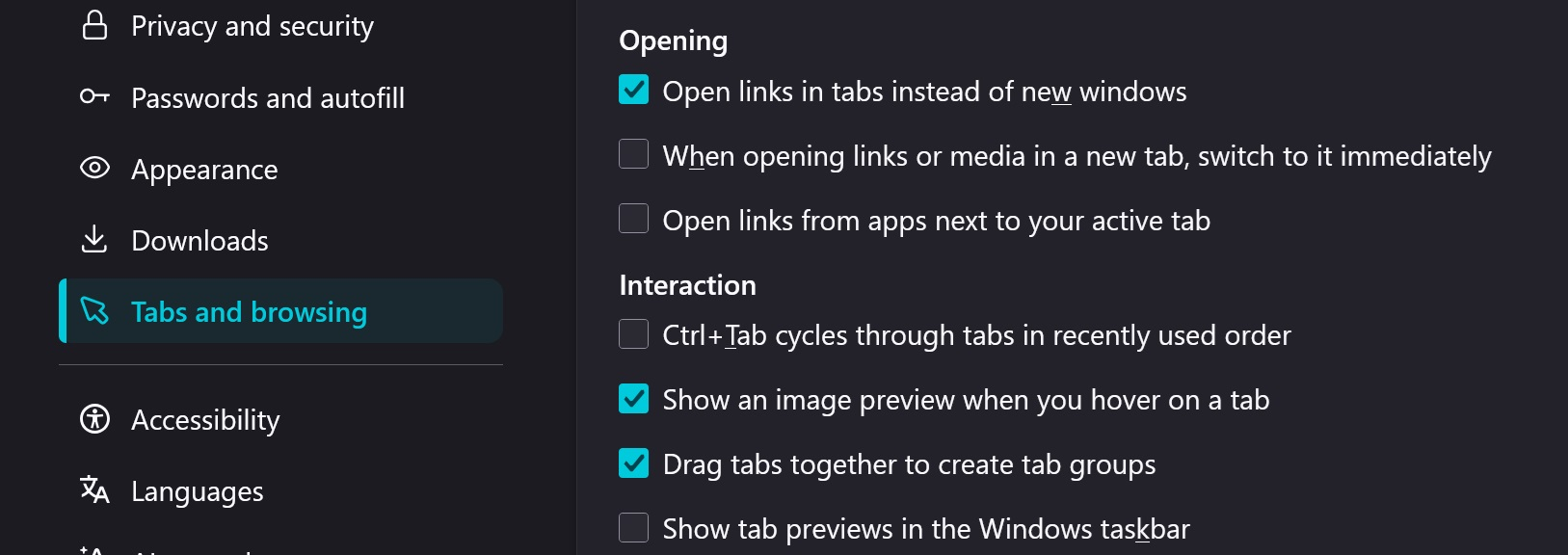
Hi. Did you set it for each Profile ?? In using each of the profiles you would have to set the option.
UPDATE: 1 Have found this: https://support.mozilla.org/en-US/questions/1284805
UPDATE: 2 Maybe this will add some ideas https://superuser.com/questions/1791613/ff-error-youve-launched-an-older-version-of-firefox-and-changes-that-reall
この投稿は amoun により に変更されました
Would you please first update to current v152.x — to see if the main profile starts working there?
(This error is mainly a result of downgrading, manually migrating profiles between devices or in some cases of multiple versions being present on the system, or used by different users. Being on the latest release should be the most simple cure to that error message in the first place.)