


Firefox 144.0.2

I have purchased a new computer and I want ot transfer al my bookmarks, login details etc onto the new one. I have followed the instructions given on your help pages, to no effect. My old computer ruins Firefox under Win 10. The new computer runs the same version under Win 11. I have copied the contents of Profiles from the old to the new, but Firefox says the profile is missing. When I copy and add the folders in Profiles to the Win 11 computer, there is no difference. The names of the folders in Profiles are different on each computer, so I think that it is looking for a particular file/folder name, but I don't know which one. Can anyone help me?
すべての返信 (1)

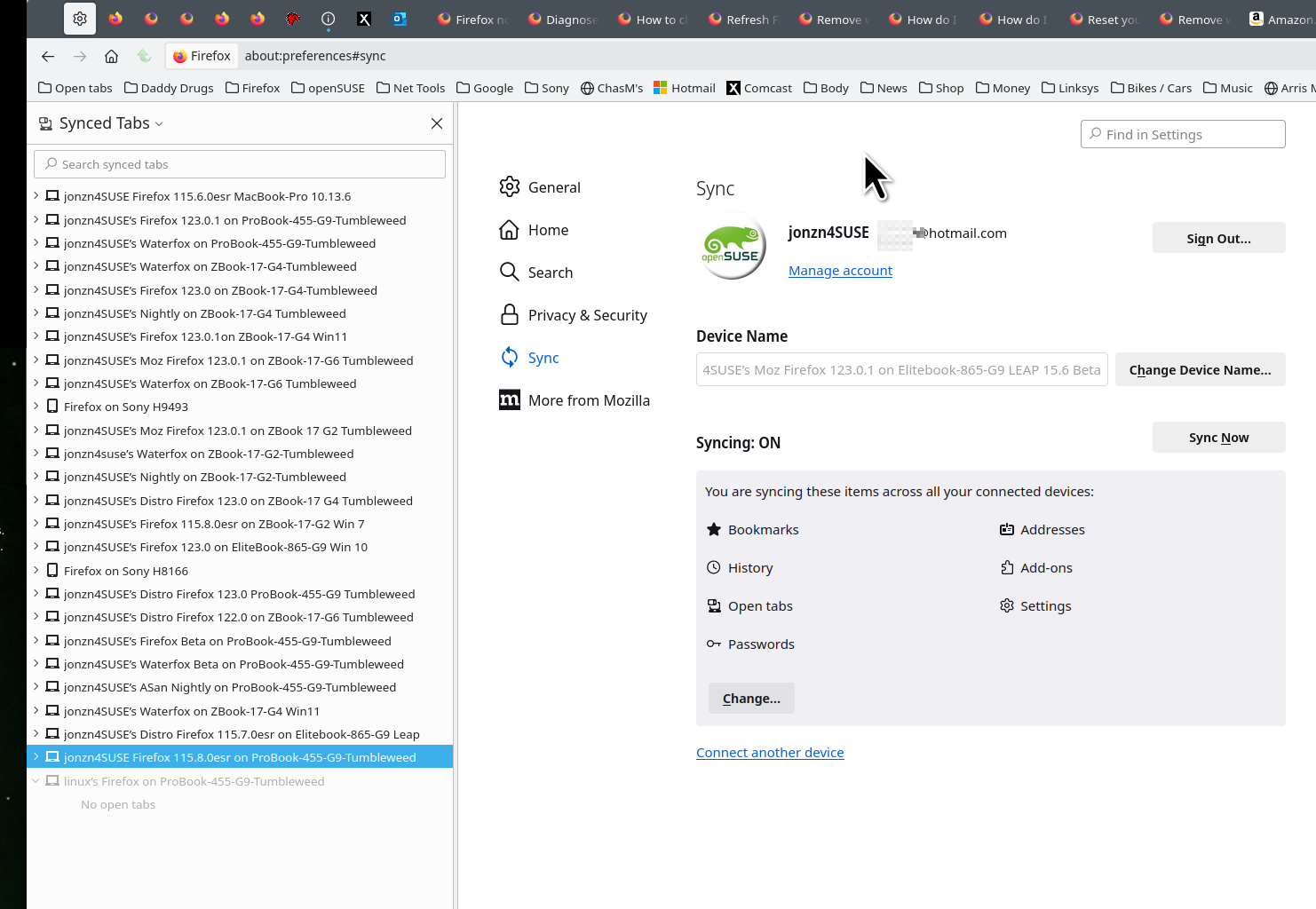
Did you try Sync? see old screenshot
Sync info... FYI... Firefox Sync IS NOT A DATA BACKUP SERVICE https://support.mozilla.org/en-US/kb/how-do-i-set-sync-my-computer https://support.mozilla.org/en-US/kb/how-do-i-choose-what-information-sync-firefox https://www.mozilla.org/en-US/firefox/features/sync/ https://hacks.mozilla.org/2018/11/firefox-sync-privacy/ Sync is not a backup tool but it is a good sync/transfer/move tool https://support.mozilla.org/en-US/forums/contributors/707681
この投稿は jonzn4SUSE により に変更されました