Downloading attachment in Outlook doesn't ask me where to store it
Regular download works fine, but when I try to download attachment in outlook.live.com website, it didn't ask me where to store it, but simply places it in my default location, while at the same time opening the attachment even though I only want to download the file.
選ばれた解決策
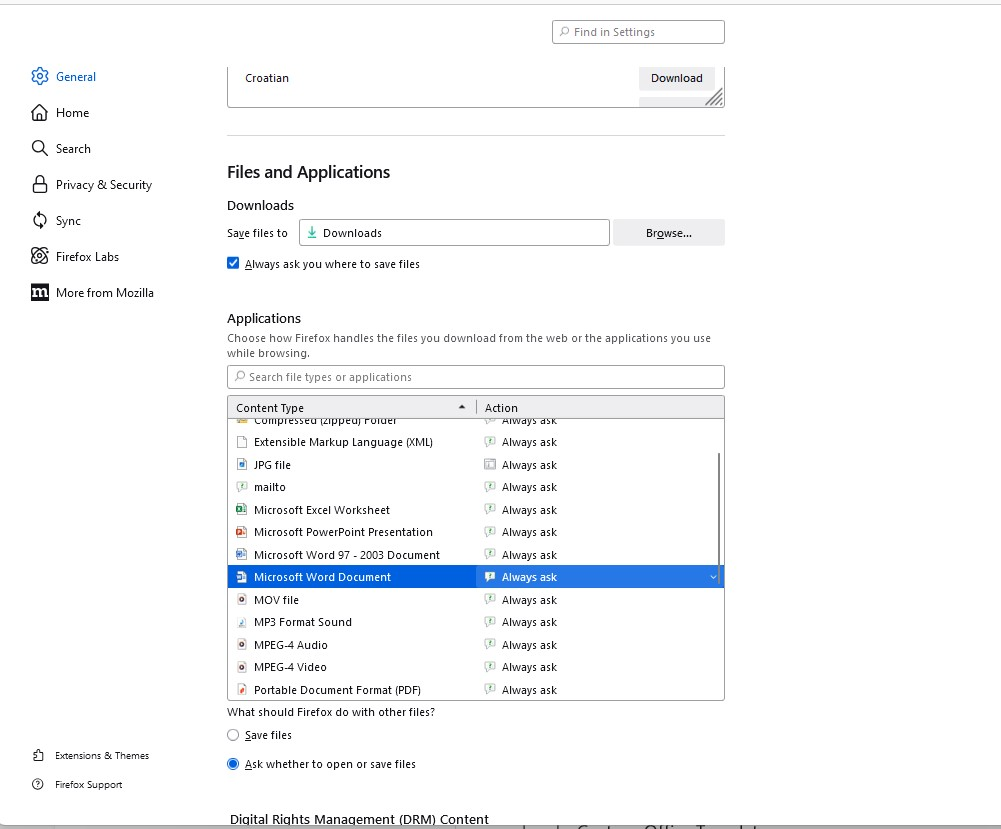
Never mind, I know why this happens now. Default action in Applications section was set to Open in Firefox instead of Save File. This is resolved now.
この回答をすべて読む 👍 0すべての返信 (3)
選ばれた解決策
Never mind, I know why this happens now. Default action in Applications section was set to Open in Firefox instead of Save File. This is resolved now.
この投稿は WaReMoN により に変更されました
You need to mark it resolved.

I have the SAME problem - and I have EVERYTHING set to ALWAYS ASK - (See Screen grab) - it just doesn't work!