


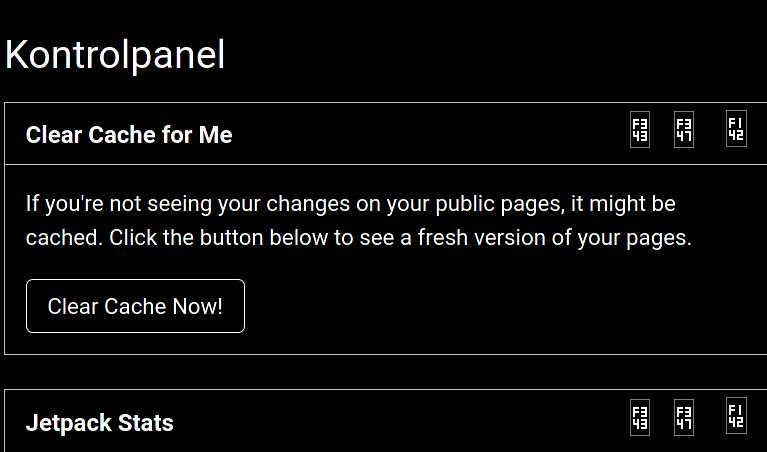
Some icons are not shown Ok, but as a "code" like F343 or F347 or F142

When I access some sites, like wordpress ( as an admin), some icons are shown as hex codes instead of graphic icons - I have enclosed screenshots
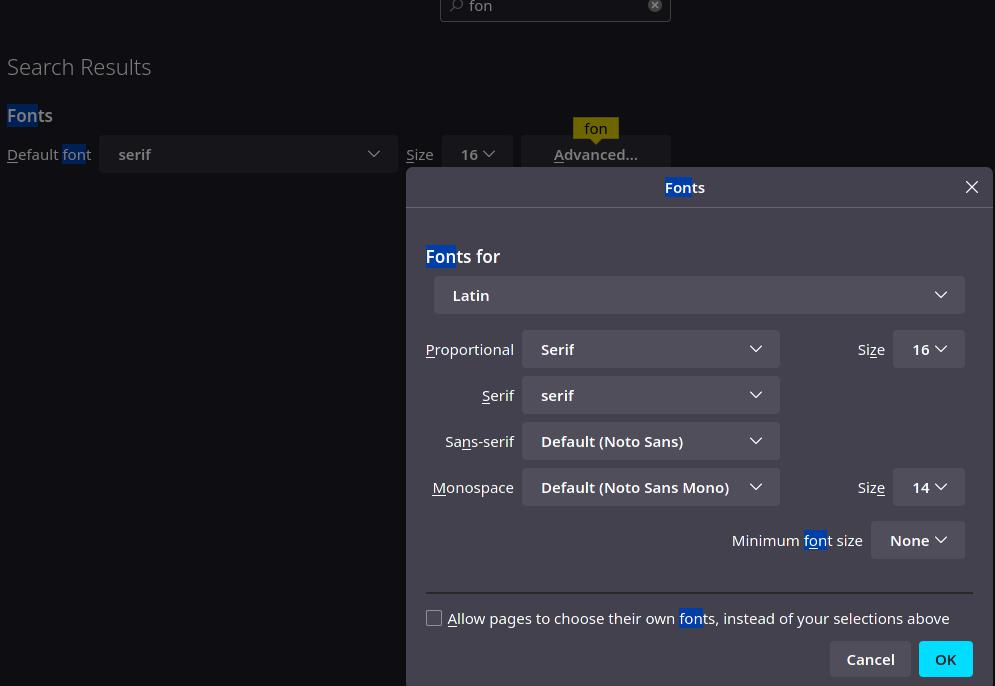
I have tried to reset the fonts to firefox standard ( I had some other before) - it did not help
I have also tried to check the "allow pages to choose their own fonts - did not help I have also tried to UNcheck the "allow pages to choose their own fonts - did not help
I do NOT have the problem on Brave or Chromium
I am running Linux Arch with Firefox 115.0.2
When I access some sites, like wordpress ( as an admin), some icons are shown as hex codes instead of graphic icons - I have enclosed screenshots
I have tried to reset the fonts to firefox standard ( I had some other before) - it did not help
I have also tried to check the "allow pages to choose their own fonts - did not help
I have also tried to UNcheck the "allow pages to choose their own fonts - did not help
I do NOT have the problem on Brave or Chromium
I am running Linux Arch with Firefox 115.0.2
すべての返信 (1)
You may see text labels or little boxes with the hex code if you block remote fonts that are downloaded from internet or otherwise block website fonts.
If you use uBlock Origin make sure not to "block remote fonts".