このスレッドはアーカイブに保管されました。
必要であれば新たに質問してください。

アーカイブに保管済み
Refresh button

The refresh button (circular arrow has gone from the toolbar It is not present in the customise list It is restored if I I select 'restore defaults' but is only there for the current session and not when firefox restarts So how can I add the restore button PERMANENTLY please
The refresh button (circular arrow has gone from the toolbar
It is not present in the customise list
It is restored if I I select 'restore defaults' but is only there for the current session and not when firefox restarts
So how can I add the restore button PERMANENTLY please
すべての返信 (1)
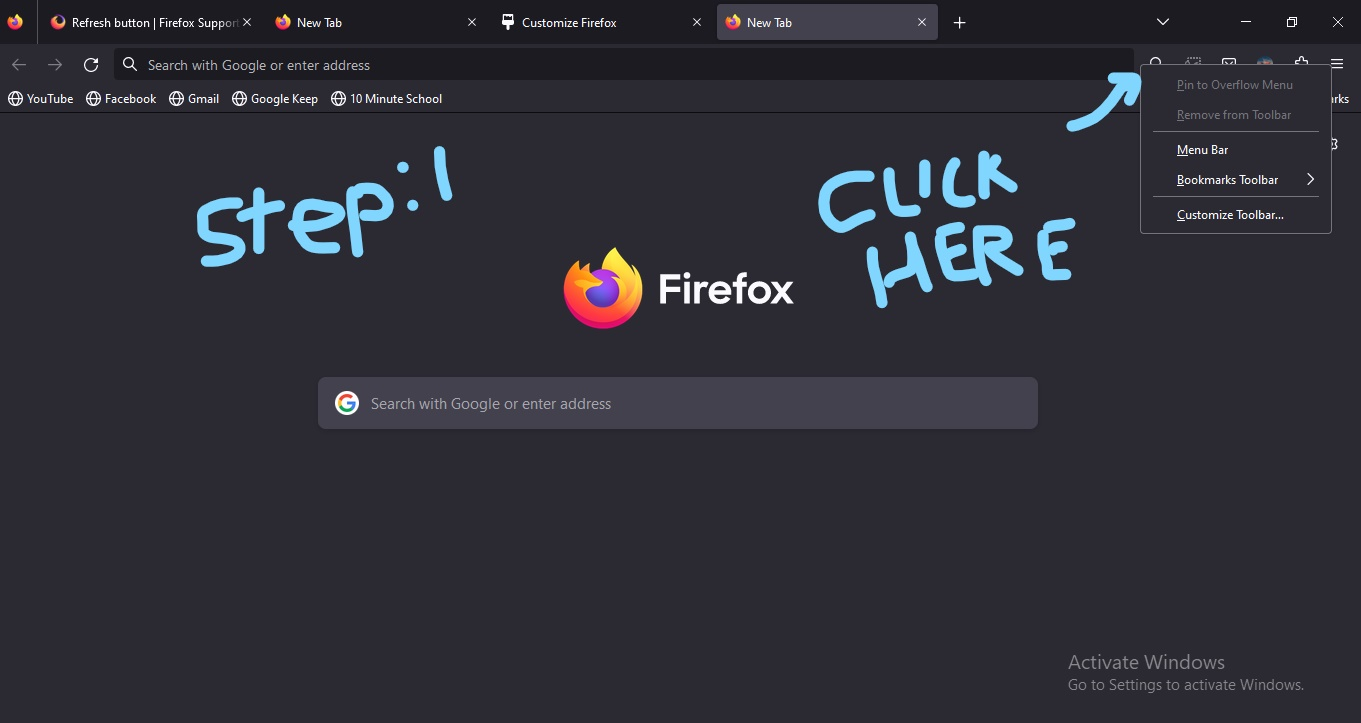
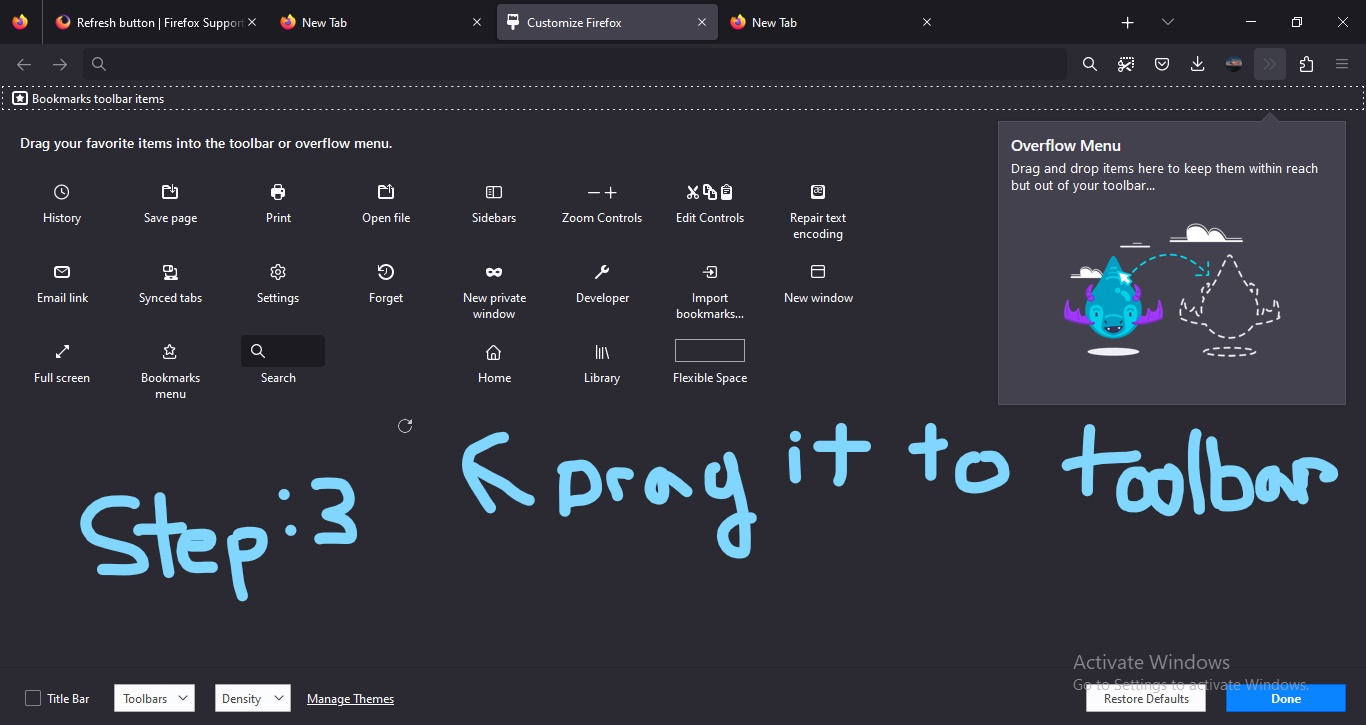
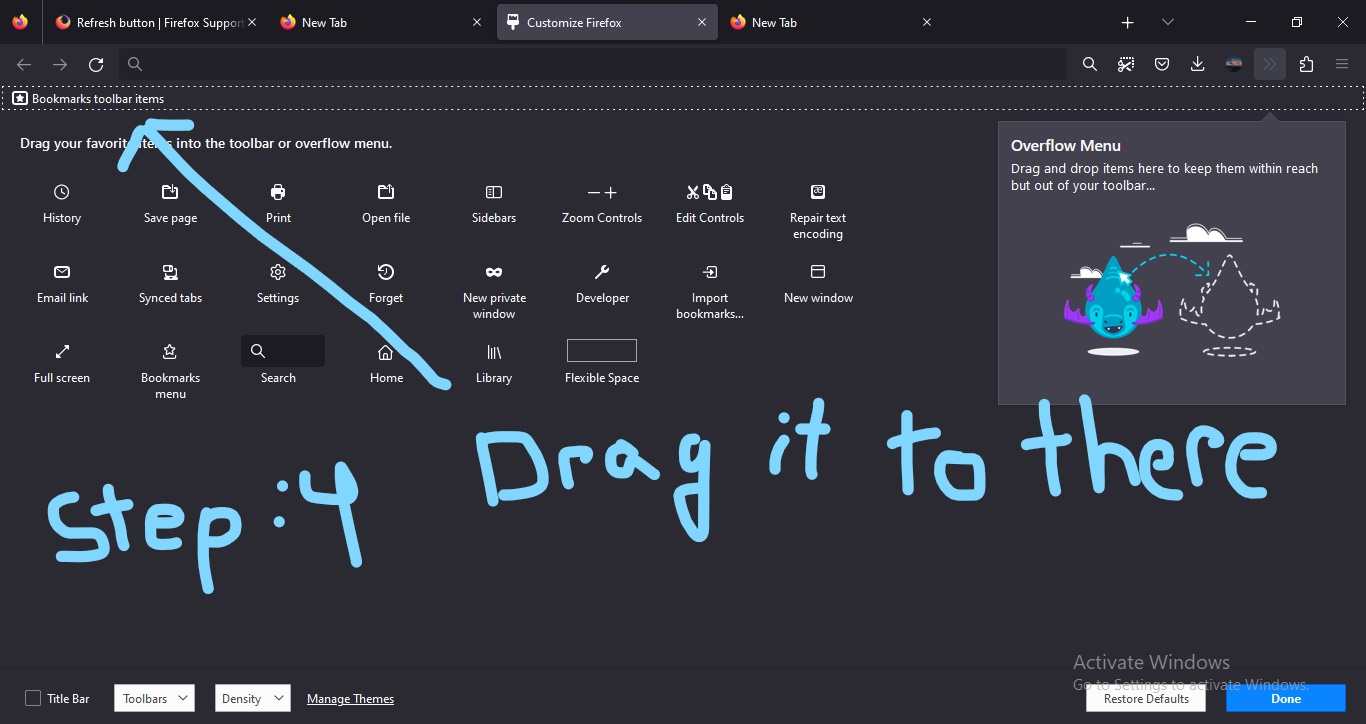
Step 1: Right click the tool bar Step 2: Go to customize toolbar Step 3: Left click and hold the refresh icon and drag it to the place where you would like it to be
Plan B: If the refresh goes back to the place in the next session then you need to uninstall Firefox reboot your computer and install it from the Firefox installer again. Download Firefox: https://www.mozilla.org/en-US/firefox