


website login and functionality problems with firefox

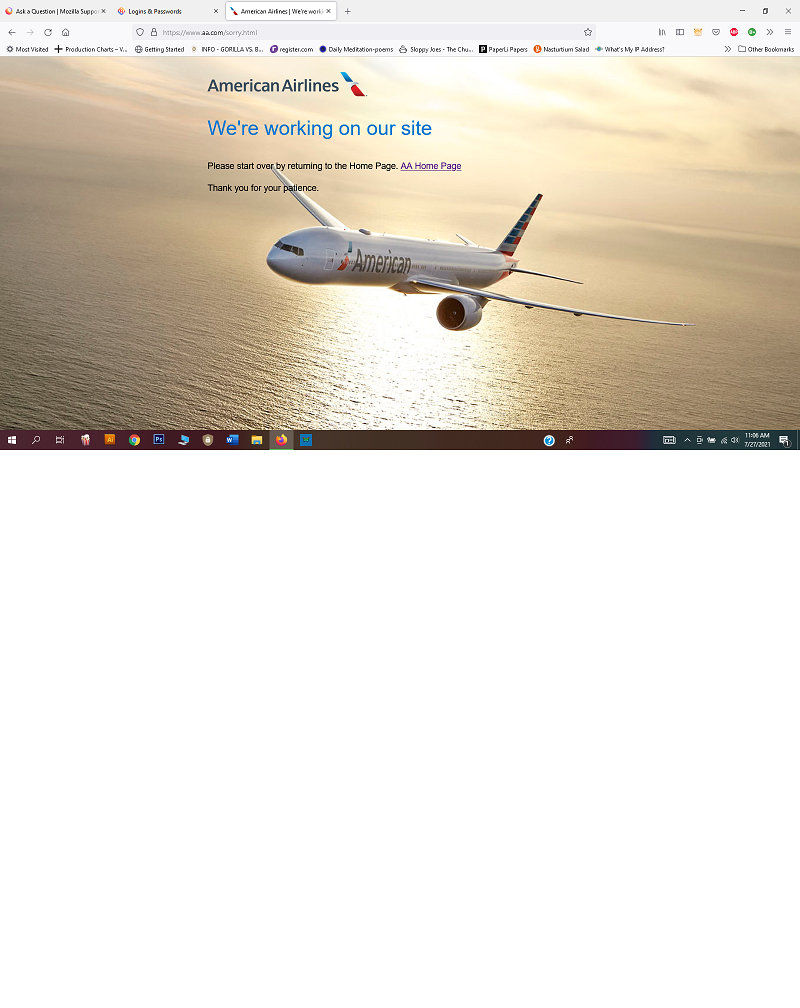
Having lots of problems logging in and with functionality on websites I use a lot, when I use firefox that I do not have if I switch to chrome... like airline websites I go to where my login via firefox won't work, banking sites, shopping sites, sites where I have profiles.... I either can't login or sites don't function properly..... but if I switch to chrome things work fine?! like when I enter my login info on aa.com via firefox I get this page which is an error. I enter the same login info on chrome and it takes me to my aa.com account profile and access
すべての返信 (4)
Hi renee626,
Try Clearing all cookies, site data and cache
- Click the menu button. and select Options. Preferences.
- Select the Privacy & Security panel and go to the Cookies and Site Data section.
- Click the Clear Data button. The Clear Data dialog will appear.
- Click Clear.
I have cleared cookies and history a bunch but it doesn't help solve the problem----and it is annoying because when I do I keep having to recreate logins
I did figure out how to get to Privacy & Security..... not through path Shashank Shekhar directed. but I then did all the steps Shashank Shakhar recommended but the error persists and problem not solved.... plus lost all my login history for various sites.......

I had the same or similar problem on aa.com as well. If I tried to log in I got a screen saying they are working on their site. If I tried using the site as a guest I got a message saying I did not have permission to access the site. I disabled HTTPS Everywhere and Duck Duck Go and that seems to have solved the problem.