


FireFox Crashing Issue
I have been having serious problems with Firefox over the past two days. If I perform any activity the application hangs. Even creating this incident has caused peroblems . It takes approx 20 seconds for my text to appear on the screen. Looking at tasks in windows I see thee application hits the CPU hard if I do anything.
Error messages - bp-36566c7d-e895-49c8-bf58-efa420200917
すべての返信 (4)
Screenshots from the error
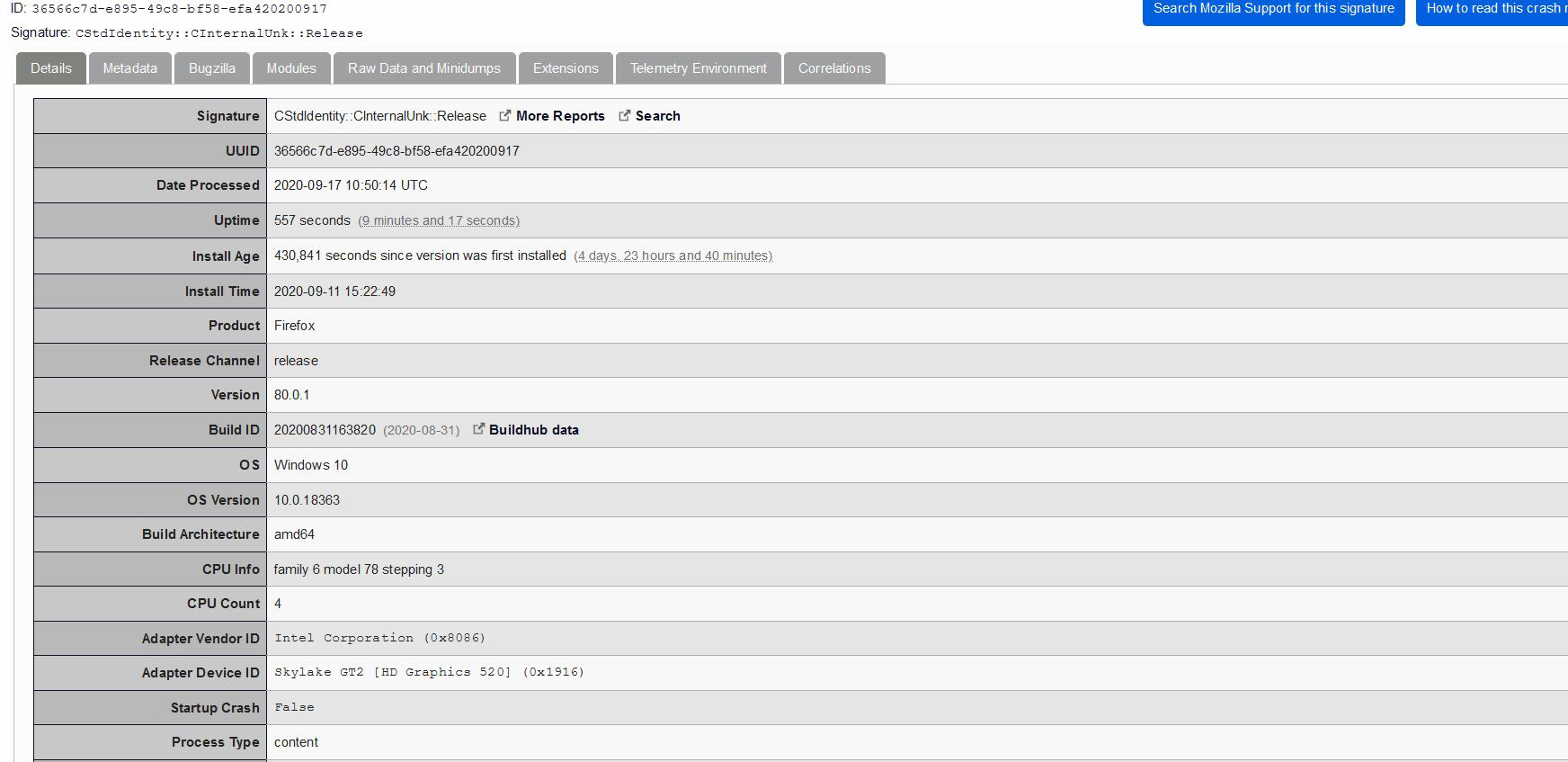
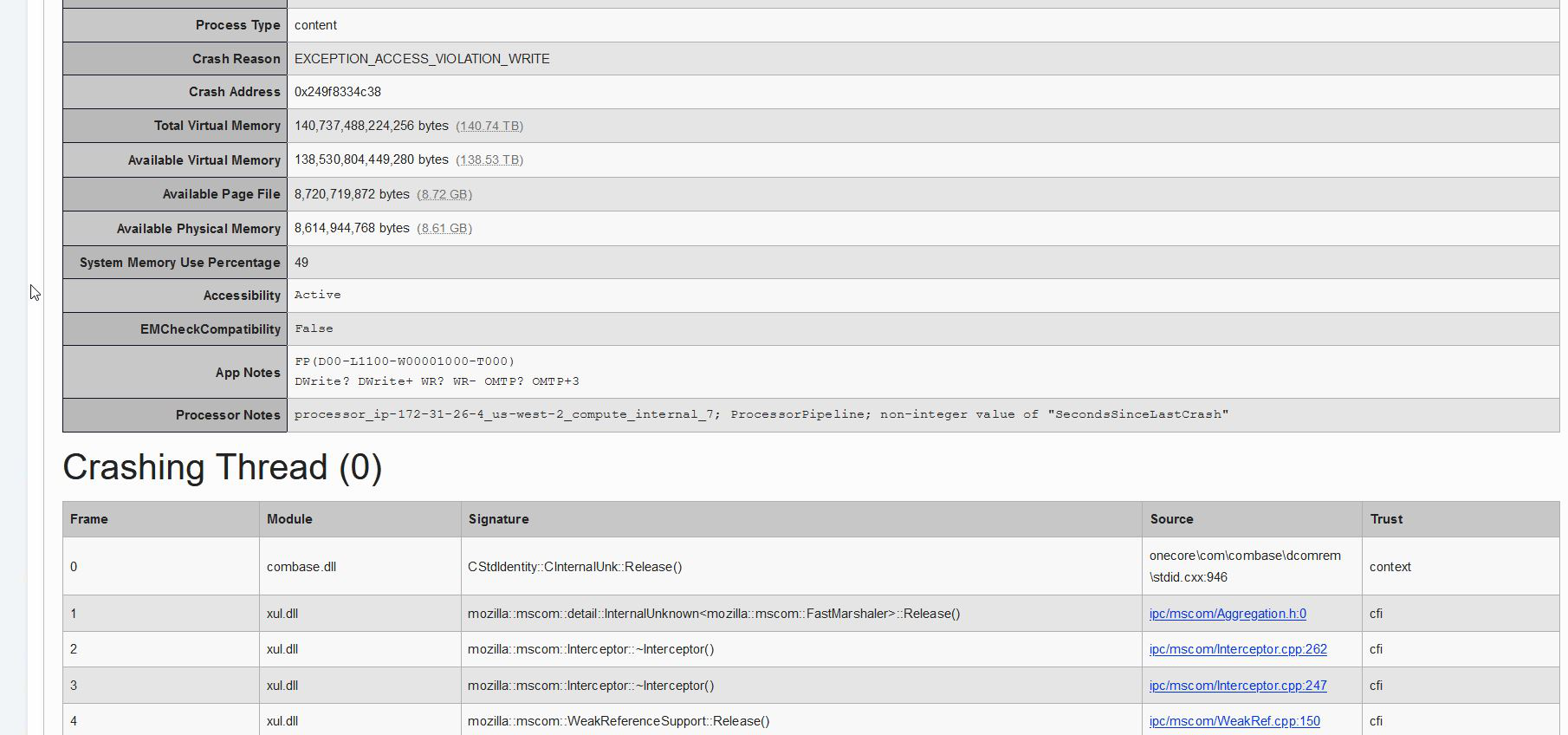

Product Firefox Release Channel release Version 80.0.1 Build ID 20200831163820 (2020-08-31) Buildhub data OS Windows 10 OS Version 10.0.18363
bp-36566c7d-e895-49c8-bf58-efa420200917 Signature: CStdIdentity::CInternalUnk::Release
Crash Reason EXCEPTION_ACCESS_VIOLATION_WRITE
IPSEng64.dll = Symantec Intrusion Detection
Start Firefox in Safe Mode {web link}
A small dialog should appear. Click Start In Safe Mode (not Refresh). Is the problem still there?
https://support.mozilla.org/en-US/kb/firefox-slow-how-make-it-faster
https://support.mozilla.org/en-US/kb/firefox-uses-too-many-cpu-resources-how-fix
https://support.mozilla.org/en-US/kb/firefox-uses-too-much-memory-ram
https://support.mozilla.org/en-US/kb/firefox-hangs-or-not-responding
https://support.mozilla.org/en-US/kb/firefox-takes-long-time-start-up
https://support.mozilla.org/en-US/kb/quick-fixes-if-your-firefox-slows-down
MemTest LAST UPDATED : 12/04/2020
Could you please run a tool from http://memtest.org/
in order to check the integrity of your RAM?
You will need a thumb or disk drive to install it on.
Do you let Windows handle the page file or did you set a fixed size ?
If you use a fixed size for the page file then try the former and let Windows handle the page file.
Try to disable accessibility services in Firefox.
- Options/Preferences -> Privacy & Security -> Prevent accessibility services from accessing your browser
- https://support.mozilla.org/en-US/kb/accessibility-services