


Menu is now in Spanish after update download. How can I fix this?
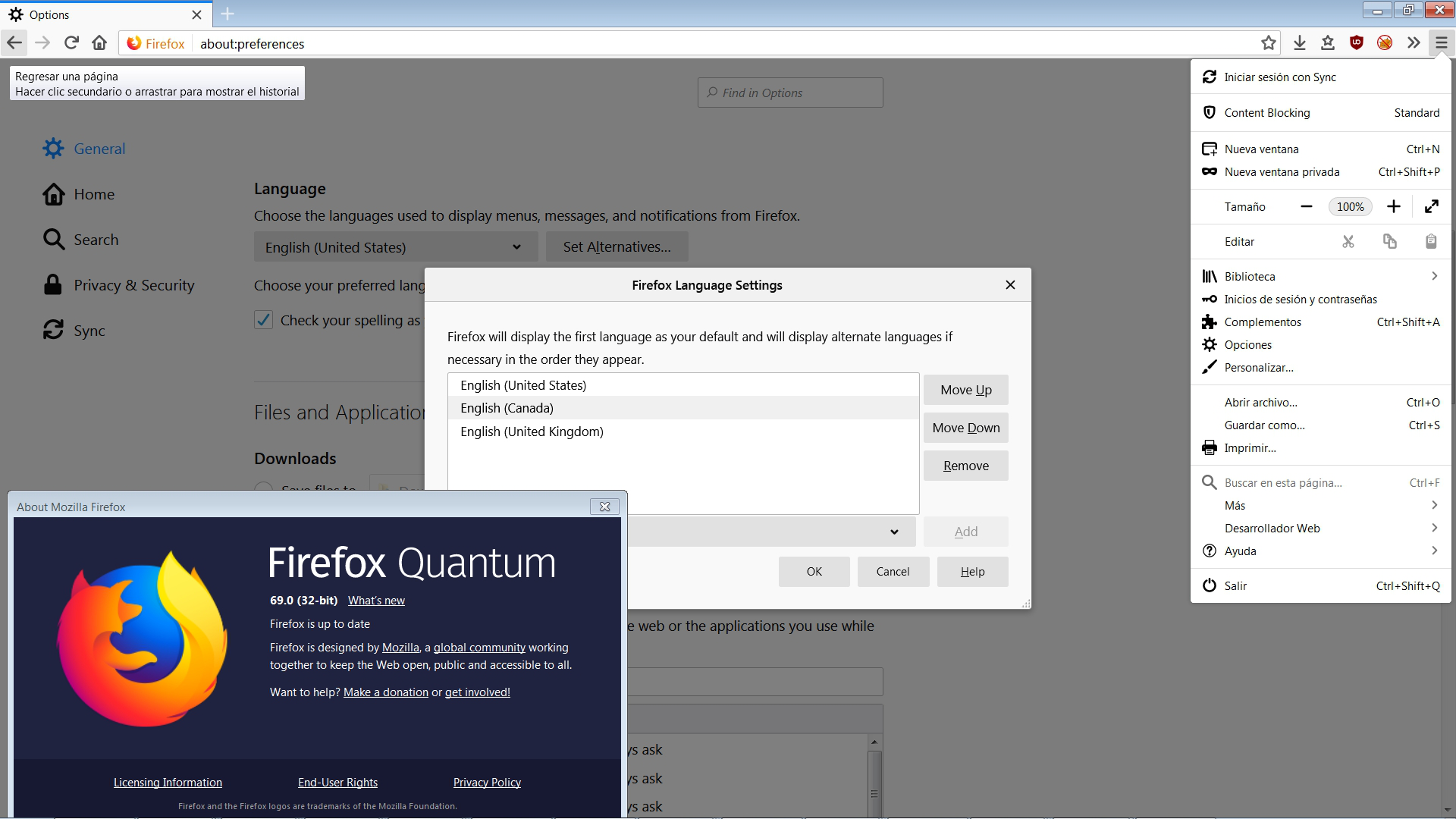
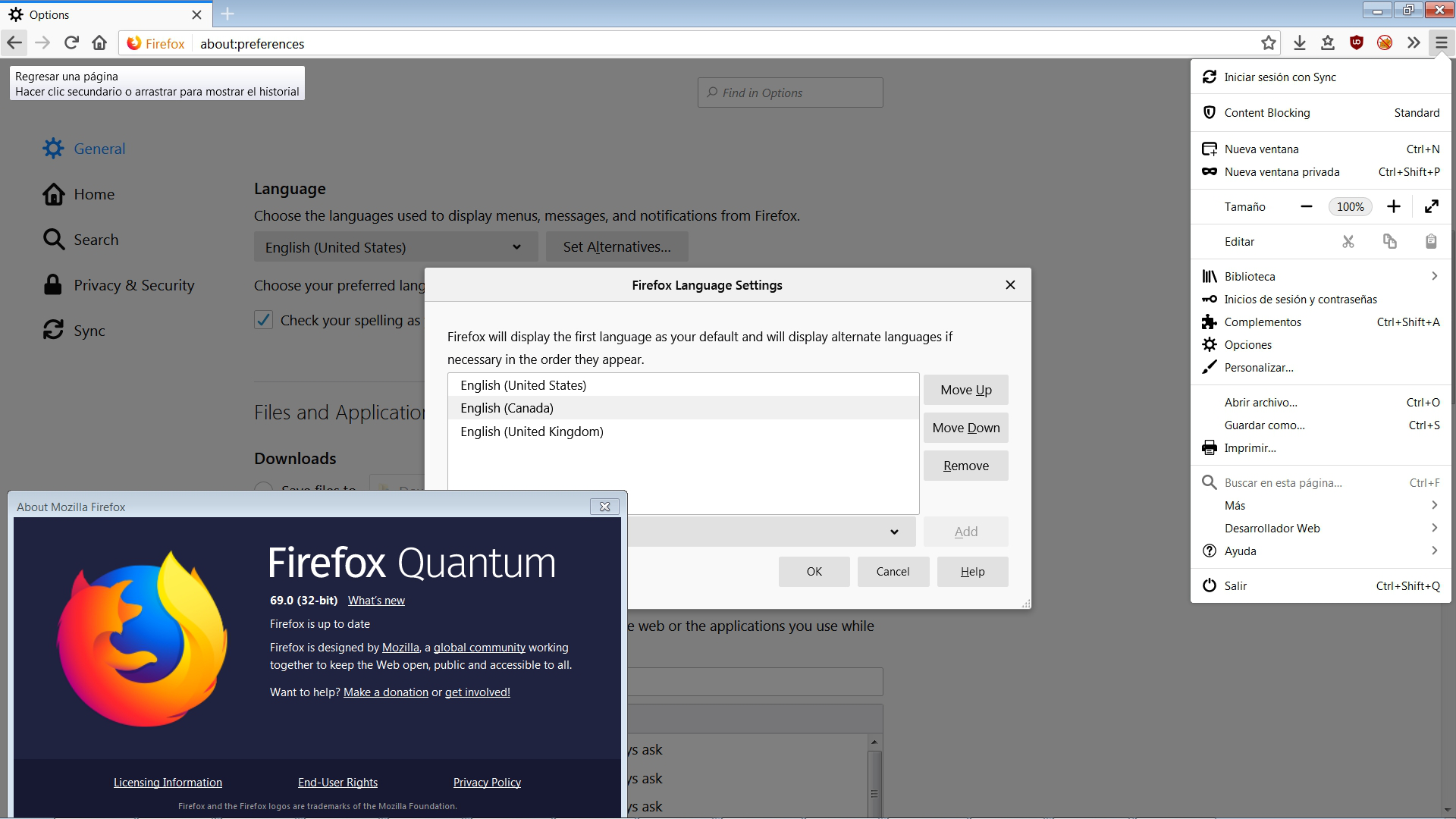
Firefox menus are shown in Spanish, while I explicitly downloaded English version and have English set as the only interface language. I happen to be on a Spanish version of Windows, but this should be irrelevant for Firefox. Note that the options are shown in English.
I want the menus to be shown in English.
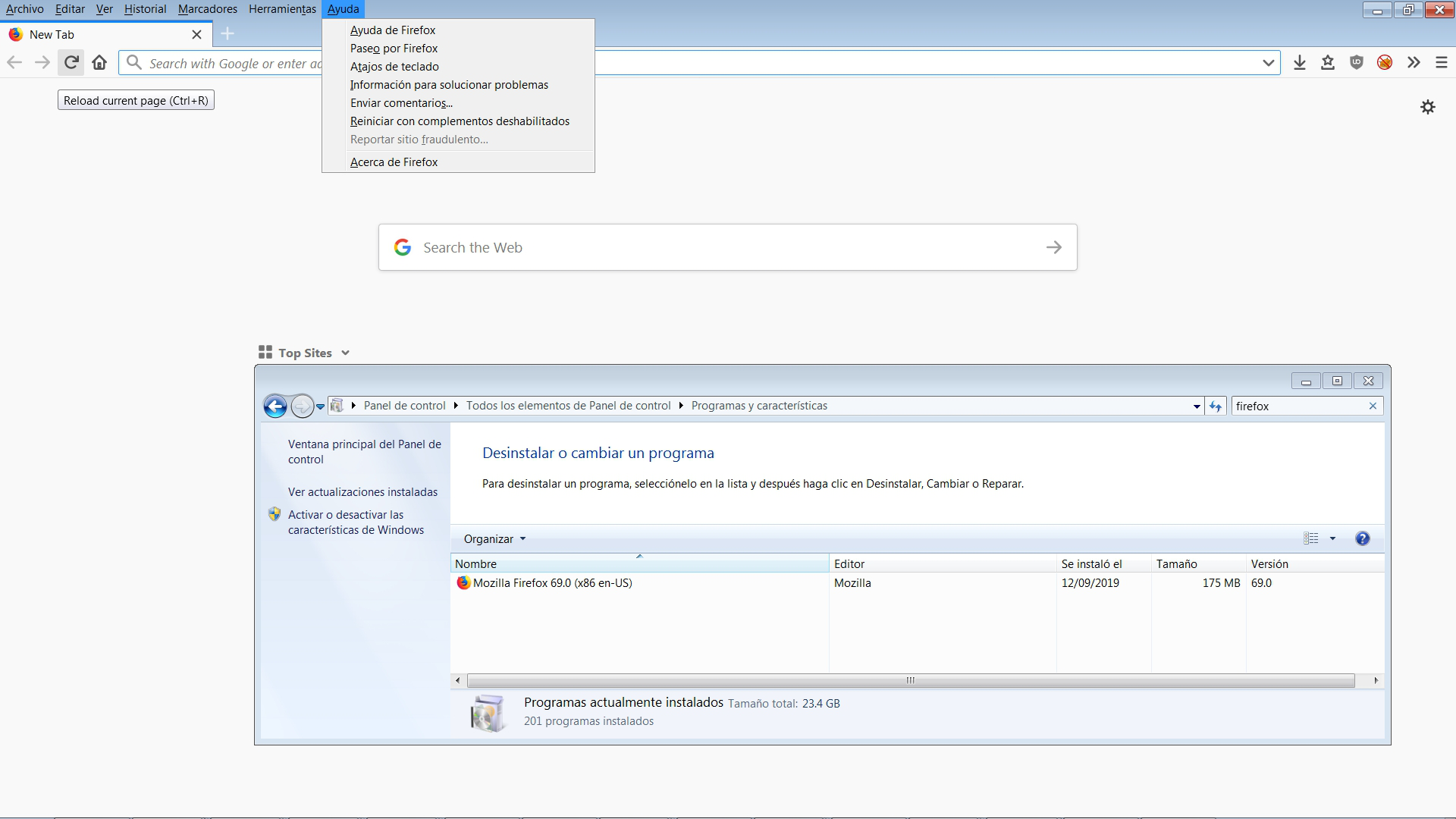
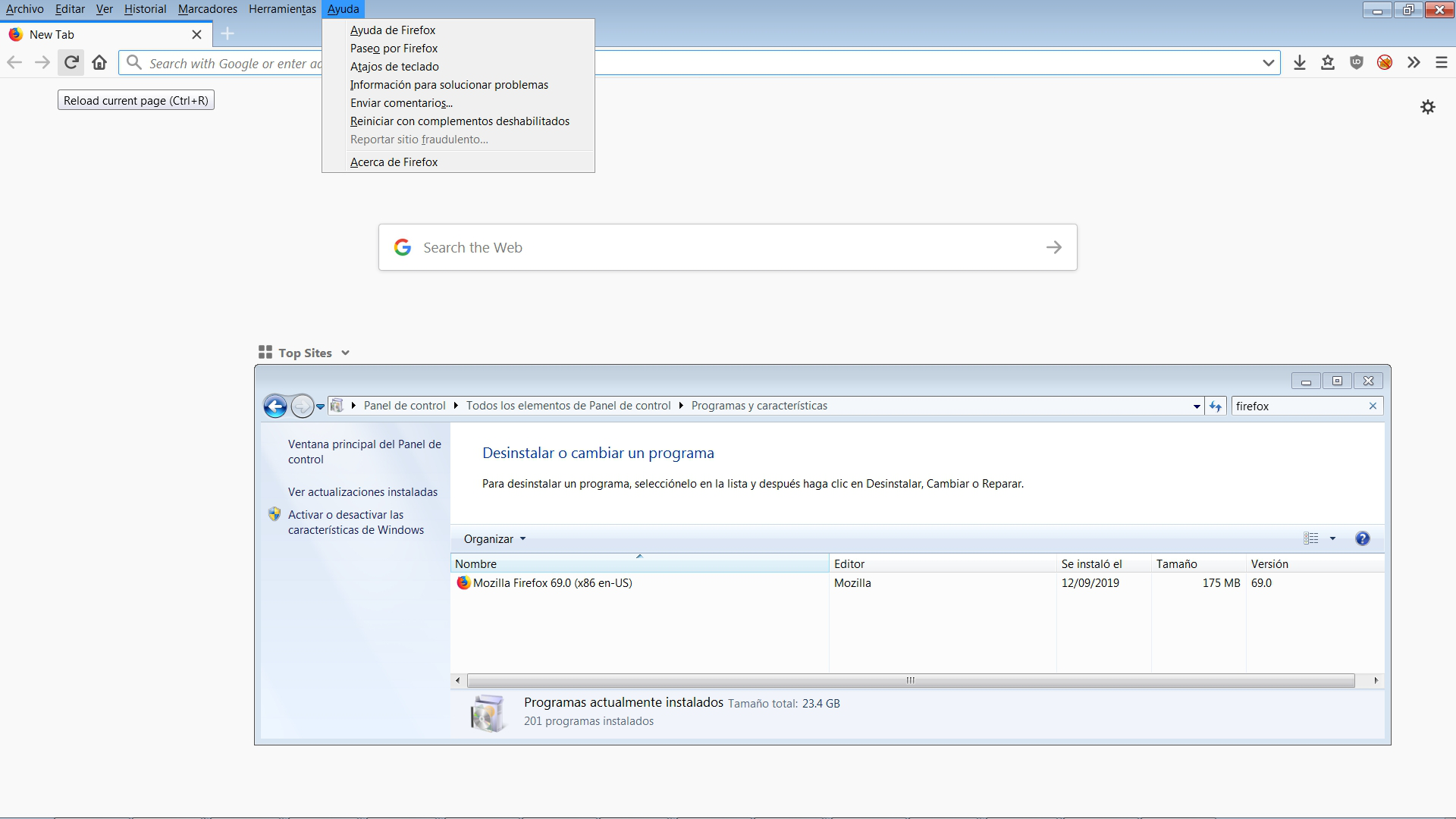
In the attached image, note the mix of languages: Options in English, menus and tooltip in Spanish (actually some tooltips are in English, as in the second image). Note that Spanish is not listed as an interface language. (As a bonus, no matter how many times I press Remove on Canadian and UK English languages, they re-appear. Any way to get rid of them?)
This problem happened recently; for a decade the menus were in proper English on the same Spanish version of Windows. I twice removed Firefox from the system (without deleting my data) and re-installed it from US English version, once from MSI, then from EXE, to no avail.
この投稿は Alex により に変更されました
選ばれた解決策
Hello Alex,
It's a bug that developers are working on :
https://bugzilla.mozilla.org/show_bug.cgi?id=1564998
Please take a look at especially the last few posts in that bug
report - they will show you how to solve the problem.
すべての返信 (5)
How do you Know that it is Spanish?
Well, you can see that half of what it shows is not in English. It's irrelevant whether it is Spanish or Chinese.
(OK: I am on a Spanish version of Windows, and I know Spanish.)
For some reason deleting the image and replacing it by editing the question has no effect. Attaching here the correct images.
選ばれた解決策
Hello Alex,
It's a bug that developers are working on :
https://bugzilla.mozilla.org/show_bug.cgi?id=1564998
Please take a look at especially the last few posts in that bug
report - they will show you how to solve the problem.
In that bugzilla thread, they recommend to manually update the language pack and then run the command "firefox.exe -purgecaches". I did not find how to manually update the language pack, but "firefox.exe -purgecaches" did fix the problem. Thank you!
My pleasure - I'm glad you've got things back to normal !
Well done !