


Random web pages showing missing text in words of a whole page and strange green patches over images at times.
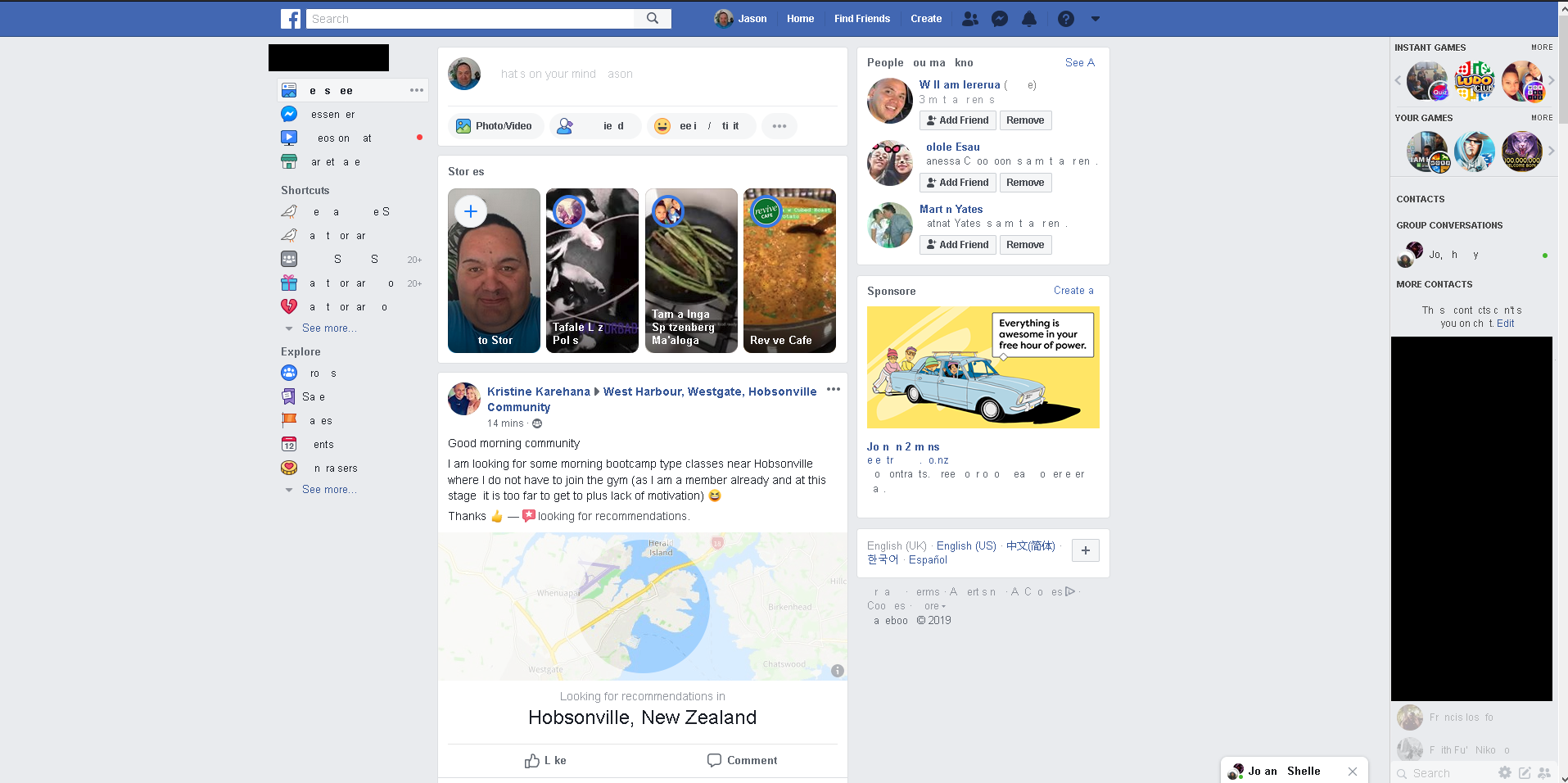
Some of my frequent web pages i visit such as Facebook at frequent random times show missing text from words etc over the whole page like a cryptic message etc and other times shows green patches over images of a page and at the same time the browser tabs come up with green X's on them for a while and then go. This all only happens in Firefox. Added is a photo of all the missing text on my Facebook page
すべての返信 (1)

Make sure you are not blocking content.
Start Firefox in Safe Mode {web link}
A small dialog should appear. Click Start In Safe Mode (not Refresh). Is the problem still there?
One issue that seems more common lately is Firefox's Content Blocking. When it is blocking content in a page, a shield icon will appear at the left end of the address bar next to the padlock icon. This article has more info on managing this feature: