All disabled add-ons still asks for new permissions after it's update

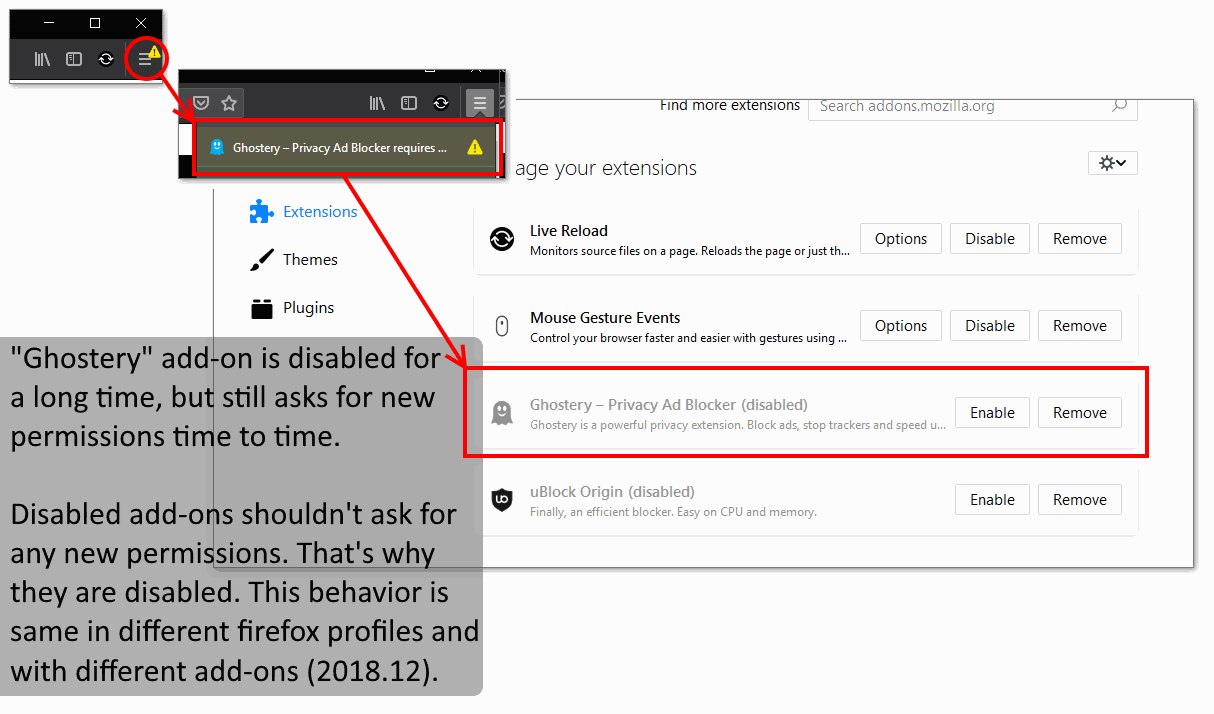
An example: 1. "Ghostery" add-on is disabled for a long time. 2. The warning icon appears on the the main menu button of the Firefox. 3. Clicking shows an message: "Ghostery" add-on requires new permissions, but it is disabled.
Disabled add-ons shouldn't ask for any new permissions. That's why they are disabled. This behavior is same in different Firefox profiles and with different add-ons (2018.12).
Is it a bug? How to fix this?
An example:
1. "Ghostery" add-on is disabled for a long time.
2. The warning icon appears on the the main menu button of the Firefox.
3. Clicking shows an message: "Ghostery" add-on requires new permissions, but it is disabled.
Disabled add-ons shouldn't ask for any new permissions. That's why they are disabled.
This behavior is same in different Firefox profiles and with different add-ons (2018.12).
Is it a bug? How to fix this?
この投稿は olegolegolegoleg により に変更されました
すべての返信 (1)
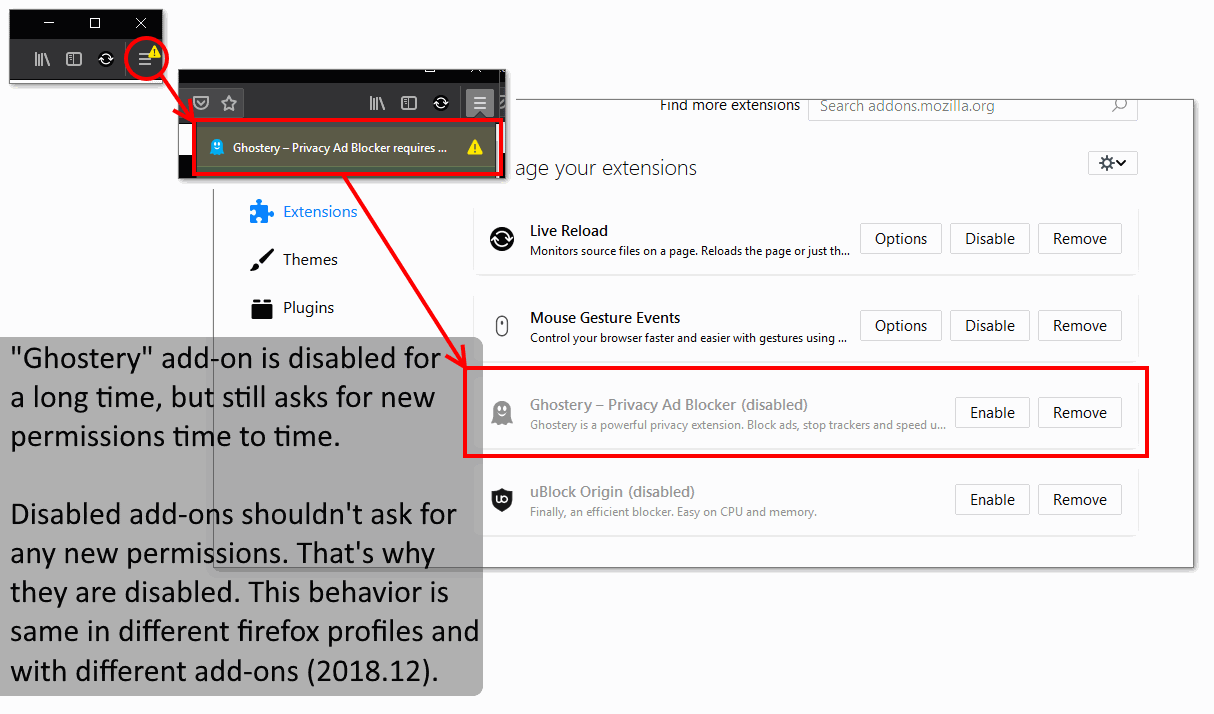
Here is screenshot with details (it was not uploaded into the question for some reason)