


All the entry boxes on the Home Page panel in the Options are disabled after Firefox ver 62.0 was installed

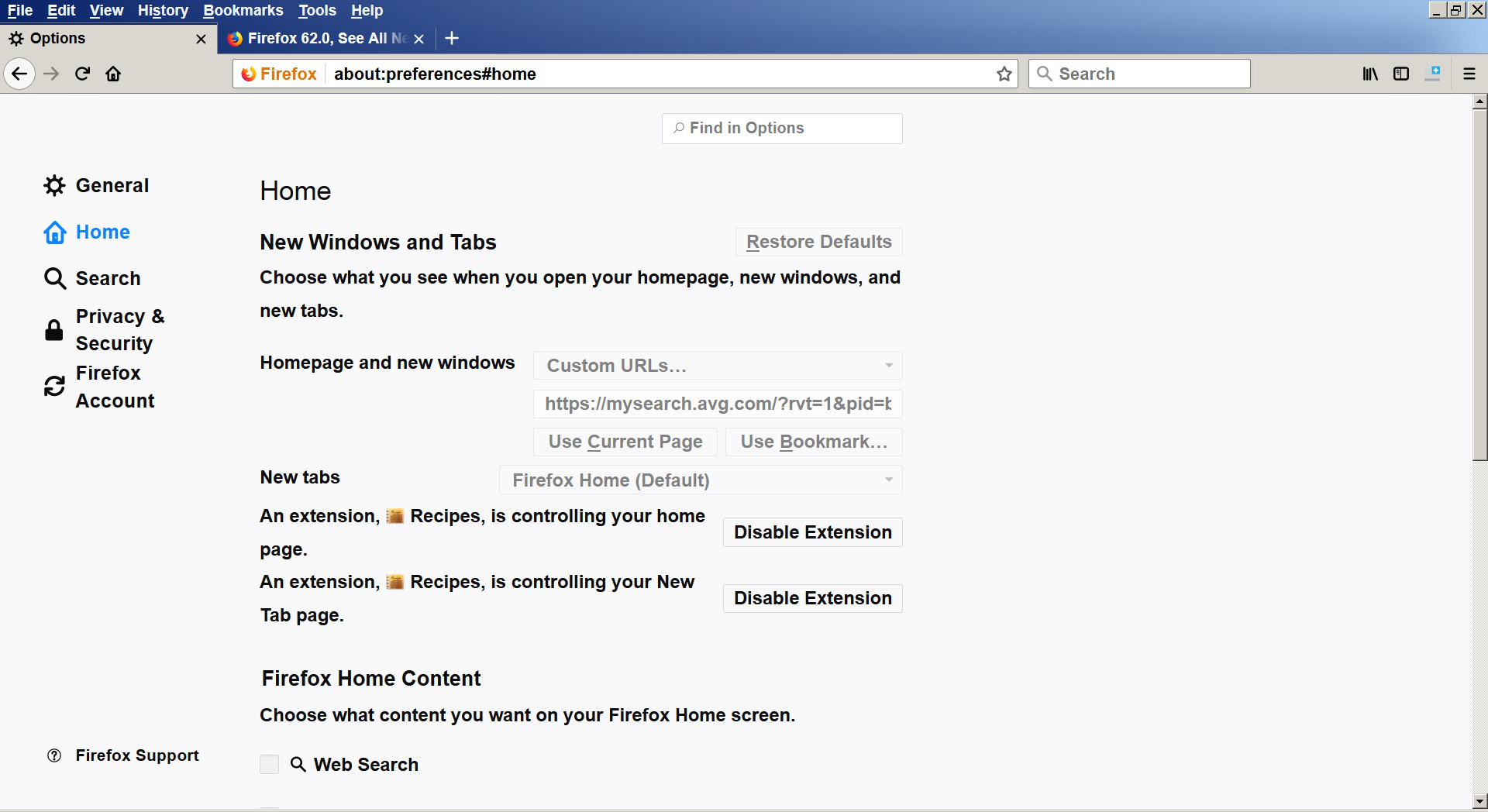
Can't change anything on the Options page's Homepage and new windows section, all the entry boxes are disabled.
Can't change anything on the Options page's Homepage and new windows section, all the entry boxes are disabled.
すべての返信 (1)
You can see in the screenshot that an extension Recipes is controlling your Home page, so you will have to check its Options/Preferences to make the changes.
Start Firefox in Safe Mode to check if one of the extensions ("3-bar" menu button or Tools -> Add-ons -> Extensions) or if hardware acceleration is is causing the problem.
- switch to the DEFAULT theme: "3-bar" menu button or Tools -> Add-ons -> Appearance
- do NOT click the "Refresh Firefox" button on the Safe Mode start window
この投稿は cor-el により に変更されました