


Firefox crashes with following message "Gah. Your tab just crashed.Choose Restore This Tab to reload page content.|

For the past few days I have been getting the following crash message "Gah. Your tab just crashed.Choose Restore This Tab to reload page content". I've never had such crashes before and have no idea why I start having them. Any suggestions to fix this problem are appreciated. Thanks
すべての返信 (4)

In the address bar, type about:crashes<enter>. Note: If any reports do not have BP- in front of the numbers/letters, click it to submit them.
The crash report is several pages of data. We need the report numbers to see the whole report.
Using your mouse, mark the most recent 7 - 10 crash reports, and copy them. Now go to the reply box and paste them in.
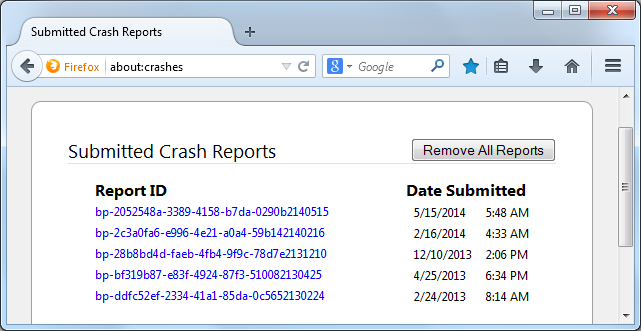
For more help on crash reports, see; https://support.mozilla.org/en-US/kb/firefox-crashes-asking-support
Thanks for getting back.
The problem is that the crashes I had, do not appear there. For instance the last crash reported was from September 17 . All the crashes I had and I'm making reference to, were after that day.
Not sure what to do. Looking forward hearing back from you.
What was the tab doing at the time? Players? Ads?
Start Firefox in Safe Mode {web link} by holding down the <Shift> (Mac=Options) key, and then starting Firefox.
A small dialog should appear. Click Start In Safe Mode (not Refresh). Is the problem still there?
No, it was mainly Youtube page that was giving the problem and also some travel websites. I'll try the safe mode and will report the progress. Thanks for you continuous help.