このスレッドはアーカイブに保管されました。
必要であれば新たに質問してください。

アーカイブに保管済み
Cannot enlarge print size (extremely SMALL) to type outgoing message

When I try to print a new message the font size is so small I cannot read it. I can't increase the size using the 'Enlarge' prompt on the message. My basic Generral setup shows that the prompt should be a size twelve (12) but it doesn't work on any new message I try to write.
Any suggestions are appreciated, and ..... Thanks!!!
すべての返信 (1)
First, make sure you are using the most recent version of Thunderbird, which right now is 52.2.0. Download & install the latest version of Thunderbird
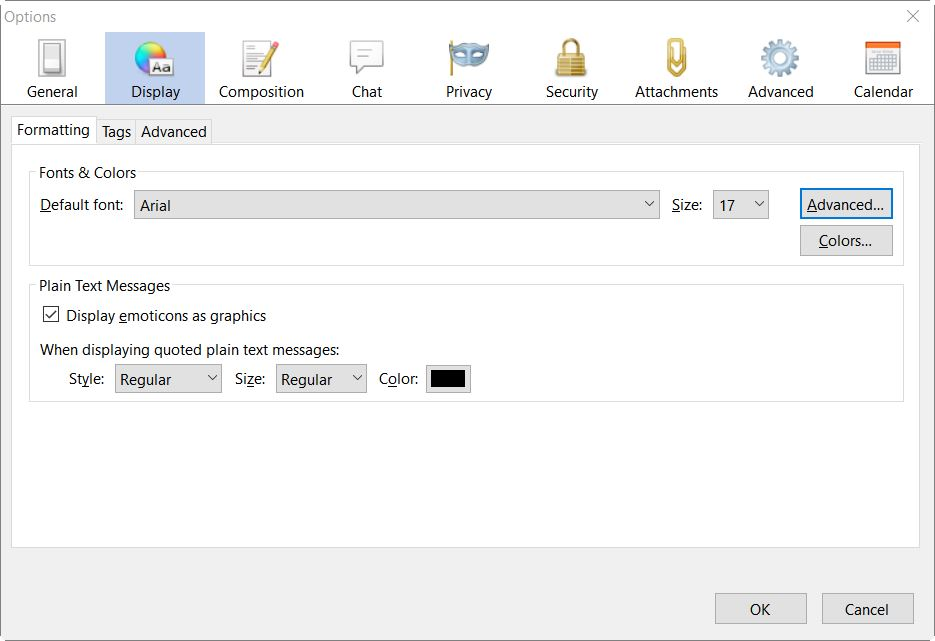
Then try an outrageously large font size, to test to make sure that the setting actually works.
Top menu bar: Tools: Options: Display section: Formatting tab Or Menu button (top right): Options: Options: Display section: Formatting tab