


How can I change the search engine in the Firefox widget on my android phone?

I added the Firefox search/new tab widget to the main screen of my android phone. When I use the search feature it automatically uses Yahoo search. I can't find a way to change the search engine for the widget and the widget it doesn't go by the settings for the search engine I have set in the Firefox browser on my phone.
選ばれた解決策
After removing then restoring again my preferred search engine in my phone's FF browser, I decided to try deleting Yahoo under "installed search engines", and rebooted my phone. It fixed the widget!! Thank you for your help and direction :)
この回答をすべて読む 👍 1すべての返信 (4)
hi Palisha4, in the widget the same search engine like set in your firefox search settings should be used. if it isn't, please try setting back and forth your default search provider within firefox once and see if this is having the desired effect...
Ok, I deleted it, chose something else and then restored it back in the browser, but it hasn't affected the widget, so I'm still at square one. Is there some other way to sync the two up? Any other suggestions?
この投稿は Palisha4 により に変更されました
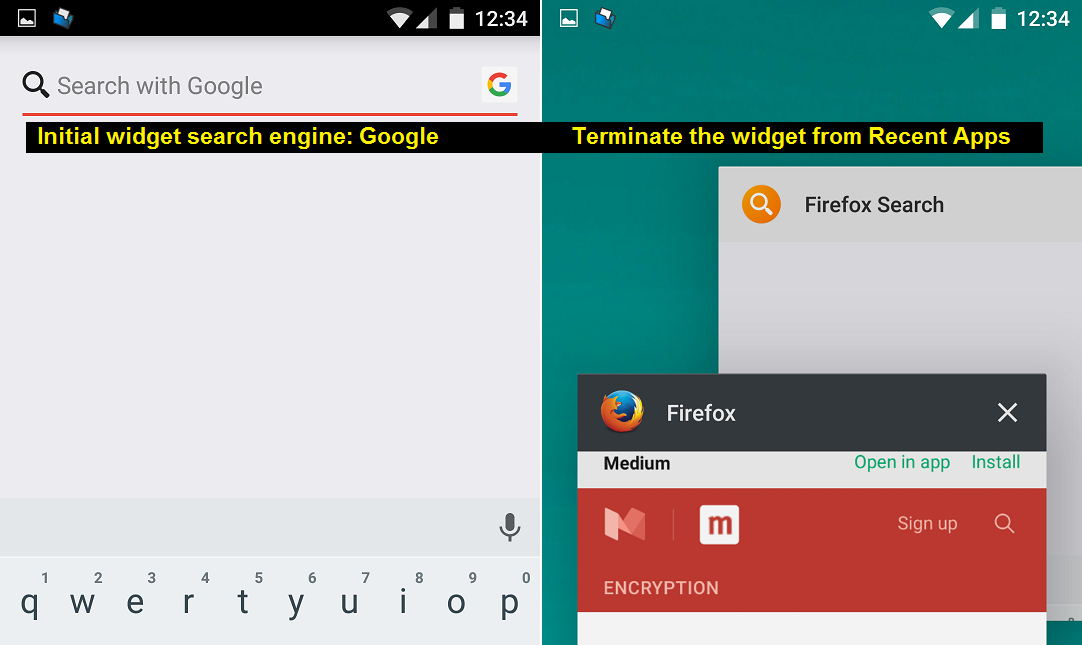
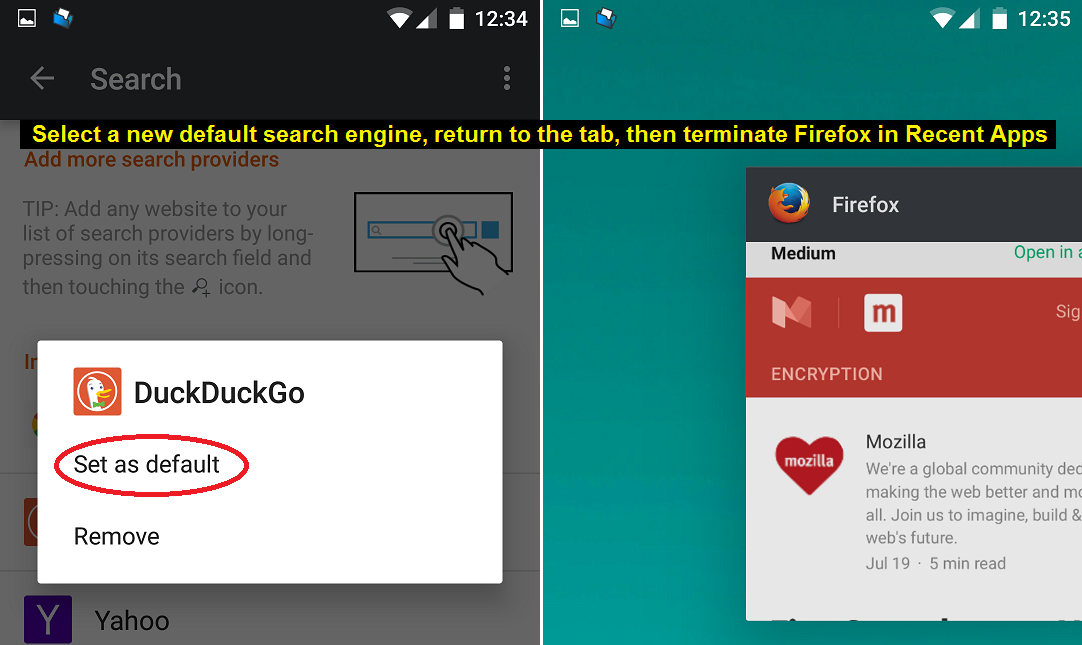
This is a little messy, but this set of steps works for me reliably on a recent version of Android:
(1) Use the Android recent applications list to swipe off Firefox Search. This should exit the widget.
(2) In Firefox, select your new default search engine. Once you are out of the menus back to the main screen, use the Android recent applications list to swipe off Firefox. This should exit the browser.
(3) Try the widget again. It should reflect the change.
I've attached some screen shots for reference.

選ばれた解決策
After removing then restoring again my preferred search engine in my phone's FF browser, I decided to try deleting Yahoo under "installed search engines", and rebooted my phone. It fixed the widget!! Thank you for your help and direction :)
この投稿は Palisha4 により に変更されました