


On Firefox V157.0.1 how do I reset all toolbars to black text on white background?

I just restarted Firefox and all the toolbars at the top are this unreadable white text on a black background. How do I restore the old color scheme?
Tutte le risposte (3)
In general this is something driven by your operating system for a lot of themes (esp. the factory default ones), and if no change appears to be affecting the rest of your apps it can also be customized in Firefox directly — in Settings › Extensions and themes › Themes there will be this top section "Manage Your Themes" where you can set Light vs. Dark appearance if that's what has impacted your interface:
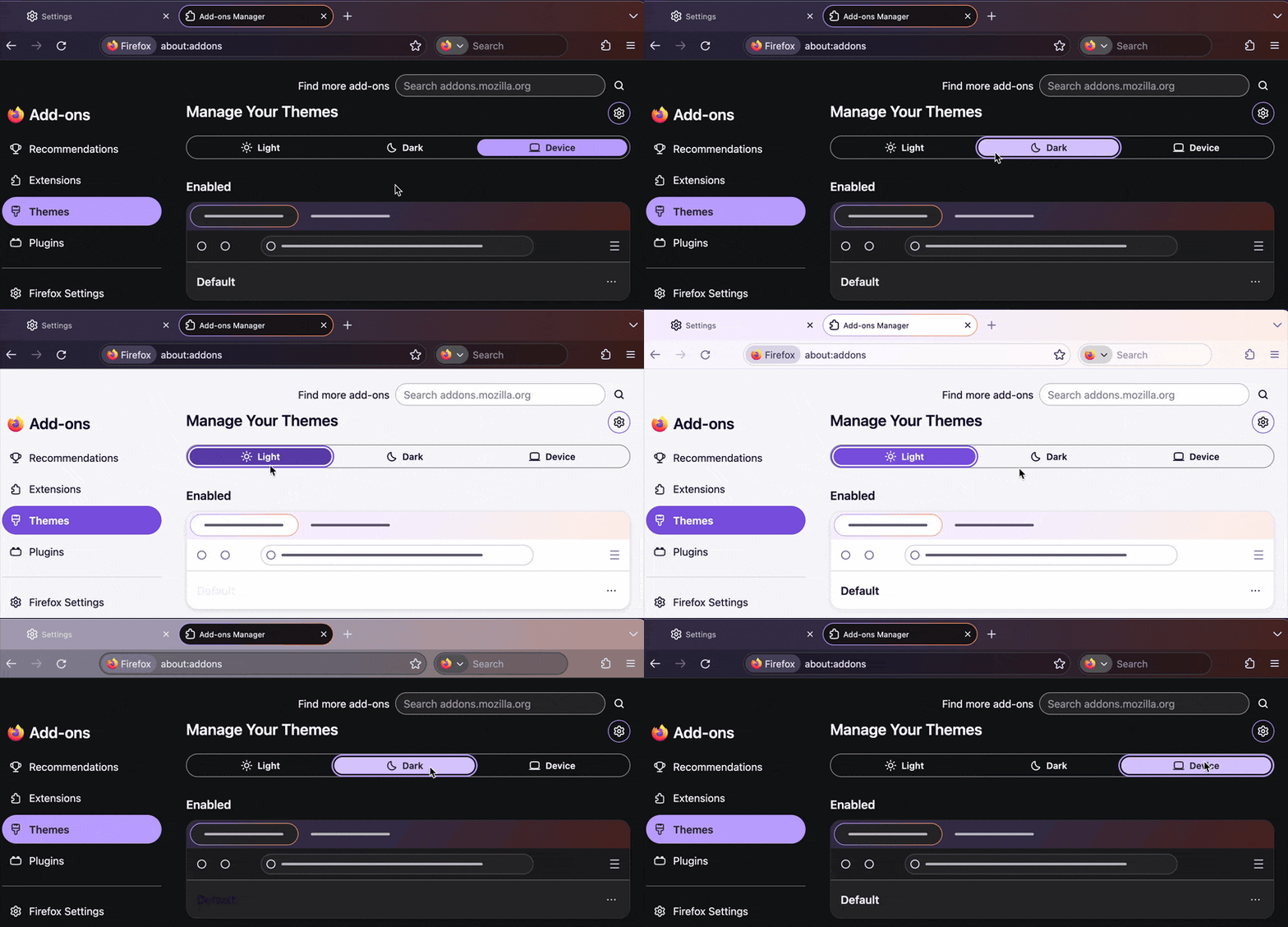
I tried that from a Private Browsing window and selected Light and the Default theme but a new tab still displayed black toolbars. .Somewhere else it was mentioned that this was a problem with private browsing only.
Is there a fix needed or another solution?
That might depend on the theme — if it supports dark scheme in general, that is getting used as the private window colorway. You can try switching to a theme that only supports one fixed colorway — not sure which one you use currently, but e.g. a plain white like addons.mozilla.org/firefox/addon/white8/ could work for you?