


Authentication failure while connecting to server imap.gmail.com.

I am getting the Mozilla Thunderbird Email wants to access your Google Account all the time while using TBM, I have removed the gmail account and the pop up does not show, so I know it is for the email account just removed. I re-add the email address and enter the email address and password and let it find the config itself. Click Done, and get the Mozilla Thunderbird Email wants to access your Google Account again, then click Allow and get the Authentication failure while connecting to server imap.gmail.com. message in the bottom left of my desktop. How can i get gmail to work again please.
Soluzione scelta
There's apparently something interfering with the connection, such as antivirus, VPN. Run Windows in safe mode and see if the accounts can be added (or remove AV if it's not Windows Security, and VPN if used).
Leggere questa risposta nel contesto 👍 0Tutte le risposte (20)
Be sure you have Thunderbird set to allow cookies at settings>privacy&security when attempting to set up account, omit the password. That often works.
I have Accept cookies from sites and third party both selected.
I still get the yellow background message in account setup saying Unable to log in at server. Probably wrong configuration, username or password. i have checked username (email address) and password, all correct after logging in via another browser where my password is not stored. So I know all details entered are correct.
Did you enter the password and successfully have Thunderbird confirm the account?
That is, my suggestion is that you NOT use the password.
ok, theres are what steps I took.I open TBM, go to settings, click show cookies, and remove all relating to Google. Thenclicked saved passwords and removed the passwords for the account, click TBM and waited a while, reopened TBM and back to adding the account. Entered my name, email and normal password (not App password) Clicked continue Config found message shows. The popup shows my email address and I click next, and enter my password in the next window and click nexted. 2 step verification shows next, and I confirm on my mobile that it's me. the mozilla thunderbird email wants access to your google account, Click Allow for all access. Then the window closes and back in TBM in yellow the message states Unable to log in at server. Probably wrong configuration, username or password.
You are not understanding. I suggested to NOT enter the password. No guarantee, but it often works.
Ah, just seen that message, yes I tried to do it with password in account setup. It shows me the pop up to enter my email then next windows my password after
sorry I meant to say without password
So, what is status?
Still same message that it can not authemticate
I thought, I'd try to remove TBM and reinstall, but I get all account still showing when it starts ! I restarted being reinstaling. Still I get that Unable to log in at server. Probably wrong configuration, username or password.
Just to say I have two other gmail.com email address in TBM and there is no issue with these sending or receiving emails.
would you please post a screenshot of what the screen looks like when you do the setup? That is, one that looks like the attached. I did that sample, and when I clicked 'done' a google prompt came up.
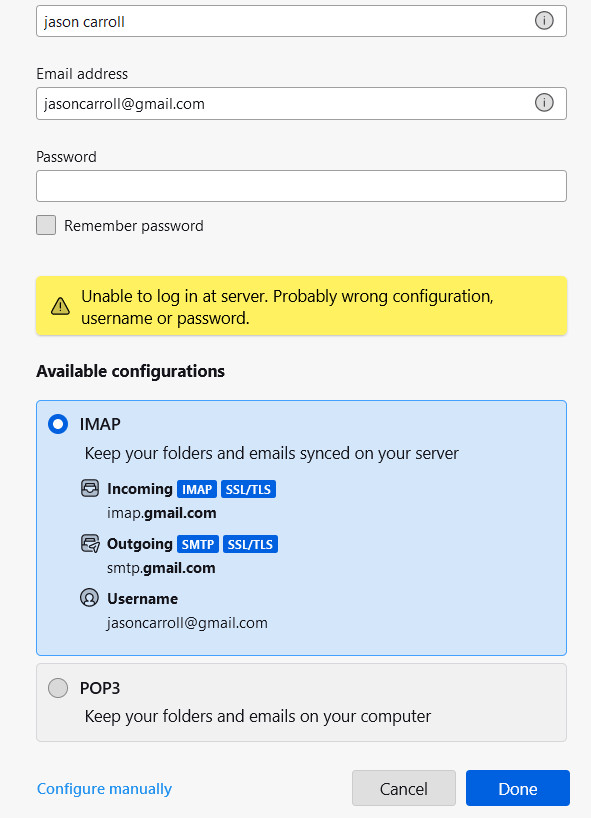
I opted to completely remove TBM and remove the profile, then restarted pc, installed TBM. Al email address gone now, added just the one account gmail.com, still same message ! aaarrrggghhh !!! Attached in the image.
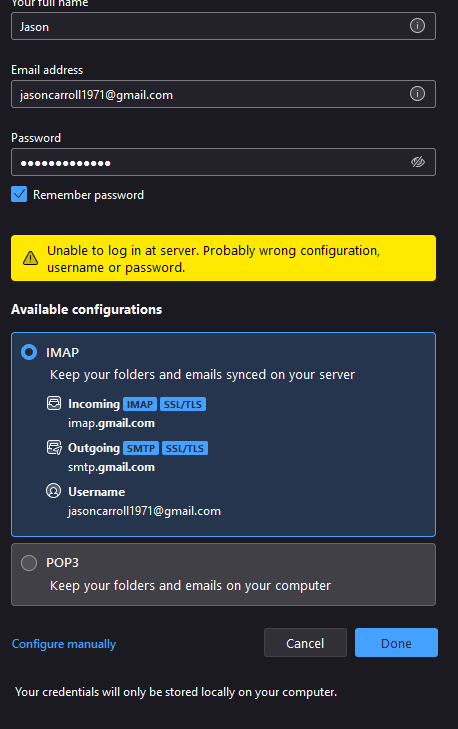
I just tried to add one of the other gmail accounts, now I get the same with that
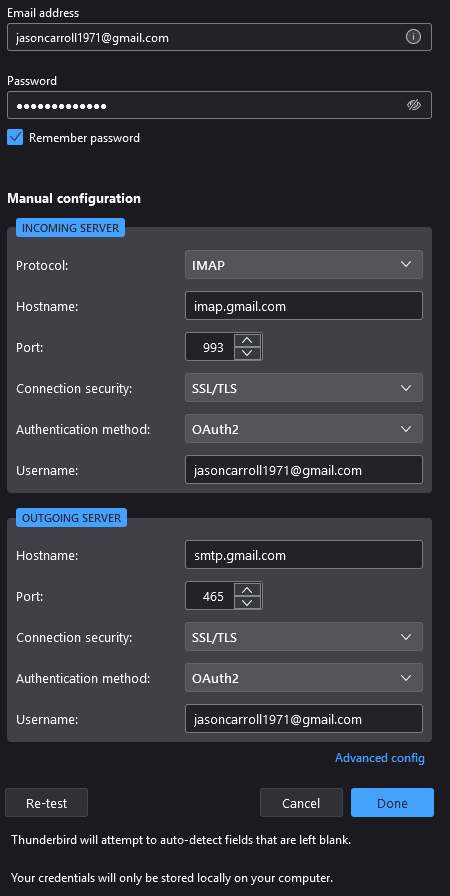
here is whats in manual config
Soluzione scelta
There's apparently something interfering with the connection, such as antivirus, VPN. Run Windows in safe mode and see if the accounts can be added (or remove AV if it's not Windows Security, and VPN if used).
I turned off AVG and tried and still I get the message Unable to log in at server. Probably wrong configuration, username or password.
I just tried after using safemode and it worked, and after starting pc, gmail seems to back to normal. But now I am facing issues with some of the yahoo emails !