

Questa discussione è archiviata.
Inserire una nuova richiesta se occorre aiuto.

Archiviato
Can't Send Email

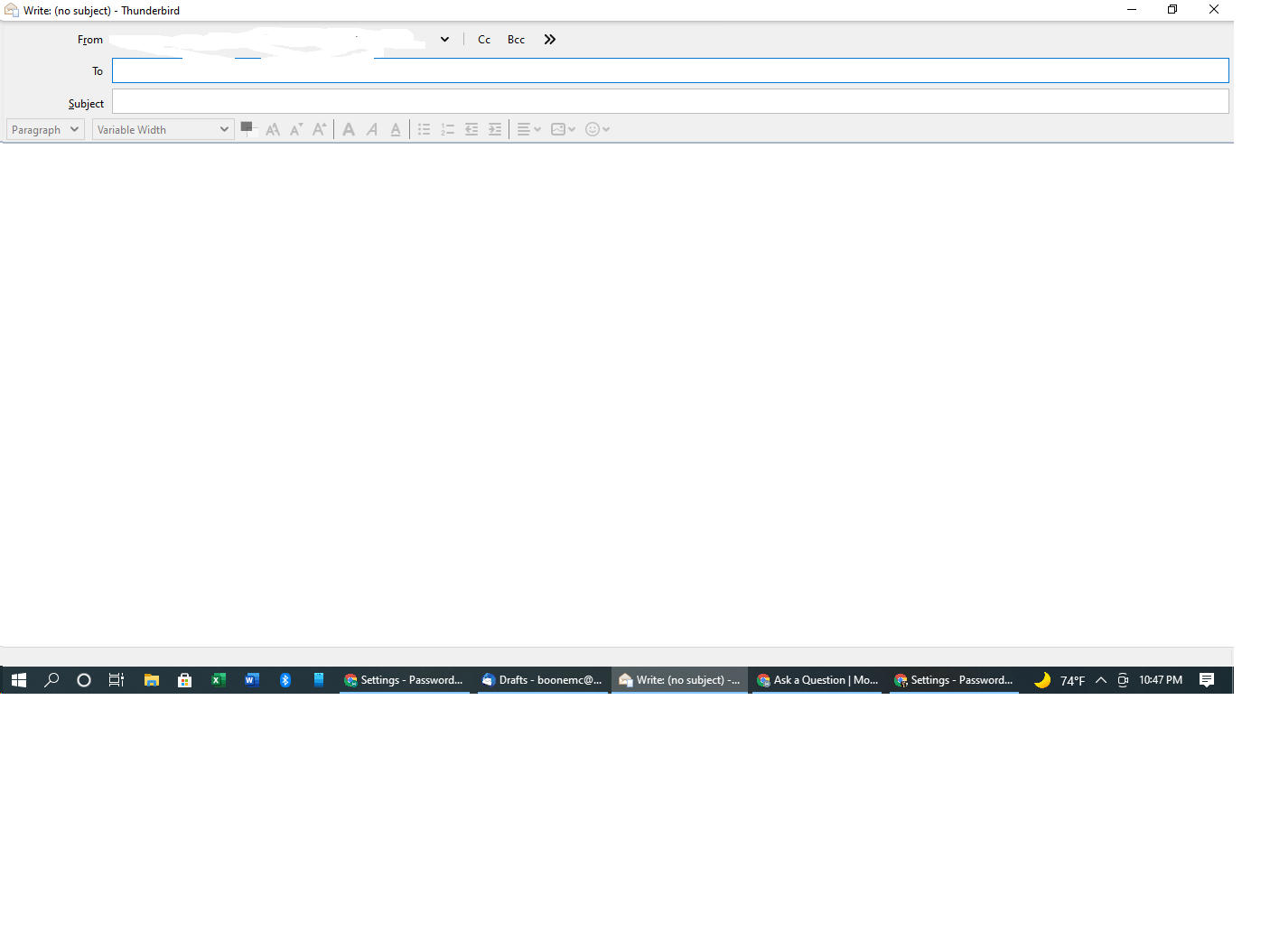
The Send button and entire toolbar on the "Write" tab disappeared when TB last updated. A new email opens up fine and I can write it fine and I can send using Ctrl Enter, but when writing a new email there are no icons that appear at the top to allow me to send/edit. I cannot find anywhere to restore the toolbar. Any ideas?
The Send button and entire toolbar on the "Write" tab disappeared when TB last updated. A new email opens up fine and I can write it fine and I can send using Ctrl Enter, but when writing a new email there are no icons that appear at the top to allow me to send/edit. I cannot find anywhere to restore the toolbar. Any ideas?
Tutte le risposte (1)
How to get a menu bar to reappear and set as a permanent option.
- Press 'Alt' on keyboard to get a temporary view of it. Note it only stays visible for a short while.
- 'View' > 'Toolbars' > select 'Menu Bar' to set permanent.
Then select:
- 'View' > 'Toolbars' > select 'Composition Toolbar'