Windows 10 reached EOS (end of support) on October 14, 2025. If you are on Windows 10, see this article.

Cerca nel supporto

Attenzione alle mail truffa. Mozilla non chiederà mai di chiamare o mandare messaggi a un numero di telefono o di inviare dati personali. Segnalare qualsiasi attività sospetta utilizzando l'opzione “Segnala abuso”.

Ulteriori informazioni
Questa discussione è archiviata. Inserire una nuova richiesta se occorre aiuto.
Archiviato

Need help with spam filter

jMac risposto
jMac

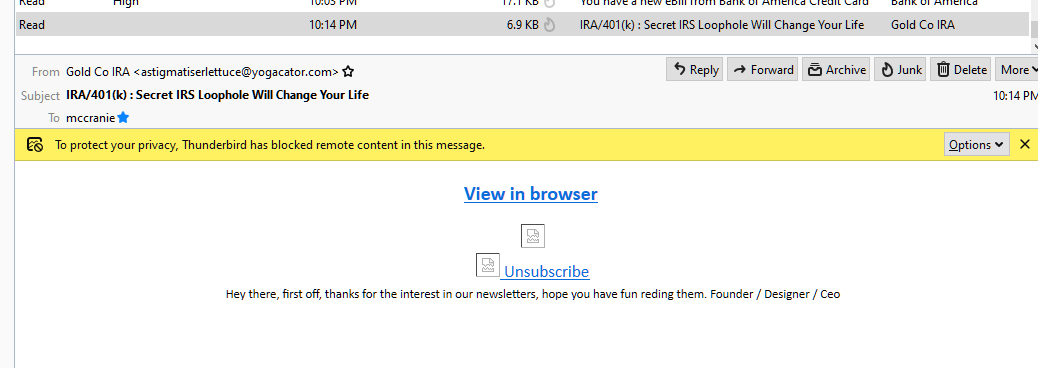
I need help setting up a filter to send spam to a junk folder. I'm getting several spam messages per day to my inbox. Most of them appear to be from a legitimate company but they are usually from a com address that is two unrelated words.

I've tried following instructions, but I'd get to a point where it didn't work.

I added Spam Scores to Thunderbird. I'm in message filters, match x-spam-score. But I can't figure out what to do from there, like "contains", etc . I don't know what to put there. What should I put there, or am I in the wrong place?

I need help setting up a filter to send spam to a junk folder. I'm getting several spam messages per day to my inbox. Most of them appear to be from a legitimate company but they are usually from a com address that is two unrelated words. I've tried following instructions, but I'd get to a point where it didn't work. I added Spam Scores to Thunderbird. I'm in message filters, match x-spam-score. But I can't figure out what to do from there, like "contains", etc . I don't know what to put there. What should I put there, or am I in the wrong place?

Tutte le risposte (2)

Trying to fight spam with static filters is futile. Use the built-in junk mail controls instead. https://support.mozilla.org/en-US/kb/thunderbird-and-junk-spam-messages

I've used that for years and ones like the attached get through. Often they appear to be from Home Depot or other big companies. Usually the domain name is a combination of two words.