


how do i add an extra cc field? i've used up the 3 shown, but need to send to more people

Try to add more than 3 people to an email, once the 3 to/cc/bcc are filled in where/how do I add extra?
Tutte le risposte (2)
Soluzione scelta
As you have discovered there are three visible TO/Cc/Bcc fields. but this does not mean only three are available.
These fields act the same as if you were typing an email. when you want a new line you click on Enter/return key.
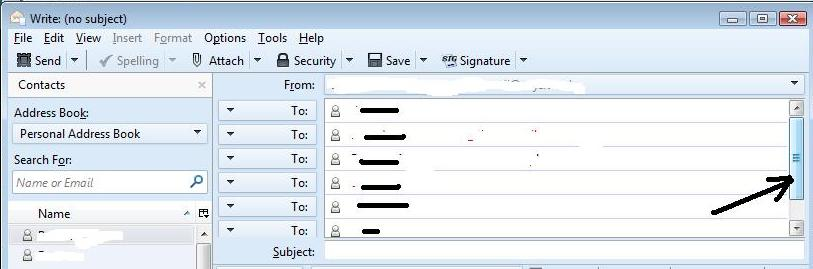
So type or select email address and press enter to move to next TO field. when you are on the last 'visible' entry, press Enter/return key and another one becomes available.
You should see a scroll bar appear on the right side to help see previous entries.
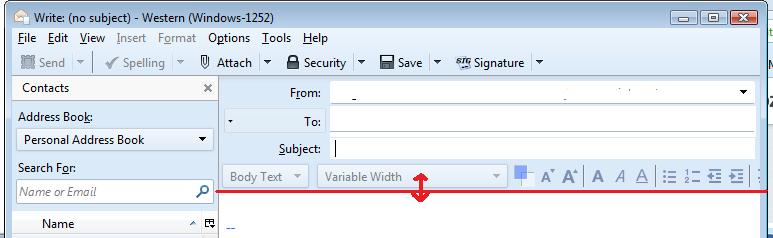
you could also just pull down the top of the email acontent section to reveal more if you prefer to see everything. See image to help show this. Put mouse cursor over the edge to change to a double headed arrow. left click and hold down to grab the edge. Drag downwards to reveal more and release mouse when happy.
Thanks for that, knew it would be a simple solution. Ta