


Windows 10 reached EOS (end of support) on October 14, 2025. If you are on Windows 10, see this article.

Cari Bantuan

Avoid support scams. We will never ask you to call or text a phone number or share personal information. Please report suspicious activity using the “Report Abuse” option.

Pelajari Lebih Lanjut
Open

How to fix WebGL error canva?

marsmoves

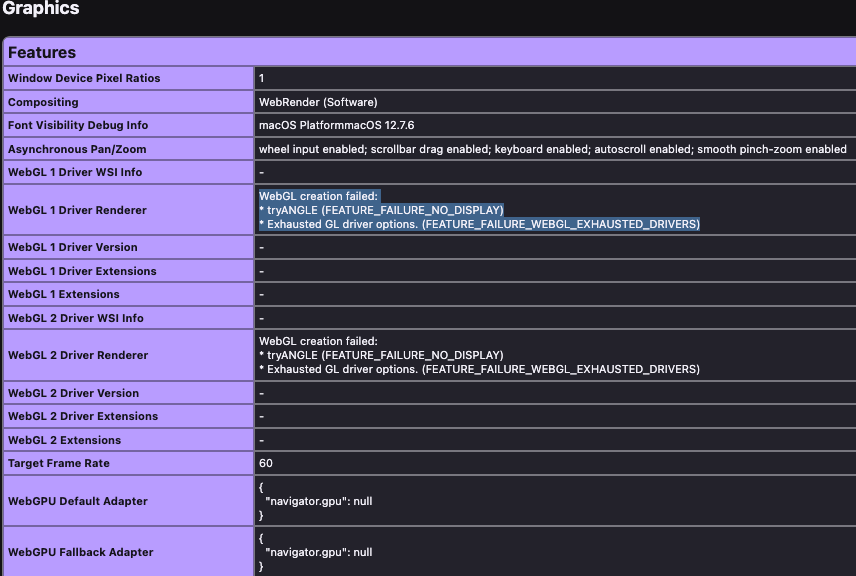
about:support says "tryANGLE (FEATURE_FAILURE_NO_DISPLAY) * Exhausted GL driver options. (FEATURE_FAILURE_WEBGL_EXHAUSTED_DRIVERS).

I tried fixing in about:configure switching: -webgl.force-enabled true -webgl.disable false -webgl.angle.force-d3d11 true -webgl.angle.force-warp true -webgl.angle.try-d3d11 true -webgl.enable-draft-extensions true -webgl.enable-egl-image true -webgl.enable-privileged-extensions true

In settings: -tried disabling and enabling performance settings - enabling and disabling hardware acceleration.

Updated firefox software and apple ios software. still not working. Please help.
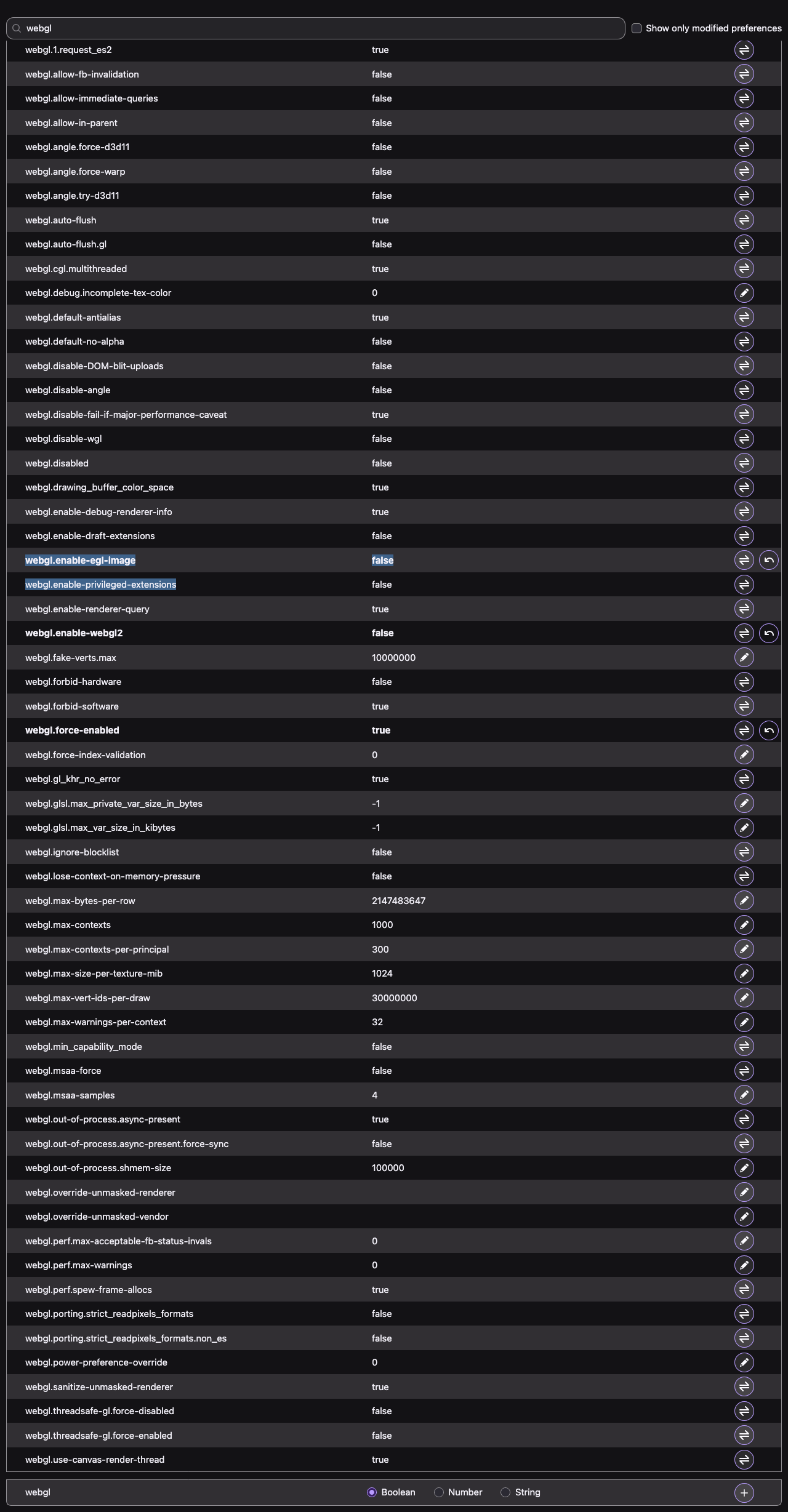
about:support says "tryANGLE (FEATURE_FAILURE_NO_DISPLAY) * Exhausted GL driver options. (FEATURE_FAILURE_WEBGL_EXHAUSTED_DRIVERS). I tried fixing in about:configure switching: -webgl.force-enabled true -webgl.disable false -webgl.angle.force-d3d11 true -webgl.angle.force-warp true -webgl.angle.try-d3d11 true -webgl.enable-draft-extensions true -webgl.enable-egl-image true -webgl.enable-privileged-extensions true In settings: -tried disabling and enabling performance settings - enabling and disabling hardware acceleration. Updated firefox software and apple ios software. still not working. Please help.
Lampiran tangkapan layar

Semua Balasan (3)

Try webgl.disable-angle = true + restart.

@TyDraniu did not work. any more thoughts?

Ajukan pertanyaan

Anda harus masuk ke akun Anda untuk membalas kiriman ini. Sila mulai pertanyaan baru, jika Anda belum memiliki akun.