


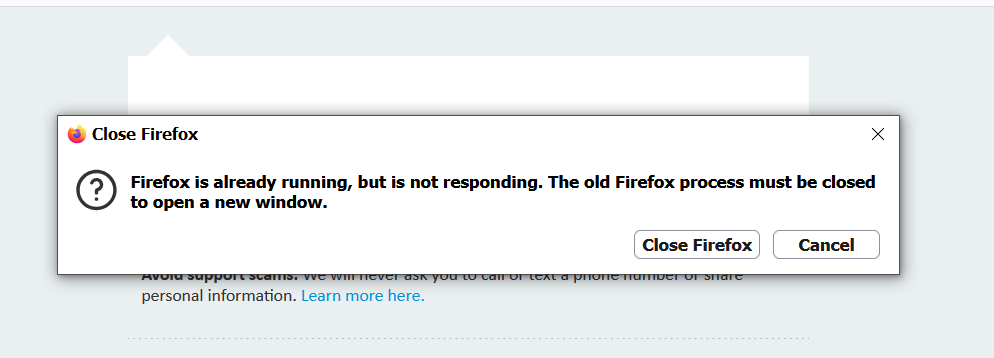
i keepgetting firefox is running but not reponding
whenever i clic omn any app like Facebook YouTube Instagram on my desk top after the newest version get this every tme
Semua Balasan (27)
i have had these desktop ions for years as i have had Firefox for years and never had this problem before. say i click on the Facebook icon that would open and i would not see Firefox is running but not responding all of them worked like they were supposed to. always worked correctly. as a matter of fact until i updated latest Firefox b version they worked correctly. now in Task manager get any where from6 to 12 Firefox in there . not sure if it is all the times i tried to fix it or every time i tried and i can not fox it that is why i am asking you people here. and i know it is Firefox and not me .yes i have tried fixing it and perhaps causing many profiles but like i said i would not have tried had it not l kept saying thsat so it is firefox and they need to fox it
What is the content of the shortcut, so anyone can try to reproduce? Is it just a plan web location that's handed off to the system default scheme handler? Or they contain a firefox executable path with the website as an argument? Is a specific profile embedded in the shortcut?
yes they are through Firefox like if i click on my Facebook icon it opens with Firefox who ch most do most of the icon shortcuts open with Firefox even Firefox it self is saying Firefox is running but not responding. In task manger i get like 10 or 11 Firefox icon in it not sure why but as i have stated i have used Firefox since its start had all or most of the same desktop icons or short cuts and never had this problem till this most recent version . I have never seen that many Firefox icons in task manager i deleted the old profiles and still crazy
. That is why i think it is A firefox fix and not me i heard three were others that had the same thing. Now was told to remove the Firefox icons from Task manager but now as i type this to you thee re 4 or 5 they never completely go away if i got to task manager rignt now there will be many of them ok kay
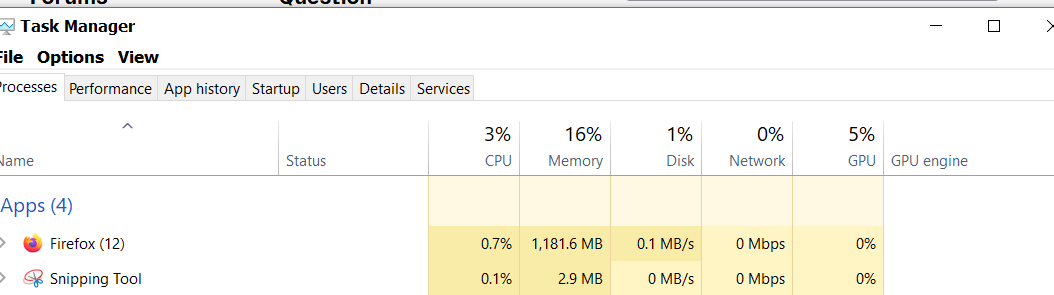
Single Firefox instance has about 10–12 processes just starting from idle so that's generally unrelated.
The ones that the shortcut might be trying to launch can however be either duplicate (judging from the profile folder screen shots), or have profile identification or path hardcoded in them, that's no longer correct (also, judging from the same shared earlier).
No idea how you created these shortcuts therefore what they intend to do — see my question above — so what you're trying to launch is just defending your profile system from corruption. Inspect their properties, check if they're opening just the URLs or full executables incl. potentially profile paths, and consider recreating them if simpler paths would work. I can't help with the Windows side of things, so see if someone else is willing to introspect the shortcuts' contents with you.
Generally the short answer is: don't launch the browser from random icons — place the most frequently used sites as pinned shortcuts on the home tab, and just use that as your starting point — instead of making system calls externally (which is what shortcuts is).
ok thanks for your info
not sure how do this i have removed all the firefox icons i have places not sure how it haooened either and i di change my profile so and it is still doing it i am now profile 1 and still geting it but than r thanks