Emails bouncing back

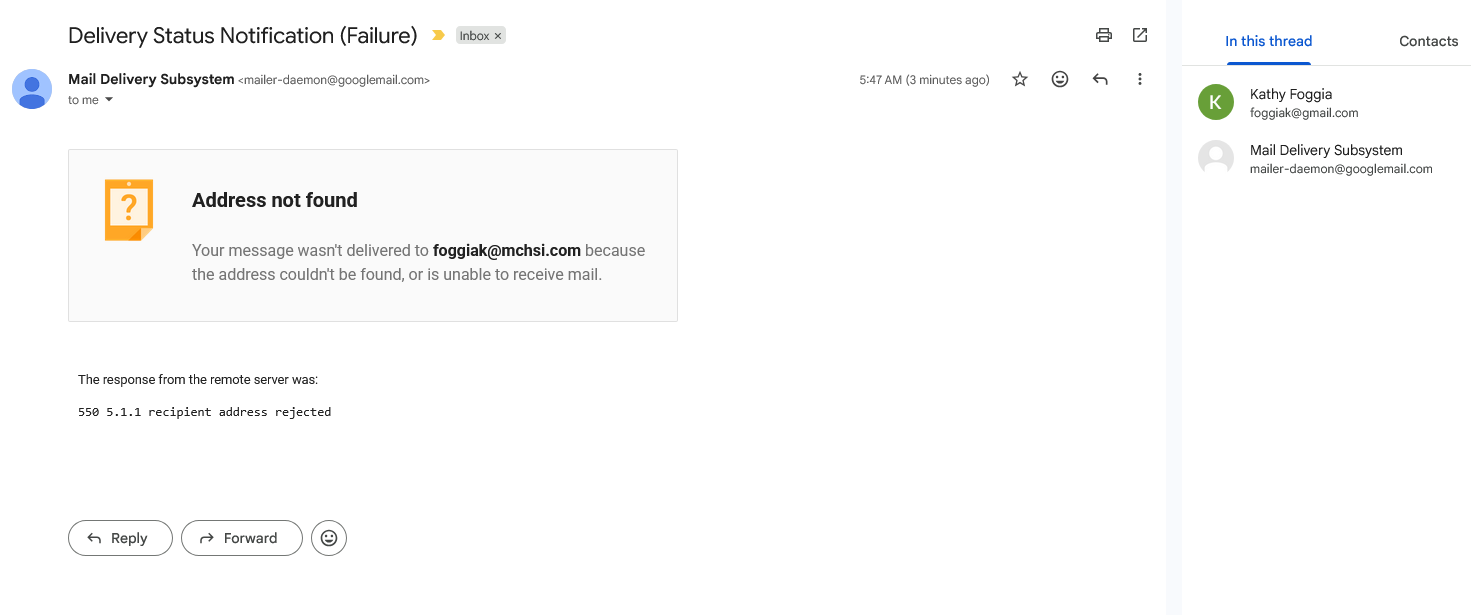
My old email server was Mediacom (mchsi.com). I had that email account plus a gmail account on Thunderbird. Sometimes people said their emails to my gmail account would bounce. I changed email servers and no longer have the mchsi.com email or Mediacom server and have 2 gmail accounts on Thunderbird. The new one works fine. When I send an email to the old gmail account it bounces back saying "address not found. Your message wasn't delivered to ------@mchsi.com because the address could not be found or is unable to receive mail. 550 5.1.1 I had the tech that sold me the PC look at the settings on Thunderbird for the gmail account and he said they were okay. Where else can he check? Somehow the pc thinks that just that one gmail account is run through or attached to mchsi.com Kathy foggiak@gmail.com
Semua Balasan (18)

Hi Kathy,
I'm confused. There seems to be evidence of both a sending and a receving problem.
For a possible sending problem: Would you please go to account settings (≡ button at top right) > account settings, then click on Outgoing server (SMTP) in the left pane? In the right pane, are there any servers from mchsi.com? Or only gmail servers?
Somehow the pc thinks that just that one gmail account is run through or attached to mchsi.com.
There's a couple ways to interpret your intention here. You don't want any gmail accounts being run through or attached to mchsi.com, right?
Sorry, it is confusing. I'm not able to receive emails on Thunderbird or on Google for the one gmail account that seems to be run through or attached to mchsi.com. I can send emails on Thunderbird from that old gmail account and from my phone, just can't receive. I did check the settings you suggested and they all say gmail. No settings with mchsi. Thank you for any help you can offer.
I can make no sense of this situation.
You seem to be saying that all messages (right?) sent to one of your gmail addresses bounce with an error message that cites a mchsi.com address. That means that Google's server is bouncing the messages, they never reach Thunderbird, and so Thunderbird is not even relevant. Is that right?
Do you have that gmail account set to forward messages to your old mchsi.com account, which no longer exists?
Would you please post a screen image of the bounce message?
Diperbarui oleh Rick pada
Here is the screen image.
Do you have that gmail account set to forward messages to your old mchsi.com account, which no longer exists?
Where would I check that? I wouldn't have known how to do that intentionally.
If I understand the situation correctly, every message sent to your old gmail address causes the Google mail server to report that it cannot deliver the message to your mchsi.com address. The only explanation that I can think of is that Google is trying to forward mail.
Google's instructions for turning automatic fowarding off:
- Open Gmail.
- Sign in to the account that's forwarding your emails.
- In the top right, click Settings See all settings.
- Click the Forwarding and POP/IMAP or Forwarding tab.
- In the "Forwarding" section, click Disable forwarding.
- At the bottom, click Save Changes.
Was forwarding set?
There was no forwarding set. I really appreciate you trying to help. Any other ideas? My mchsi account was closed 2 years ago and I was still receiving gmails to the old account up until I deleted the mchsi emails and folders from my pc 6 months ago. That is when I stopped receiving gmails to that account. Even before that though people were complaining about their emails to that account bouncing back sometimes although I did receive them.
Are you certain that you checked the right gmail account?
I'm still pondering.
Maybe someone else will try to help.
Let's verify the facts one more time. Are you certain that you get a message from a Google server saying that the recipient's address at mchsi.com could not be found whenever anyone tries to send a message to your "old" gmail account?
And that you checked forwarding settings on your old gmail account?
Do you have any idea how your old gmaili account and your mchsi account could be connected?
Yes, those facts are all correct. The only connection between the old gmail account and the mchsi account was that mchsi was my former email server and the first email added to Thunderbird. The old gmail was added later to Thunderbird along with the mchsi account. The old gmail account is foggia@iaccofia.org that is set up as a gmail. I'm wondering if the solution is to delete that account and reopen another one with a slight difference. Would that get rid of the connection? Say, foggiak@iaccofia.org Thank you for all of your help!
If you get a message from a Google server saying that the recipient's address at mchsi.com could not be found whenever anyone tries to send a message to your "old" gmail account, then the problem has nothing to do with Thunderbird, so removing and re-adding accounts in Thunderbird will have no effect.
The question is: Why is Google trying to send messages to your old mchsi.com address?
Forwarding is the only reason that I can come up with.
If you are willing to take the time, though, let's verify your settings in Thunderbird.
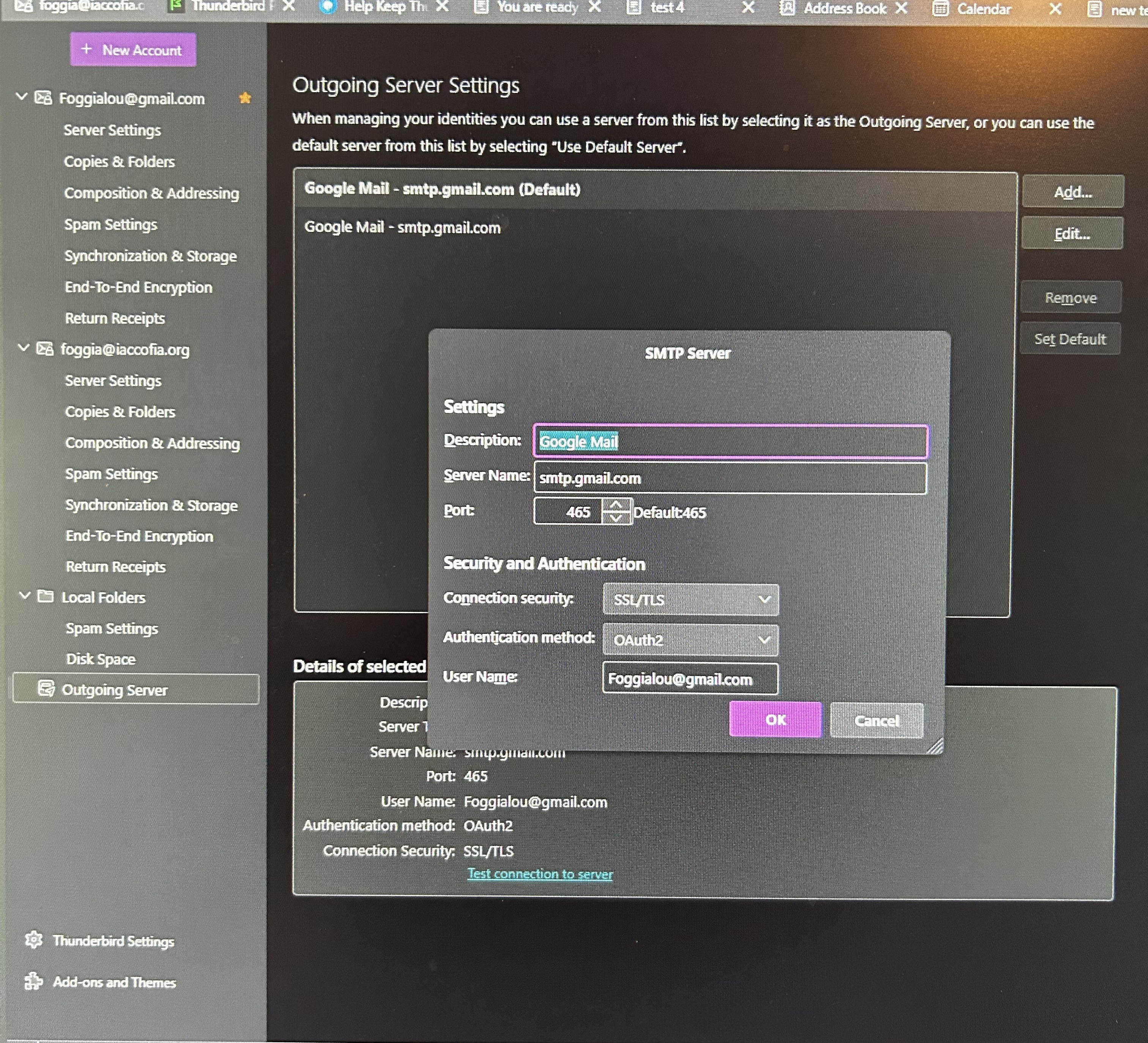
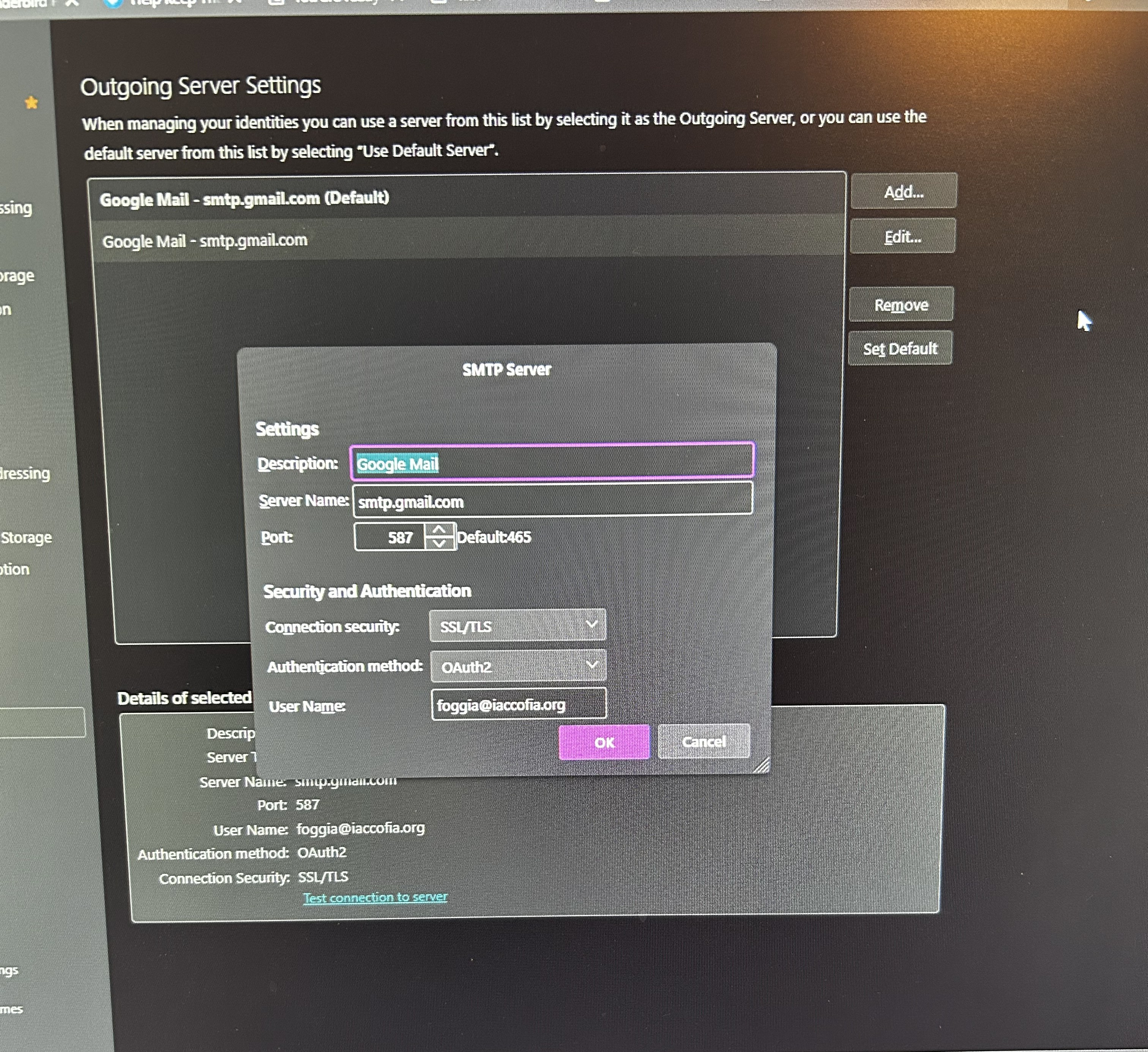
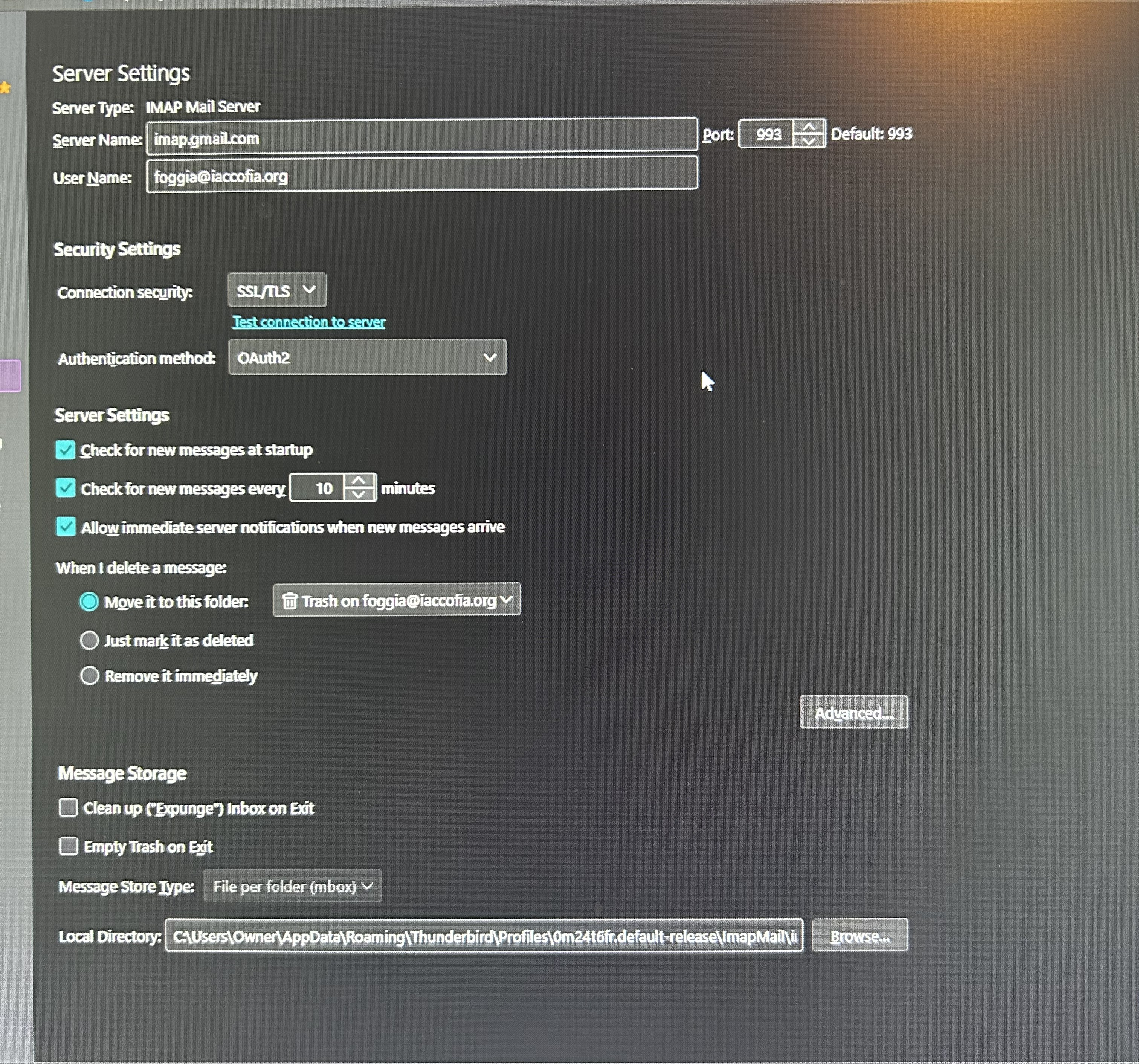
Please report your incoming and outgoing server settings for that old gmail account in Thunderbird. Incoming server settings are in account settings > server settings. Outgoing server settings are in account settings > click on account name > edit SMTP server.
We will need this information for each server:
server name port connection security method authentication method username: just report if whether or not you are using your full e-mail address
You can thank me when I help. I haven't been able to do anything yet. :(
I think everything is in these photos. One outgoing server setting is the default setting for the foggialou account and the other photo is the outgoing setting for the foggia@iaccofia account. One more thing. The new gmail account showing (foggialou) is one that was added when the mchsi.com and the old gmail (foggia@iaccofia.org) were still active on Thunderbird and I've never had an issue with it. Don't know if that sheds any light on anything.
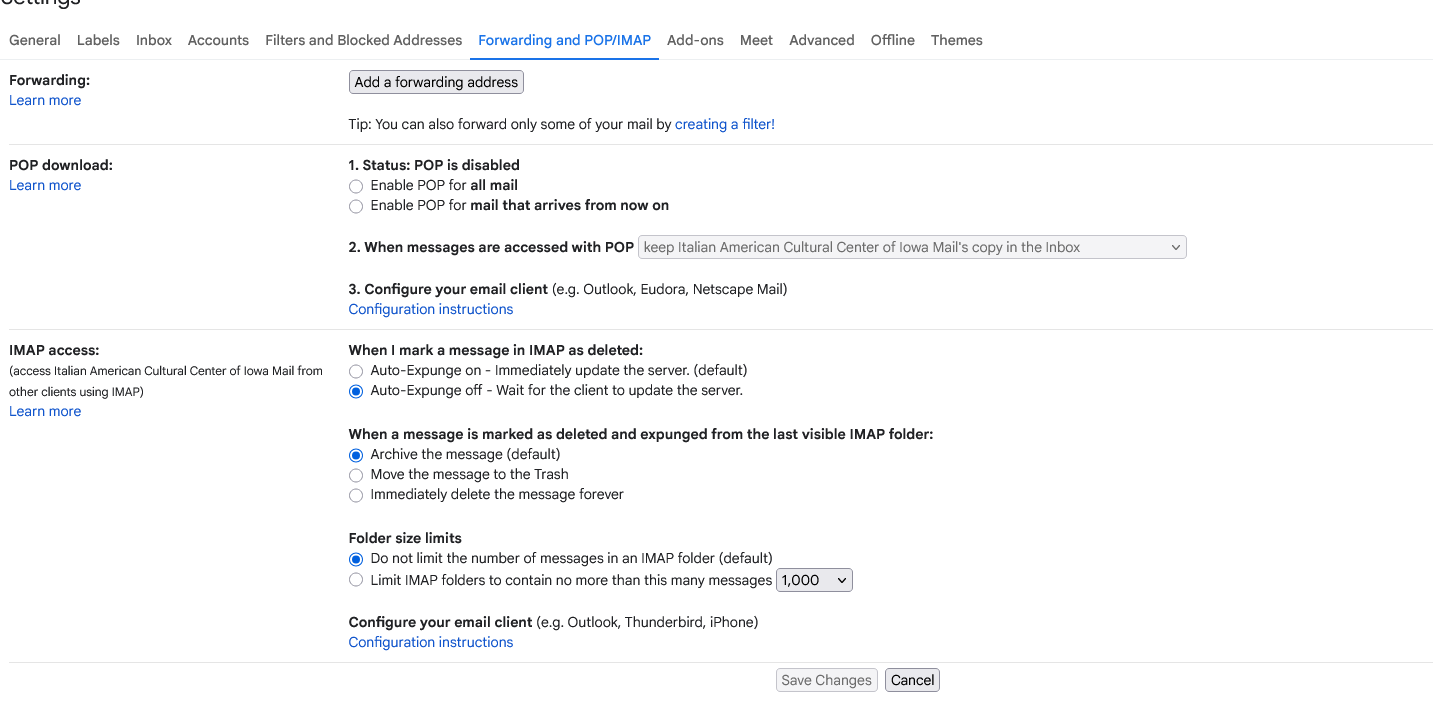
This is what my settings at google look like, I have no forwarding and it clearly says disabled.
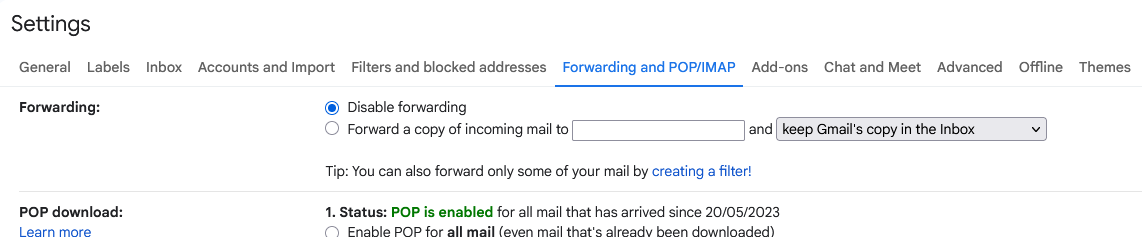
This what yours look like.
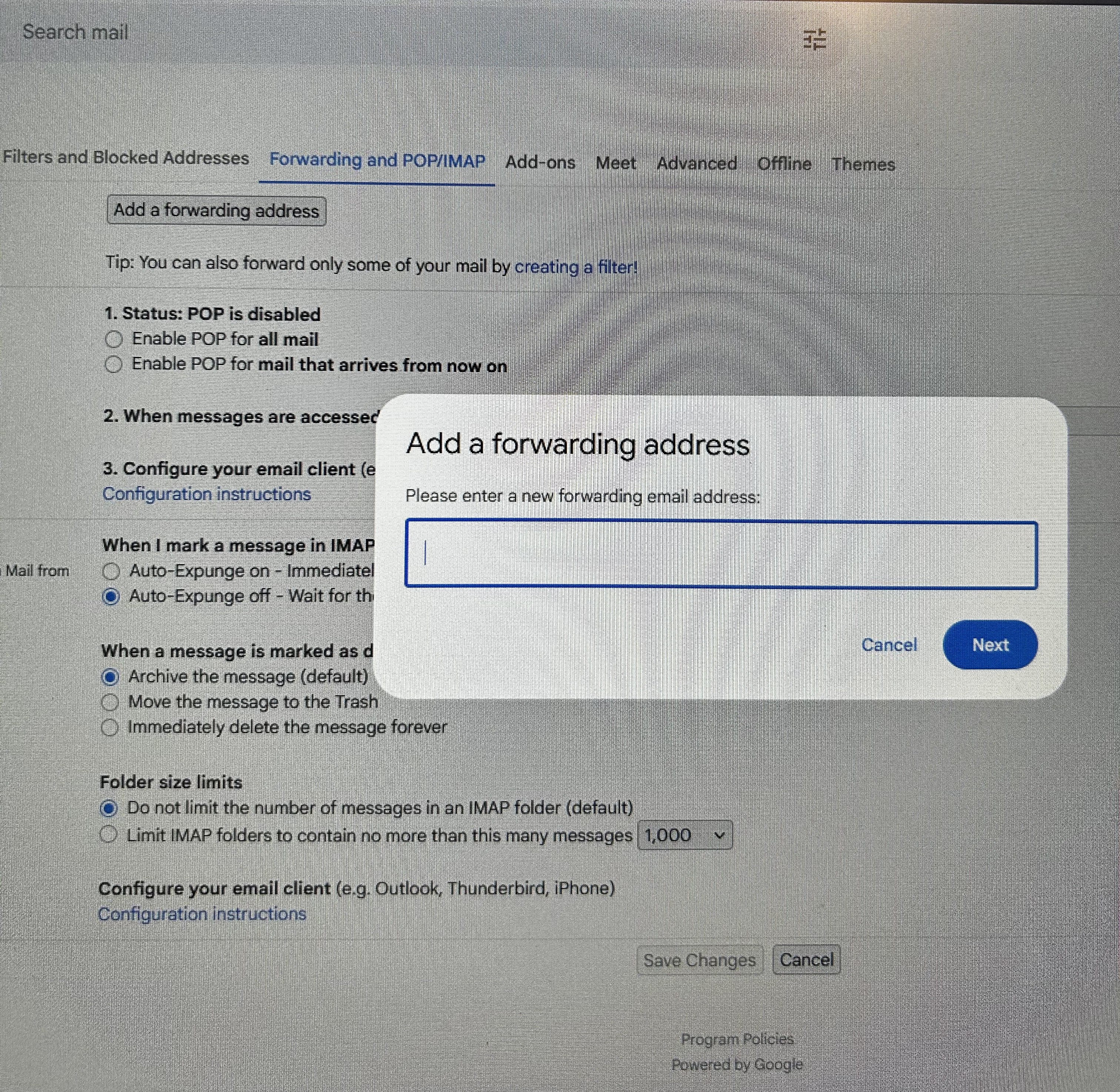
I think click that add a forwarding address button and see what it reveals as your settings are not the same as mine, and I know I have no forwarding, I think you will find after clicking the button that you do have forwarding.

I have three gmail accounts and they all have this setting. Below is the photo. There is no disable. Wish that was the solution.
Kathy, thanks for the photos. I don't see anything that I would suggest changing, partly because I am not familiar with gmail, which I don't use. But I wonder why you use port 465 on one outgoing server and port 587 (which, I believe is more standard) on the other. I also wonder whether you should have two outgoing servers or if your two gmail accounts should use the same outgoing server. These are things that I wonder. I do not know the answers.
Your photos remind me that your "old" gmail account uses a custom domain. I am no expert on DNS records used for e-mail (though I have my own domain and have had to mess with DNS records a few times in the last 25 years), but I read that it's possible to use DNS records to forward e-mail messages to a specific address. Is it possible that you are doing that? I don't know if a failure from that process would cause a Google server to give you an error message.
So I am grasping at straws, whatever that means, but maybe the idea of DNS records provokes a useful memory or thought in your brain.
Rick, There are two outgoing servers but only the default one us used I believe. I use automatic settings when setting up accounts because I don't know anything about any of the settings to use so I wouldn't have used DNS records. I appreciate your input though.
Kathy Foggia said
Rick, There are two outgoing servers but only the default one is used I believe. I use automatic settings when setting up accounts because I don't know anything about any of the settings to use so I wouldn't have used DNS records. I appreciate your input though.
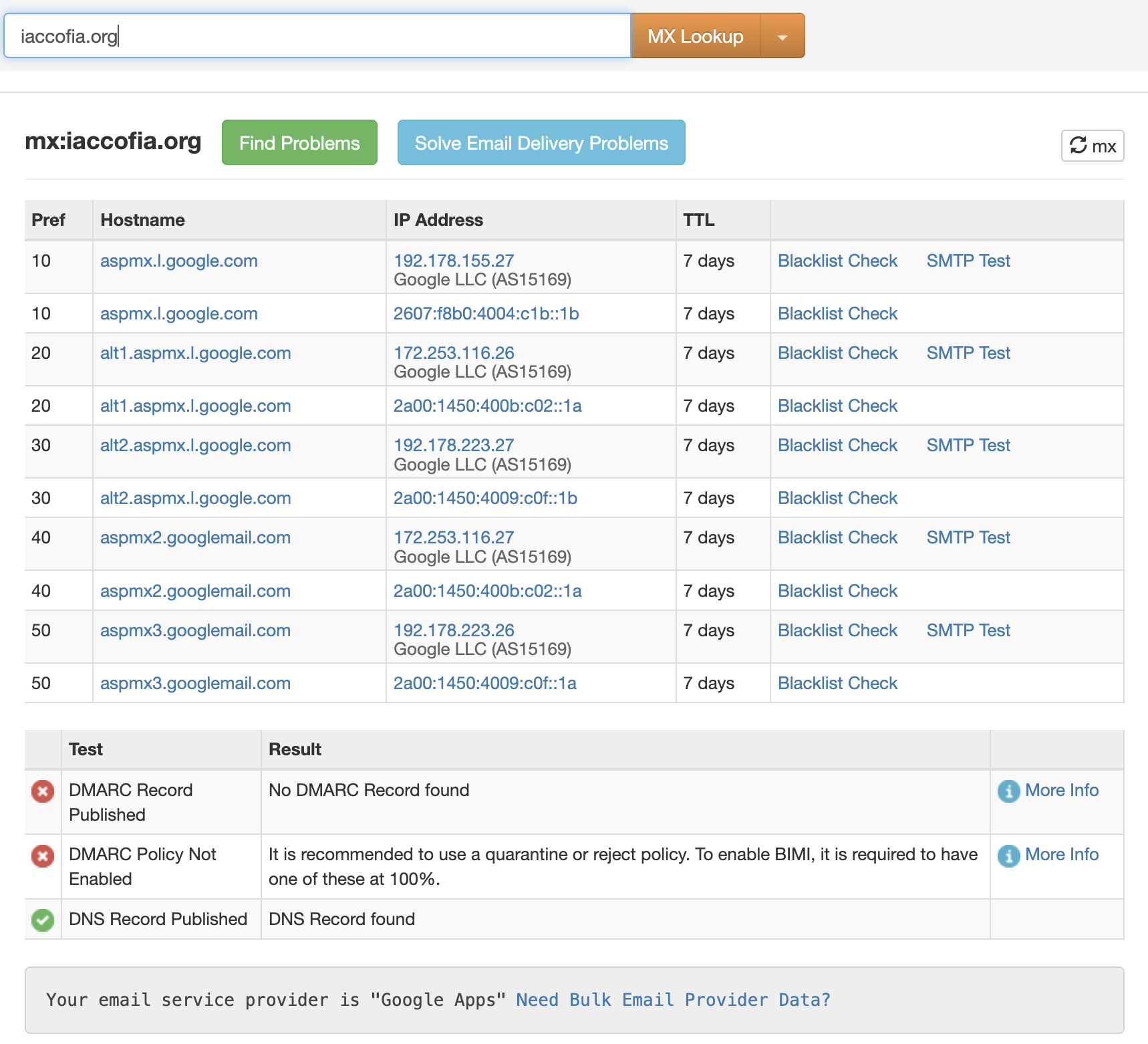
I should have said "MX records". Every domain used for e-mail must have them. Yours are attached.
But again, I see nothing strange. And again, I am not an expert.
I am out of ideas. Sorry. Good luck.