


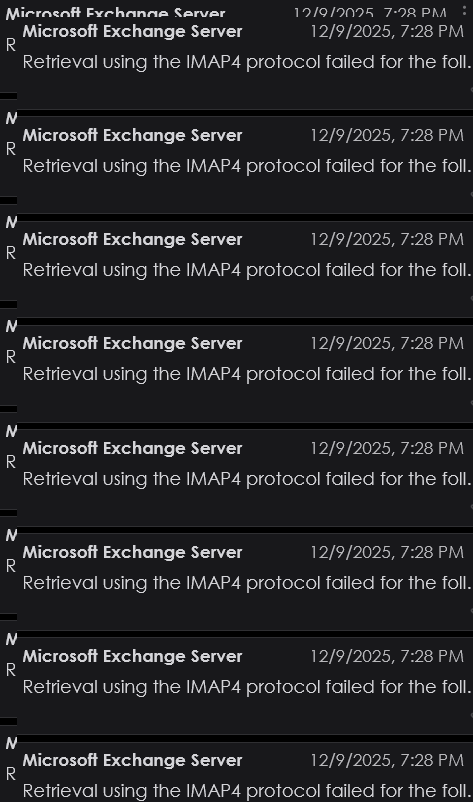
The server couldn't retrieve message - retrieval failed using the IMAP4 protocol

Been getting a bunch of this, usually in my TB TRASH folder, I think from the Outlook online server.
The server couldn't retrieve the following message:
Subject: "<Removed for PII>"
From: "Not available" ("Not available")
Sent date: 10/31/2024 2:25:02 PM
The message hasn't been deleted. You might be able to view it using either Outlook or Outlook Web App. You can also contact the sender to find out what the message says.
I have 2 personal email accounts: Outlook and Gmail. My client is Thunderbird. Running Win11 25H2. Far as I know, problem began recently. This is a screenshot of some messages from TBirds TRASH folder.
User's image (In images) Thunderbird just tried to fetch emails. Got a notification that it could not get messages, this time from GMail.
What does this mean? Outlook/Gmail servers or Thunderbird? What do I need to do?
Diperbarui oleh Wayne Mery pada
Semua Balasan (9)

Some exchange administrators do not allow access via IMAP. Has your admin made a change?
Have no admin. Just personal accounts: gmail and outlook. Is there a utility to check basic TB settings for suspect settings?
Find out from your e-mail service provider what the incoming server settings and outgoing server settings should be for each account. You will need this information:
server name port connection security method authentication method username
Then ensure that all the settings in Thunderbird are correct. Incoming server settings are in account settings > server settings. Outgoing server settings are in account settings > click on account name > edit SMTP server.
Both accounts have worked for a long time. Probably been using TB for 3 or 4 years. Have struggled to get "real" incoming/outgoing settings for Outlook, especially. Microsoft isn't very consistent. Think I finally have correct information.
re outlook smtp sending
If you logon to microsoft account, it lists all the email addresses and calls them alias. How many mail accounts/email addresses are listed ? Is the problem outlook email address set up as 'primary'?
You can only send emails in Thunderbird using whatever email address is set up as Primary.
Other things to check: Firewall This might be controlled by the OS default or by an Anti-Virus you have installed. Access Firewall and make sure the Thunderbird program is set up 'allowed. Please confirm Thunderbird program is set up as default.
VPN Please check computer to see if a VPN has been enabled. Many AV's now off a VPN and in some cases it has been auto enabled. Please switch off VPN.
Localhost Outlook and Gmail both use 'Authentication Method =Oauth' To set up account, it requires use of the localhost, so if you use anything like Apache Xampp (often used by those who manage a website) then it needs to be switched off whilst creating the mail account.
In Thunderbird, cookies are needed to create the account
- Settings > Privacy & Security
- WEb Content
- Select 'Accept cookies from sites'
Have a reply as a .png, but website doesn't seem to want to upload it. Why?