"Your browser is managed by your organization" suddenly appeared

So this "Your browser is managed by your organization" appeared out of no where. How to remove it? I've tried: Removing the registry key in the certificates Reinstalling the browser
Semua Balasan (7)

This is usually done by third-party antivirus and security software. You can click on it to see which enterprise policies are active.
It's "import enterprice roots" and when I delete it after I restart it pops up in the regedit again
Windows 11
Can someone respond back?

If you delete the policy, your security software will probably reinstall it. You could, instead, try amending it. See the second link posted by a previous respondent.
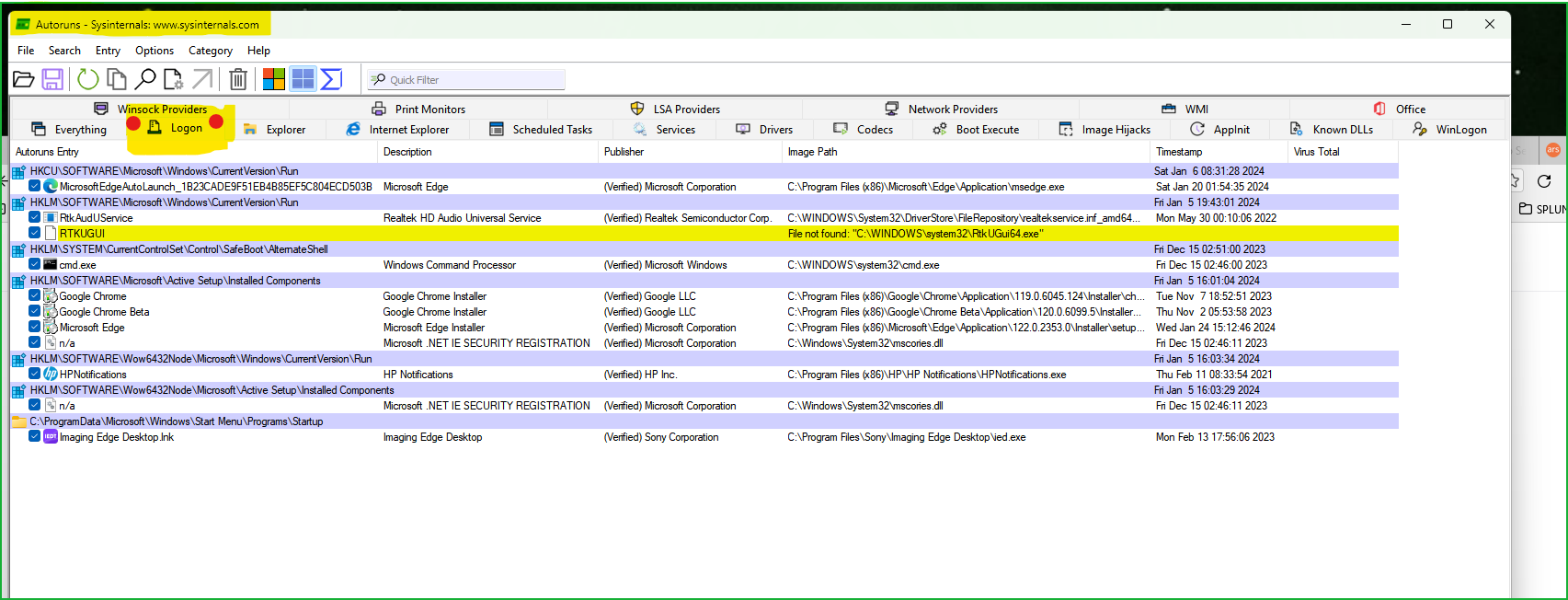
Yeah, something is running when you boot up and putting it back. Run this tool from MS to see what's running when your computer boots up. Here is a screenshot of my computer (Win11) from the Autostarts app. see screenshot Post a similar screenshot
Autoruns for Windows v14.1 https://learn.microsoft.com/en-us/sysinternals/downloads/autoruns
Look at the below links and check for the same on your computer.
https://winaero.com/remove-your-browser-is-being-managed-by-your-organization-from-firefox/
https://mozilla.github.io/policy-templates/