


How can I change a website's character encoding (UTF-8, etc.)?

Hello everyone,
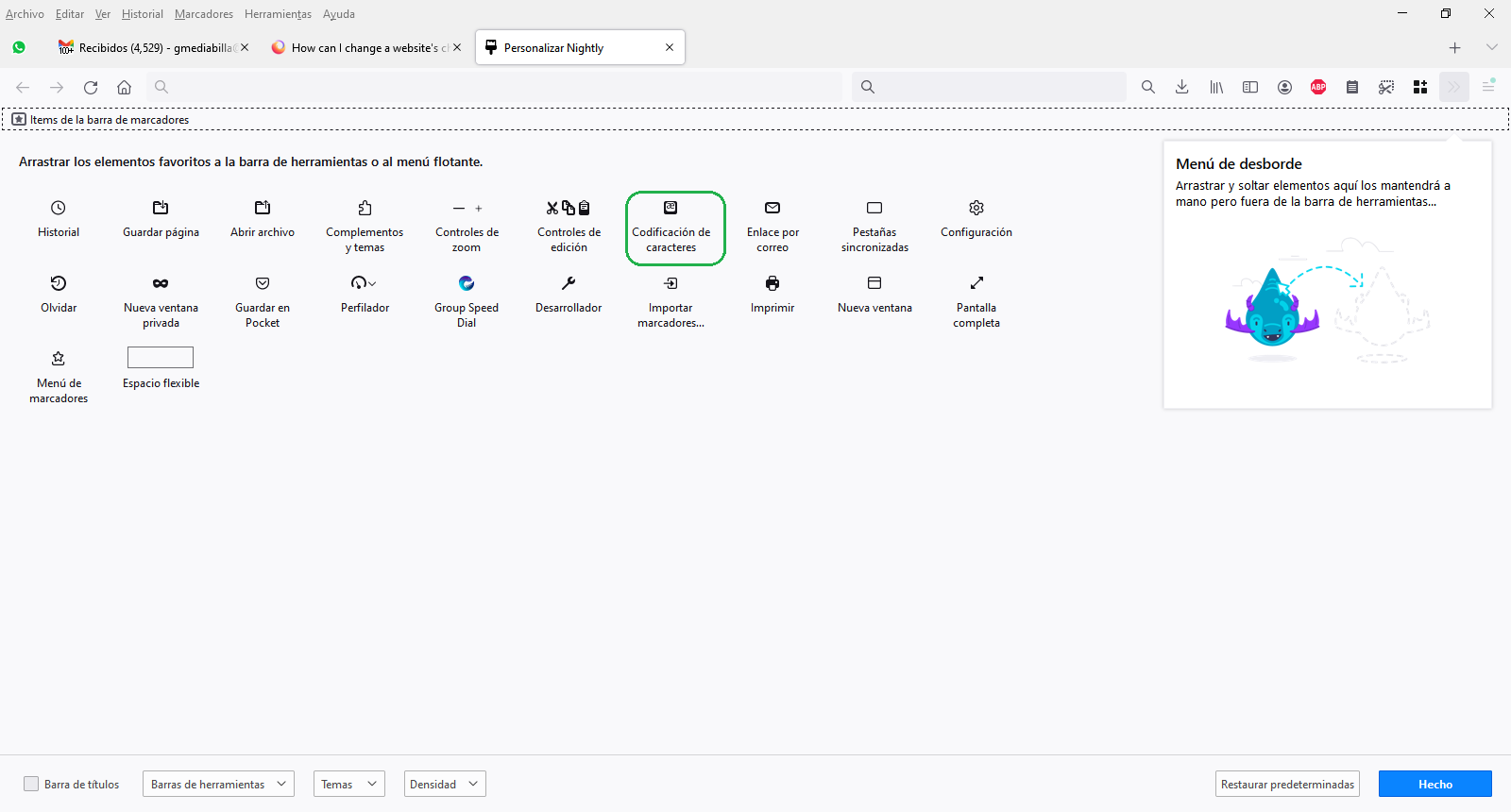
I used to be able to set a website's character encoding in Firefox to UTF-8 (or others) with the "Menu > More > Encoding" function, if I recall correctly. After the last update, I can't find that option anymore. How can I do it?
I'm browsing some old sites that aren't set in Unicode, so the text is displayed with strange symbols and I want to be able to fix that.
Thanks in advance!
Semua Balasan (2)
Hola ¿Puede ser que te refieras al botón de "codificación de caracteres" ? que ahora esta en la personalización de la barra de tareas: Botón 3 lineas->Mas herramientas->Personalización de la barra de tareas
Si se ha resuelto la consulta agradeceríamos marcar como solucionada para que sirva a otros usuarios. ¡Gracias!
This question has been locked because the original author has deleted their account. While you can no longer post new replies, the existing content remains available for reference.