


Website function issue

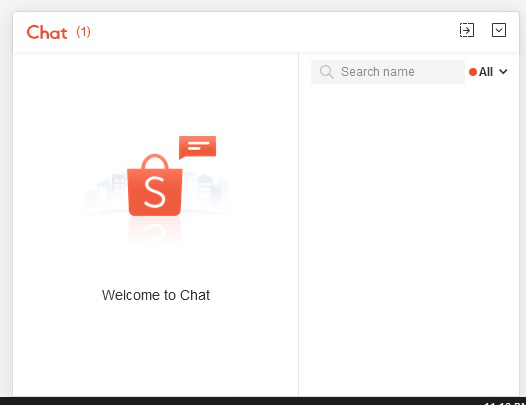
https://shopee.com.my/ I have issue with an above shopping website. The chat function is malfunction if opened, it become white blank. If open with an Edge or Chrome, no issue. Already tweak all things not working. From 64bit to 32bit, extension on off, etc.
The hurt things is I don't want to use other browser except Firefox. This issue forced me to use other browser if need to alias with seller on that shopping web.
Semua Balasan (3)

Make sure you are not blocking content.
Start Firefox in Safe Mode {web link}
A small dialog should appear. Click Start In Safe Mode (not Refresh). Is the problem still there?
https://support.mozilla.org/en-US/kb/enhanced-tracking-protection-firefox-desktop
Many site issues can be caused by corrupt cookies or cache.
Warning ! ! This will log you out of sites you're logged in to. You may also lose any settings for that website.
- How to clear the Firefox cache {web link}acking-protection-firefox-desktop
FredMcD said
Make sure you are not blocking content. Start Firefox in Safe Mode {web link} A small dialog should appear. Click Start In Safe Mode (not Refresh). Is the problem still there?
https://support.mozilla.org/en-US/kb/enhanced-tracking-protection-firefox-desktop
Many site issues can be caused by corrupt cookies or cache.Warning ! ! This will log you out of sites you're logged in to. You may also lose any settings for that website.
- How to clear the Firefox cache {web link}acking-protection-firefox-desktop
- Safe mode - Not solve
- enhanced-tracking-protection ON - Not solve
- enhanced-tracking-protection OFF - Not solve
- Clear cookies - Not solve
- Clear cache - Not solve
Sometimes by luck if expanding the chat windows it will shows dialogue, if minimize and expand again, it will be blank.
Start your Computer in safe mode with network support. Then start Firefox. Try Secure websites. Is the problem still there?
http://encyclopedia2.thefreedictionary.com/Linux+Safe+Mode Starting Any Computer In Safe Mode; Free Online Encyclopedia
If the problem goes away with the computer in Safe Mode,
the problem is with one of the other programs on the system.
As a test, disable your protection programs.