


Cannot add Social Fixer add-on

Have been trying for hours, even by disabling Kaspersky and Ad Blocker .... but Social Fixer will NOT get added to Firefox. WAS there before, but had to re-install Firefox yesterday, and even though Social Fixer had previously been a working add-on .... Firefox does NOT add it now!
The various reasons are usually "connection error" bit a few times "Firefox will not allow user to accept or give permission " (I forget the exact wording).
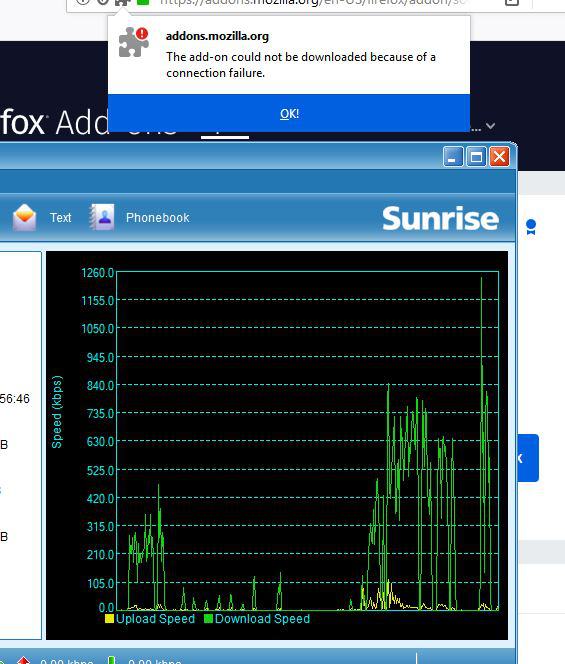
Enclosed screen shot showing GOOD connection and Firefox "excuse"
Please help ....
Solusi terpilih
It took 2 hrs. The above suggestion managed to remove the 2 ad blockers AND Kaspersky AND Social Fixer DISAPPEARED from Facebook, I was intellectually but not emotionally annoyed (to say the least). Removed re-installed Firefox AND Kaspersky. Used 4 different System Restore points. Nothing.
But after 2 of the 4 unsuccessful restore tries there was a Windows notice about a communications failure, could not open an Intel tray. I realized the connection between "communication" and "connection" re: the persistently recurring Social Fixer unsuccessful-download msg.
So .... I used cmd admin >
dism /online /cleanup-image /restorehealth
AND >
Semua Balasan (12)
Some users have difficulty with the way the Add-ons site redirects. When you click the "Add to Firefox" button to get
as of this moment, the server redirects the request to
If your browser is unable to follow the redirect, then you will get the connection error.
What happens if you try that second URL? Do you get the prompt that support.mozilla.org doesn't have permission to install add-ons (indicating a successful retrieval), or something else?
Diperbarui oleh jscher2000 - Support Volunteer pada
For BOTH 1st and 2nd link, with Kaspersky and Ad Blocker enabled or disabled >
"Firefox prevented this site from asking you to install software on your computer"
Diperbarui oleh airider pada
Well I may have been just spinning my wheels:
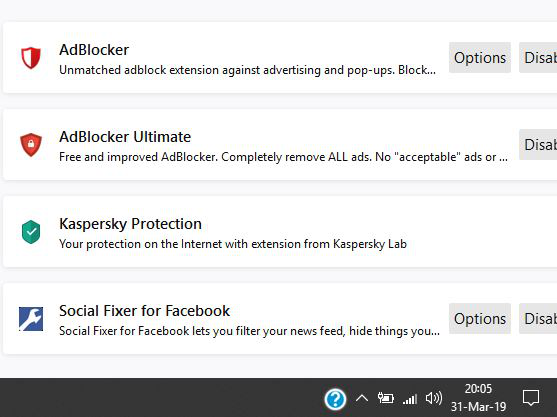
Although I cannot download and add Social Fixer (for Facebook) and it does not show in Extensions .... it is STILL in Facebook (where it is supposed to be!) and still functioning correctly.
Therefore it has become an unsolved non-problem for now ....
However the guilty parties should be informed of the current error in someone's coding!
Since it now also often shows "Remove" AND since Social Fixer is definitely up & running in Facebook .... perhaps the only problem is that it is simply not SHOWING as an Extension in Firefox. Not showing vs not being there!
Might explain why I can't download it
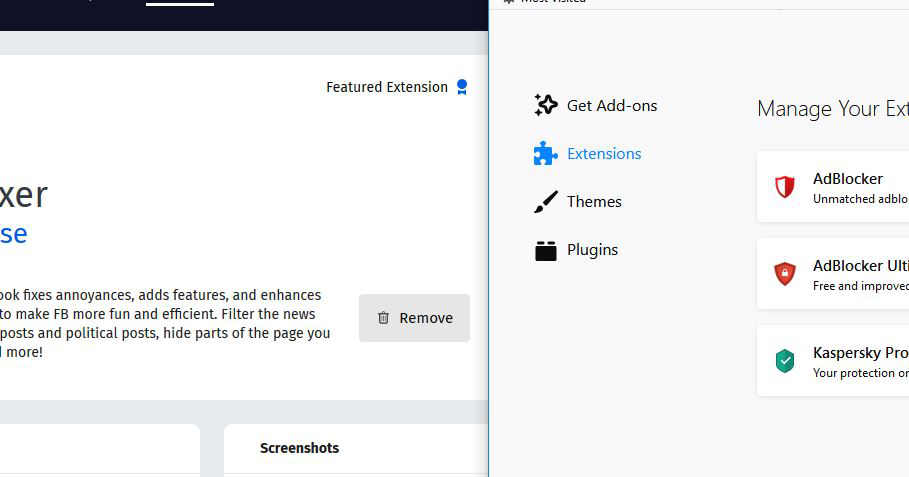
Could you cross check another list. You can view it on and copy/paste it from the Troubleshooting Information page. Either:
- "3-bar" menu button > "?" Help > Troubleshooting Information
- (menu bar) Help > Troubleshooting Information
- type or paste about:support in the address bar and press Enter
Scroll down past "Application Basics" and "Firefox Features" to "Extensions". Is Social Fixer listed here? Anything else other than the three you see on the Add-ons page?
If desired, you can select and copy the table that follows (not the entire page, please, that's too much information) using either Ctrl+c or right-click > Copy and then paste it into a reply. It will be messy, but we're used it.
Do you use any custom style rules in an optional userChrome.css or userContent.css file?
See screenshot below
Which table: Graphics, Preferences ....?
Do you use any custom style rules in an optional userChrome.css or userContent.css file? No
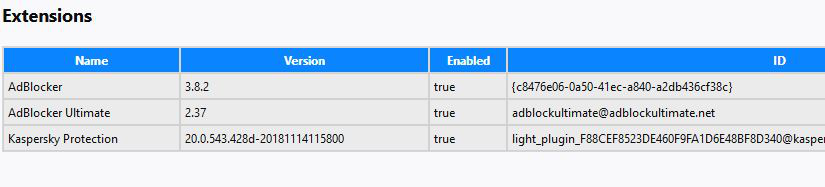
It definitely looks like the Social Fixer extension is not installed. But you see evidence of it working on Facebook? Hmm, how is that possible.
I just now opened Facebook in Firefox 66.0.2 (64.bit)
Look at the time stamp ;-))
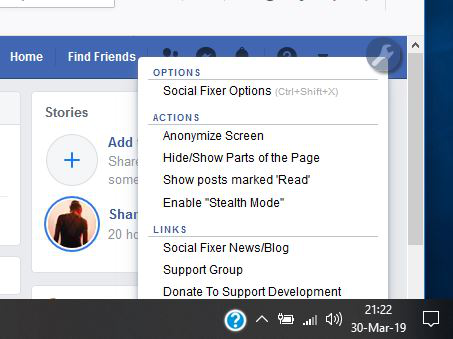
proof it is NOW working in Facebook IN Firefox 66.0.2 (64-bit)
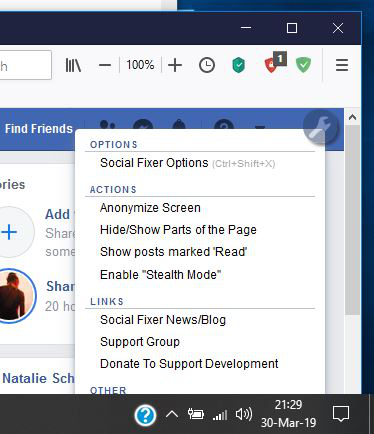
Social Fixer is STILL working in Facebook when using Firefox,
However, to be extra-sure, I opened Facebook just now using Chrome (my backup browser).
Yep, Social Fixer is NOT in Facebook when using Chrome!
Then opened Facebook again using Firefox ... and of course Social Fixer is still there and functioning,
Therefore, Social Fixer IS in Firefox 66.0.2 (64-bit) .... just not showing in ANY way in Firefox (and not somehow stored and "hiding" in FB!).
Further, as an earlier test last evening I downloaded Social Fixer from Microsoft Store (I have Windows 10 v 1803) and it successfully put it into Edge, Since I have sidelined Edge and NEVER willingly use it (it pops up automatically in some Windows instances) .... I deleted it and removed it from the Registry BEFORE making the above Chrome test.
To review & repeat;
1. Social Fixer IS in Firefox 66.0.2 (64-bit)
2. Social Fixer is NOT indicated in any way as BEING in Firefox 66.0.2 (64-bit)
Diperbarui oleh airider pada
Hi airider, I haven't seen a case where Firefox doesn't list an installed extension on the Troubleshooting Information page. If you want to experiment, you could try removing a file that stores extension information and let Firefox rebuild it:
Open your current Firefox settings (AKA Firefox profile) folder using either
- "3-bar" menu button > "?" Help > Troubleshooting Information
- (menu bar) Help > Troubleshooting Information
- type or paste about:support in the address bar and press Enter
In the first table on the page, on the Profile Folder row, click the "Open Folder" button. This should launch a new window listing various files and folders in File Explorer.
Leaving that window open, switch back to Firefox and Exit, either:
- "3-bar" menu button > Exit
- (menu bar) File > Exit
Pause while Firefox finishes its cleanup, then rename extensions.json to extensionsOLD.json.
Start Firefox back up again. Firefox should rebuild the file. Any change in the lists on the Add-ons page or Troubleshooting Information page?
Solusi Terpilih
It took 2 hrs. The above suggestion managed to remove the 2 ad blockers AND Kaspersky AND Social Fixer DISAPPEARED from Facebook, I was intellectually but not emotionally annoyed (to say the least). Removed re-installed Firefox AND Kaspersky. Used 4 different System Restore points. Nothing.
But after 2 of the 4 unsuccessful restore tries there was a Windows notice about a communications failure, could not open an Intel tray. I realized the connection between "communication" and "connection" re: the persistently recurring Social Fixer unsuccessful-download msg.
So .... I used cmd admin >
dism /online /cleanup-image /restorehealth
AND >
Diperbarui oleh airider pada