


how to delete old tabs

I have cleared all history and cookies but when I restart and open FireFox I get all old tabs in my window from months ago, how can I remove them? thanks.
Semua Balasan (4)

You may have corrupt sessionstore file(s).
Type about:support in the address bar and press enter.
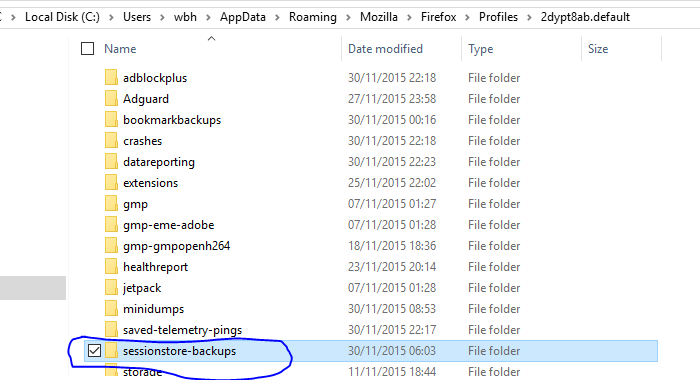
Under the page logo on the left side you will see Application Basics. Under this find Profile Folder. To it’s right press the button Show Folder. This will open your file browser to the current Firefox profile. Now Close Firefox.
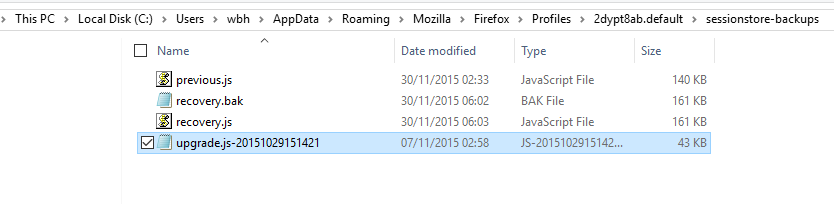
Locate the sessionstore file(s). Then rename or delete them. Restart Firefox.
this is what I found, do I delete or change names to everything? what would you suggest..
FredMcD said
FredMcD saidLocate the sessionstore file(s). Then rename or delete them. Restart Firefox.
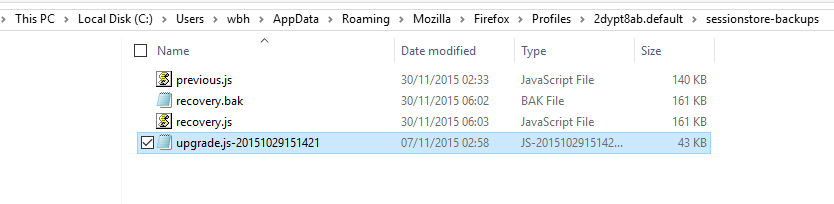
I have located them but I am not sure which I can delete :-(
I have just discovered Remember History was disabled, I enable this option and when I restarted Firefox my recent tabs came back, but when I opened the second window the old ones also returned.. any detailed advise welcome, I am not very technical , thanks
Diperbarui oleh wbhworld pada